

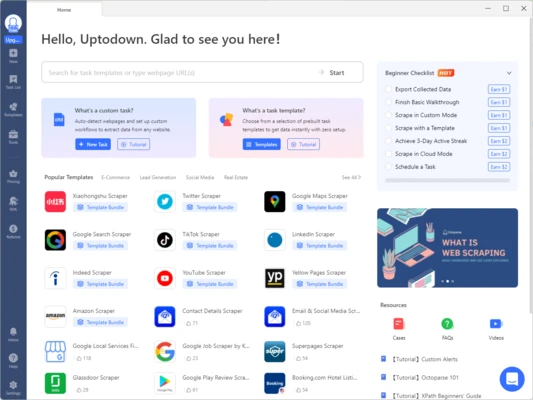
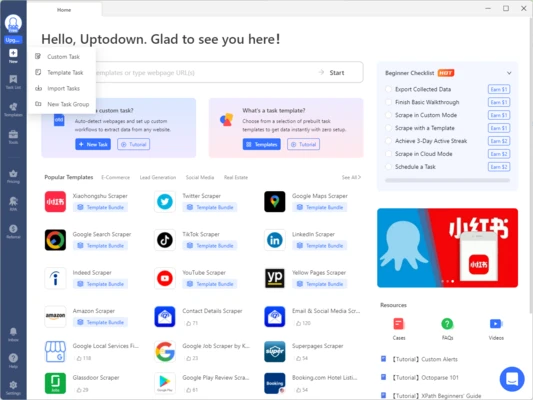
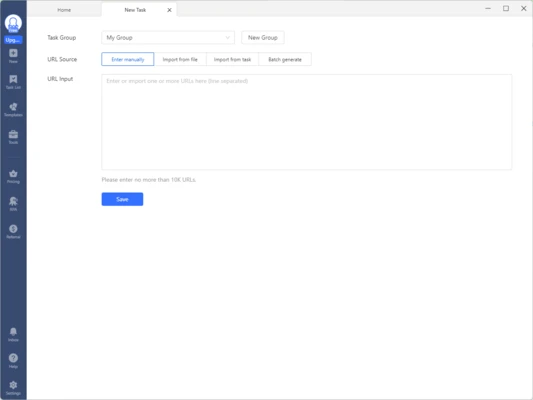
Octoparse is a no-code AI-powered web scraping software for Windows that enables users to extract data from websites and convert it into structured datasets without programming knowledge.
Designed for businesses, marketers, researchers, and data analysts, Octoparse provides a visual point-and-click interface that simplifies web scraping from static and dynamic websites. It supports automated data extraction, cloud-based crawling, scheduled tasks, and exports to multiple formats.
Key Features
AI-Powered Web Scraping
Utilizes AI-assisted data detection to automatically identify and extract structured information from web pages.
No-Code Visual Workflow Builder
Create web scraping tasks through a visual interface without writing scripts or code.
Point-and-Click Data Extraction
Select web elements directly within the built-in browser and let Octoparse generate extraction rules automatically.
Dynamic Website Support
Handles JavaScript, AJAX, infinite scrolling, dropdown menus, pagination, login forms, and other dynamic web content.
Cloud-Based Extraction
Run scraping tasks on cloud servers 24/7 without relying on your local computer.
Automatic IP Rotation
Cloud extraction supports distributed requests and IP rotation to improve data collection reliability.
Scheduled Tasks
Automate recurring scraping jobs with customizable schedules.
Multiple Export Formats
Export extracted data to:
- CSV
- Excel (XLSX)
- HTML
- TXT
- JSON
- Databases via API integration
Built-In Templates
Octoparse includes ready-to-use templates for popular websites and platforms, helping users start data extraction quickly.
Supported templates may include:
- Google Search Scraper
- Google Maps Scraper
- LinkedIn Scraper
- Amazon Scraper
- Indeed Scraper
- TikTok Scraper
- Twitter Scraper
- Yellow Pages Scraper
Main Features
- AI-powered web scraping
- No-code workflow designer
- Point-and-click data extraction
- Dynamic website support
- AJAX and JavaScript rendering
- Cloud-based scraping platform
- Scheduled extraction tasks
- Automatic IP rotation
- Proxy support
- API integration
- Multiple export formats
- Built-in scraping templates
Common Use Cases
Lead Generation
Collect business contacts, company information, and prospect data from public websites.
Market Research
Gather competitor information, pricing data, product catalogs, and market trends.
Price Monitoring
Track product prices and inventory changes across e-commerce websites.
SEO & Marketing Research
Analyze search results, business listings, and online content for marketing campaigns.
Academic Research
Collect large datasets from publicly available web sources for research and analysis.
Why Use Octoparse
Octoparse makes professional web scraping accessible to users without programming experience. Its visual workflow system and AI-assisted extraction tools allow users to collect large amounts of web data quickly while avoiding the complexity of traditional scraping frameworks.
The cloud platform further enhances productivity by enabling large-scale automated extraction without requiring dedicated hardware.
System Requirements
Windows 7, 8, 10, or 11
64-bit operating system recommended
Internet connection required
4 GB RAM minimum (8 GB or higher recommended)
Pros
- No coding required
- AI-assisted data extraction
- Supports dynamic websites
- Cloud-based scraping available
- Multiple export options
- Built-in scraping templates
Cons
- Advanced cloud features require paid plans
- Learning curve for complex workflows
- Some websites may implement anti-scraping protections
Conclusion
Octoparse is a powerful AI web scraping solution that allows users to extract data from websites without coding. With support for dynamic websites, cloud automation, scheduling, and multiple export formats, it is an excellent choice for data collection, market research, lead generation, and business intelligence projects.