
Go to Windows platform Display platforms icon
Go to Windows platform Go to Mac platform Go to Android platform
Syncthing 2.1.3 (64-bit) icon

Syncthing 2.1.3 (64-bit)

2.1.3
Syncthing Team
5.0
11.5 MB size

Great peer-to-peer and file-synchronization software for your Desktop PC!

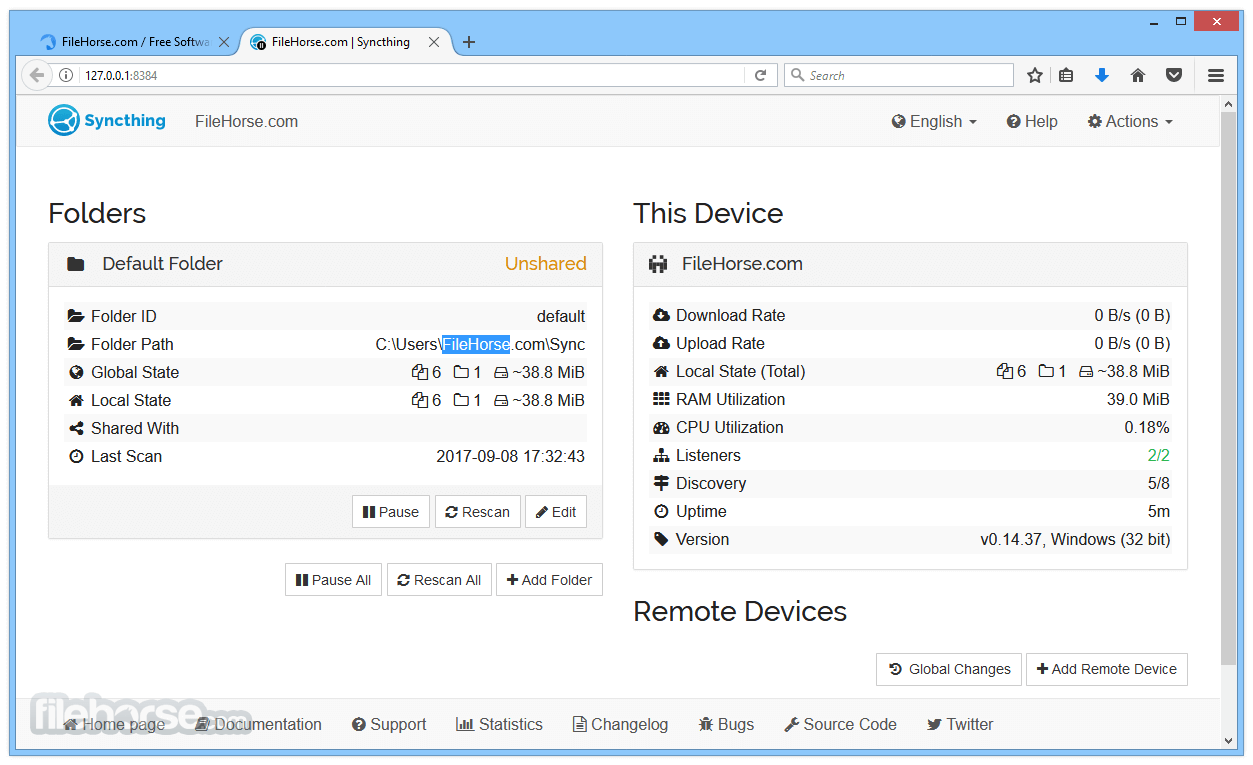
Syncthing is a free and open-source peer-to-peer file synchronization tool that allows users to securely sync files between computers without relying on third-party cloud services.

Unlike traditional cloud storage solutions, Syncthing uses a decentralized approach where files are transferred directly between your devices. It provides encrypted communication, device authentication, and cross-platform support.


Features

  • Peer-to-peer file synchronization
  • No central server or cloud storage required
  • End-to-end encrypted data transfer
  • Secure device authentication
  • Sync files over LAN or the Internet
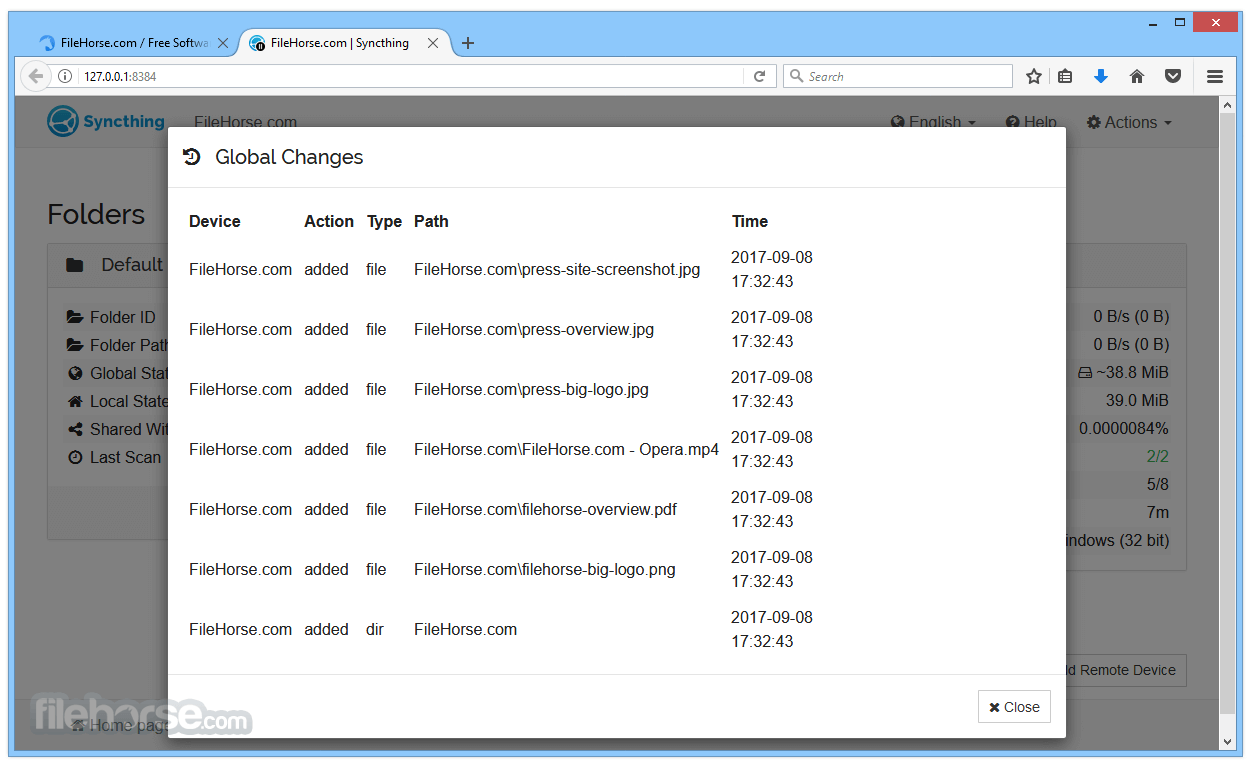
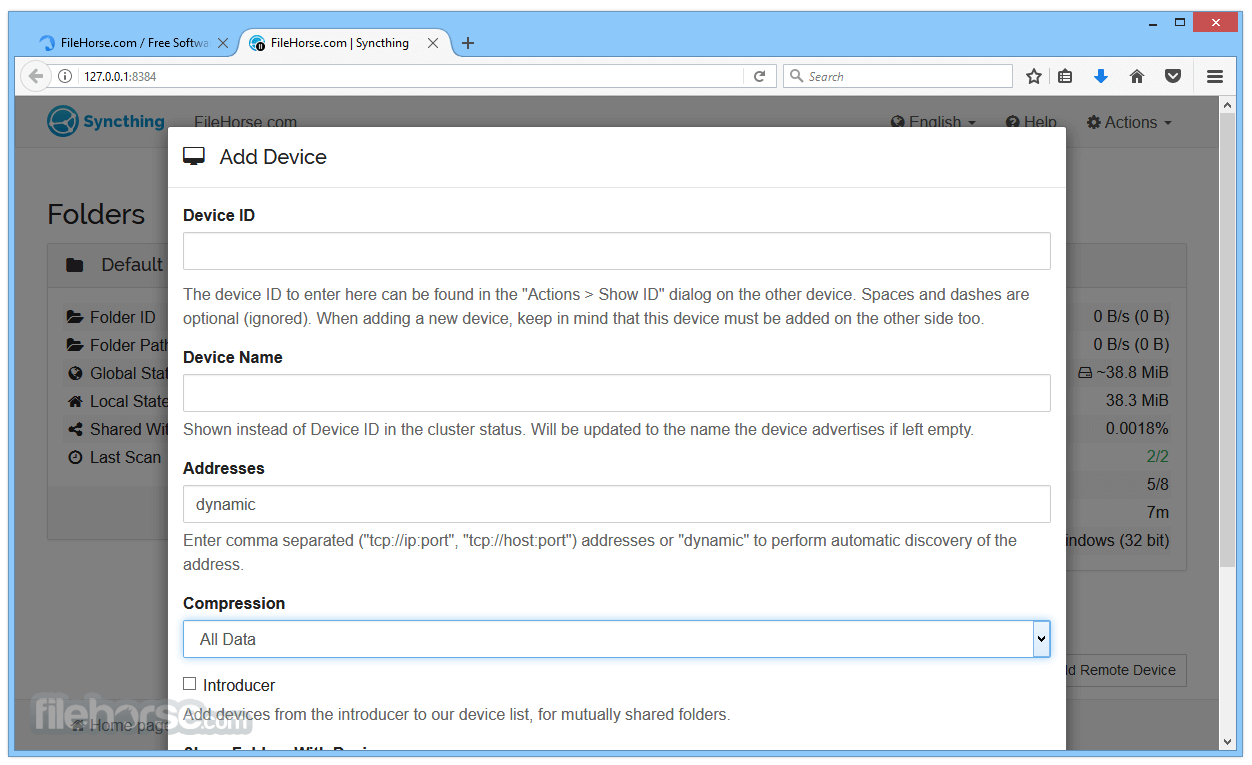
  • Web-based management interface
  • Automatic file synchronization
  • File versioning support
  • Sync unlimited folders between devices
  • Cross-platform support:
    • Windows
    • macOS
    • Linux
    • FreeBSD
    • OpenBSD
    • Solaris

How to Use

  1. Install Syncthing on your devices.
  2. Open the web interface in your browser.
  3. Add devices using their unique device IDs.
  4. Select folders to synchronize.
  5. Configure permissions and synchronization options.
  6. Start syncing files between connected devices.

Alternatives

  • Resilio Sync – Fast peer-to-peer file synchronization solution.
  • FreeFileSync – Open-source file comparison and synchronization tool.
  • SyncBack – Backup and synchronization software with advanced options.
  • Acronis True Image – Backup and recovery solution with cloud features.

System Requirements

  • OS: Windows 7/8/10/11 (64-bit recommended)
  • Processor: 1 GHz or faster
  • Memory: 512MB RAM (1GB recommended)
  • Storage: 50MB free disk space
  • Network: LAN or Internet connection

PROS

  • Free and open-source
  • Strong encryption and privacy protection
  • No third-party cloud required
  • Cross-platform support
  • Automatic synchronization

CONS

  • Initial setup requires some configuration
  • No built-in cloud backup
  • Limited mobile support
  • May consume resources during large transfers

Note: Syncthing is completely free and open-source software.

Information about Syncthing 2.1.3 (64-bit)

License Freeware
Op. System Windows
Category Internet
Language English + more
Author Syncthing Team
permission icon Permissions Not applicable
Date 2026-08-06
Size 11.5 MB
File type Official Website

Apps recommended for you

Microsoft Edge 151.0.4129.59 icon
A fast and secure way to get things done on the Web!
WeChat icon
Download WeChat for Windows and enjoy seamless messaging, voice, and video calls right from your desktop.
Kapsule icon
Reach The Cuboid
UltraSearch icon
Instantly find files on your hard drive
AnyViewer icon
AnyViewer is a powerful remote desktop connection software
Opera 134.0 Build 5954.26 (64-bit) icon
Opera browser brings you more speed, more discoveries and more safety
Zoom icon
Zoom Download Site offers the official download of the Zoom video conferencing app for Windows and other devices, allowing users to easily conduct high-quality video calls and online meetings.
Thunderbird icon
Thunderbird is a free, open-source email client that offers advanced features for managing emails, calendars, and contacts with strong privacy options.
Telegram for Desktop 7.0.9 icon
Speedy alternative to WhatsApp. Send Telegrams from any device!
IMVU 554.2 icon
Express yourself in the world`s largest 3D Chat and Dress-Up community
Advanced Renamer 4.24 icon
Perfect for any kind of file renaming including music and photo files
Telegram for Desktop 7.0.8 icon
Speedy alternative to WhatsApp. Send Telegrams from any device!
DuckDuckGo 0.168.2 icon
The privacy-focused web browser for your Windows PC
Pale Moon 34.3.2 (64-bit) icon
Super fast Goanna-based browser designed for the best possible performance
Firefox 153.0.3 (64-bit) icon
One of the World's Most Popular Web Browsers for Windows
Microsoft Edge 151.0.4129.59 icon
A fast and secure way to get things done on the Web!
MyChat icon
Boost your company's internal communication
CCleaner Browser icon
Piriform
Wireshark icon
Wireshark for Windows is a network protocol analyzer that allows users to capture and analyze network traffic in real-time for troubleshooting and monitoring.
OpenVPN Connect icon
Securely connect to VPN servers and protect your online privacy with OpenVPN Connect for Windows, the reliable VPN client for encrypted internet access.
Tribler icon
Find and share videos, music, games and more
SurfShark VPN 6.15.0999 icon
Enjoy everything good that the Internet has to offer, worry-free!
TrustVare OLM to PST Converter icon
Verified Solution for Converting Outlook Mac OLM files into PST
HideMy.name VPN icon
Protect your online privacy and access the internet securely with HideMy.name VPN for Windows, the fast VPN software with encrypted connections and anonymous browsing.