


XMind is a powerful mind mapping and brainstorming application designed to help users organize ideas, visualize complex information, manage projects, and improve productivity. It supports multiple map structures, presentation tools, task planning, and flexible export options, making it suitable for both personal and professional use.
Key Features
-
Mind Mapping: Create visual maps with central topics, branches, subtopics, and multiple structures.
-
Multiple Structures: Supports Mind Map, Org Chart, Tree Chart, Logic Chart, Fishbone Chart, Timeline, Matrix, and other layouts.
-
Outliner: Switch between mind maps and an outline view to organize ideas, facts, tasks, and goals.
-
Rich Text Formatting: Customize fonts, sizes, colors, bold, italics, and strikethrough within topics.
-
Theme Editor: Customize shapes, lines, colors, fonts, and other visual elements.
-
Brainstorming Mode: Quickly capture ideas with an Idea Factory and optional session timer.
-
ZEN Mode: Provides a distraction-free workspace for focusing on a single mind map.
-
Gantt View: Convert mind maps into Gantt charts for project and task planning.
-
Presentation Mode: Display mind maps in a focused full-screen view for presentations.
-
File Links: Attach links to local files directly from map topics for quick access.
-
Image Export: Export maps with different sizes, transparent backgrounds, and multiple sheets.
-
Office and PDF Export: Export mind maps for use in documents, presentations, spreadsheets, and PDFs.
-
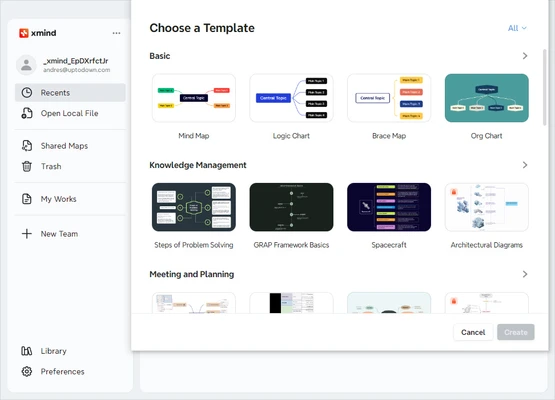
Templates and Themes: Use built-in templates and visual styles to create maps more quickly.
User Interface
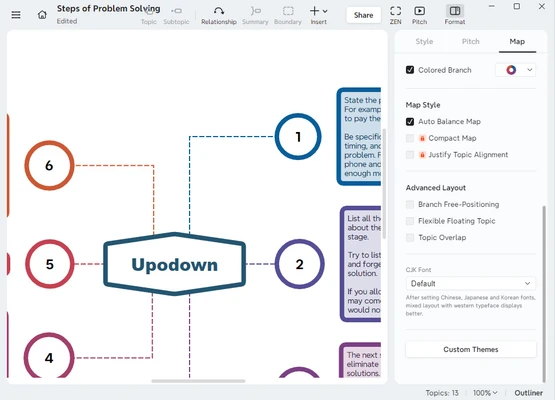
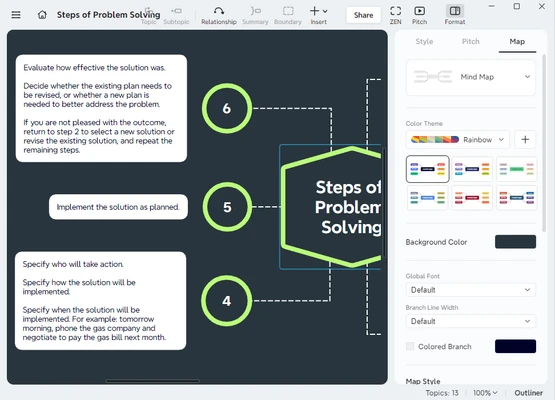
XMind features a clean and intuitive interface that makes it easy to create and edit mind maps. The main workspace provides quick access to map structures, formatting tools, themes, notes, and other functions.
Drag-and-drop controls and keyboard shortcuts make it convenient to add topics and reorganize branches. The interface is suitable for both beginners and experienced users.
Installation and Setup
Download and install XMind on a supported Windows or macOS computer, then follow the on-screen instructions. The installation process is straightforward and requires no complicated configuration.
After installation, launch the application and create a new mind map or open an existing XMind file.
How to Use
-
Launch XMind and create a new mind map.
-
Enter the main idea in the central topic.
-
Press Tab or use the toolbar to add subtopics.
-
Add notes, relationships, boundaries, images, and other details as needed.
-
Customize the map using themes, fonts, colors, and layouts.
-
Use Outliner, Gantt View, or Presentation Mode depending on your task.
-
Save the project or export the finished mind map to a supported format.
System Requirements
-
Windows 10 or later, or a supported version of macOS
-
64-bit processor recommended
-
At least 2 GB RAM recommended
-
Sufficient free disk space for installation and map files
-
Internet connection may be required for account-related features, synchronization, and updates
Pros
-
Easy-to-use mind mapping interface
-
Supports many visual structures
-
Useful brainstorming and presentation tools
-
Gantt View for project planning
-
Flexible formatting and customization
-
Multiple export options
-
Suitable for both personal and professional use
Cons
-
Some advanced features require a paid plan
-
Large and complex maps can become difficult to manage
-
Cloud and collaboration features depend on the available plan and services
Conclusion
XMind is a versatile mind mapping application for organizing ideas, brainstorming, planning projects, and presenting information visually. Its combination of multiple map structures, Outliner, Gantt View, presentation tools, and customization options makes it suitable for a wide range of productivity tasks. The free functionality is sufficient for basic mind mapping, while paid features provide additional tools for more advanced workflows.