

Joplin is a free and open-source note-taking application for Windows that allows users to create, organize, and manage notes and to-do lists.
It supports Markdown, notebooks, tags, attachments, and full-text search, making it suitable for everything from simple personal notes to larger collections of documents and research material.
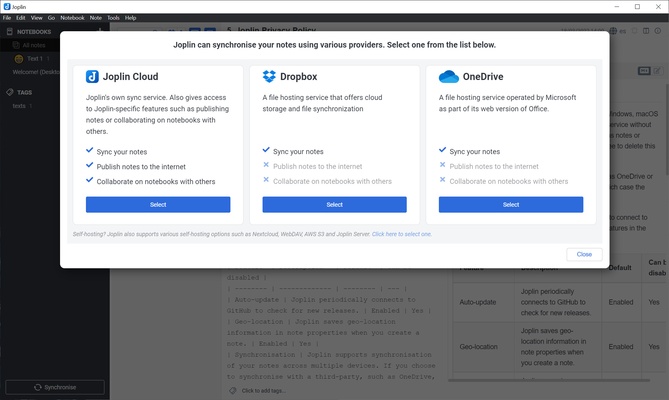
Joplin also supports synchronization across multiple devices. Users can sync their notes through services such as Dropbox, OneDrive, WebDAV, or Joplin Cloud. End-to-end encryption is available to help protect synchronized data.
With support for Windows, macOS, Linux, Android, and iOS, Joplin is a flexible alternative to applications such as Evernote, OneNote, and Obsidian.
Key Features
Markdown Support – Create and format notes using Markdown, including headings, lists, tables, links, and code blocks.
Rich Text Editor – Edit notes using a visual editor without having to write Markdown manually.
End-to-End Encryption – Encrypt synchronized data to help protect notes and attachments during synchronization.
Synchronization – Sync notes and other data across multiple devices using supported cloud services.
Notebooks and Tags – Organize notes into notebooks and use tags to categorize and filter content.
To-Do Lists – Create task lists with checkboxes and organize them alongside regular notes.
Attachments – Add images, PDFs, documents, and other files to notes.
Web Clipper – Save web pages and other online content directly to Joplin using supported browser extensions.
Search – Search through notes and notebooks to quickly find stored information.
Plugin Support – Extend the application with community-developed plugins and additional functionality.
Cross-Platform Support – Access the same notes across Windows, macOS, Linux, Android, and iOS.
User Interface
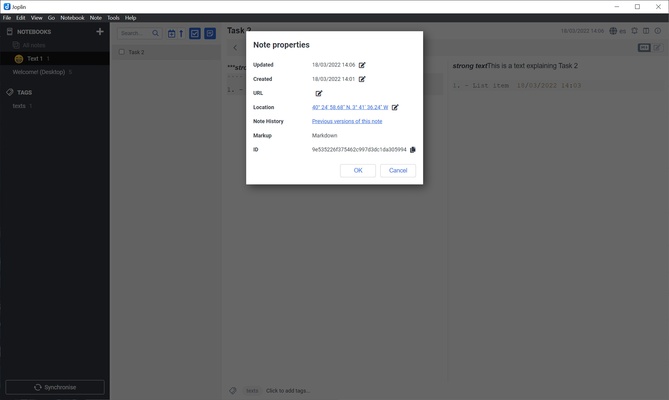
Joplin uses a straightforward three-pane interface. The sidebar provides access to notebooks and tags, the middle panel displays the note list, and the main panel is used for editing notes.
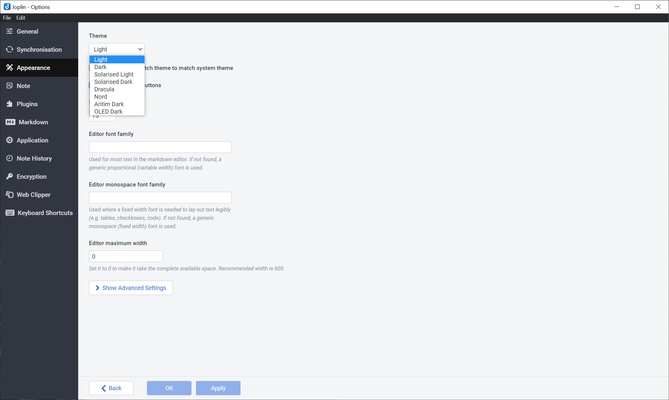
The interface is designed around organization and productivity rather than visual effects. Users can customize the appearance and use dark mode for a more comfortable experience.
Installation and Setup
- Download the appropriate Joplin installer for Windows.
- Run the installer and follow the setup wizard.
- Launch Joplin after installation.
- Create or import your notes.
- Choose a synchronization service if you want to access your notes on multiple devices.
- Enable end-to-end encryption if you want to protect synchronized data.
How to Use
Create a Notebook – Create notebooks to organize notes by project, subject, or category.
Create a Note – Select a notebook and create a new note using the editor.
Format Notes – Use Markdown or the visual editor to add headings, lists, tables, links, and other formatting.
Add Tags – Assign tags to notes so they can be filtered and organized more easily.
Add Attachments – Attach images, PDFs, documents, and other files to individual notes.
Create To-Do Lists – Create task notes and mark items as completed when finished.
Enable Synchronization – Configure a supported synchronization service to keep notes updated across devices.
FAQ
Is Joplin free?
Yes. Joplin is free and open-source software. An optional Joplin Cloud service is available for users who want additional synchronization and collaboration features.
Does Joplin support Markdown?
Yes. Markdown is one of Joplin's core note-formatting features, and the application also provides a visual editor.
Can Joplin synchronize notes between devices?
Yes. Joplin can synchronize notes across supported desktop and mobile devices using services such as Dropbox, OneDrive, WebDAV, and Joplin Cloud.
Does Joplin support encryption?
Yes. Joplin provides end-to-end encryption for synchronized data when enabled.
Can I import notes from Evernote?
Yes. Joplin supports importing Evernote notebooks using supported export formats such as ENEX.
Does Joplin have a mobile version?
Yes. Joplin is available for Android and iOS in addition to its desktop applications.
Can I use Joplin without synchronization?
Yes. Synchronization is optional. You can use Joplin locally without connecting it to a cloud service.
Alternatives
Evernote – A popular note-taking application with extensive organization and productivity features.
Microsoft OneNote – A feature-rich note-taking application with strong integration with Microsoft services.
Obsidian – A Markdown-based knowledge management application focused on linking notes and building personal knowledge bases.
Notion – An all-in-one workspace combining notes, databases, task management, and collaboration features.
Pricing
Joplin is free and open-source.
An optional Joplin Cloud subscription is available for users who want hosted synchronization and additional online features, but it is not required to use the desktop application.
System Requirements
- Operating System: Windows 10 or Windows 11
- Processor: 64-bit compatible processor
- RAM: 2 GB or more
- Storage: At least 200 MB of free disk space
- Internet Connection: Required for cloud synchronization and online features
PROS
- Free and open-source
- Strong privacy and encryption options
- Markdown support
- Cross-platform synchronization
- Supports attachments and to-do lists
- Extensive plugin support
- Can be used without cloud synchronization
CONS
- Interface is less polished than some commercial alternatives
- Some advanced users may find the configuration options complex
- Joplin Cloud features require a paid subscription
- Collaboration features are more limited than some competing services
Conclusion
Joplin is a powerful open-source note-taking application for users who want control over their notes and data.
Its support for Markdown, encryption, synchronization, attachments, plugins, and cross-platform access makes it suitable for personal notes, task management, research, and knowledge management.
For users who prioritize privacy and flexibility over a highly polished commercial interface, Joplin is an excellent free alternative to mainstream note-taking applications.