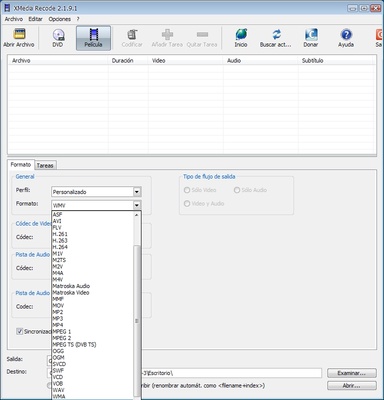
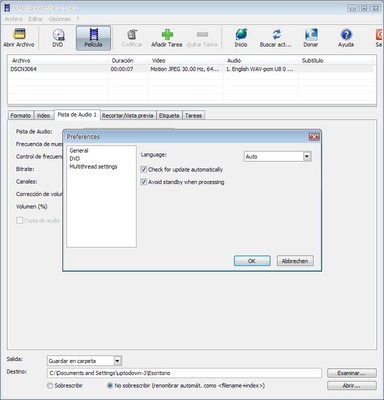
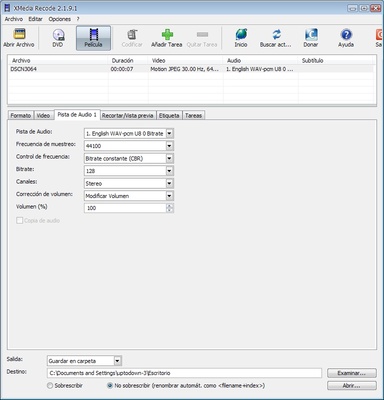
XMedia Recode is a free media conversion tool for Windows that supports a wide range of video and audio formats. It allows users to convert, edit, and process media files with customizable encoding settings.
The software supports popular formats such as MP4, MKV, AVI, MOV, and many others. It also includes basic editing tools for cutting, cropping, rotating, and adjusting video parameters before conversion.
XMedia Recode supports batch processing, subtitles, multiple audio tracks, DVD and Blu-ray conversion, and hardware acceleration. It is suitable for both beginners and advanced users who need more control over media encoding.
Key Features
- Supports a wide range of video and audio formats
- Batch conversion for multiple files
- Customizable video and audio encoding settings
- Built-in tools for cutting, cropping, and rotating videos
- Support for subtitles and multiple audio tracks
- DVD and Blu-ray conversion
- Hardware acceleration with supported GPUs
- 4K video conversion support
- Portable version available
- Free to use
How to Use
- Add video or audio files using the Open File option.
- Select the desired output format and preset.
- Adjust resolution, bitrate, frame rate, audio settings, or other options if needed.
- Choose the destination folder.
- Click Encode to start the conversion.
FAQ
Is XMedia Recode free to use?
Yes. XMedia Recode is free to download and use.
Does XMedia Recode support 4K video?
Yes. It can process and convert 4K video with configurable encoding settings.
Does it support hardware acceleration?
Yes. Hardware acceleration is available with supported NVIDIA and Intel hardware.
Can it convert DVDs and Blu-ray discs?
Yes. XMedia Recode can process content from DVDs and Blu-ray discs, but it does not decrypt copy-protected media.
Is there a portable version?
Yes. A portable version is available and can run without a traditional installation.
Alternatives
HandBrake – A free and open-source video transcoder with extensive encoding options.
Any Video Converter – A versatile converter supporting multiple media formats and additional tools.
Freemake Video Converter – A user-friendly video converter with support for various formats and additional features.
System Requirements
- Operating System: Windows 7, 8, 10, or 11
- Processor: Intel or AMD processor
- RAM: 2 GB minimum
- Storage: At least 100 MB free space
- GPU: Optional hardware acceleration support
PROS
- Free to use
- Supports many video and audio formats
- Batch processing
- Extensive encoding options
- Basic video editing tools
- Hardware acceleration support
- Portable version available
CONS
- Interface looks somewhat outdated
- Advanced settings may be confusing for beginners
- Does not decrypt copy-protected DVDs or Blu-ray discs
- Fewer modern features than some commercial converters
Conclusion
XMedia Recode is a capable and flexible media converter for Windows. Its broad format support, batch processing, editing tools, and detailed encoding options make it suitable for users who need more control over media conversion. Although the interface is somewhat dated, it remains a practical free solution for converting and processing video and audio files.