Go to Windows platform Display platforms icon
Go to Mac platform Go to Windows platform Go to Android platform
FFmpeg icon

FFmpeg

7.1.1
FFmpeg
0
16.81 MB size

Convert and edit multimedia files on your Mac

FFmpeg is a program for Mac designed to help you manage multimedia files on your computer in a totally comprehensive way. After installing this open source tool, you can encode, decode, filter, or play virtually any audio or video file, regardless of format. That said, it's a good idea to read this software's documentation in order to get the most out of this tool, as it offers almost infinite possibilities when dealing with files.

Find out how to use FFmpeg on Mac

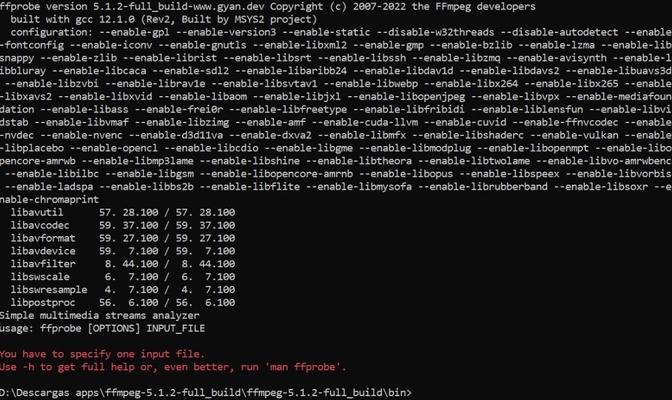
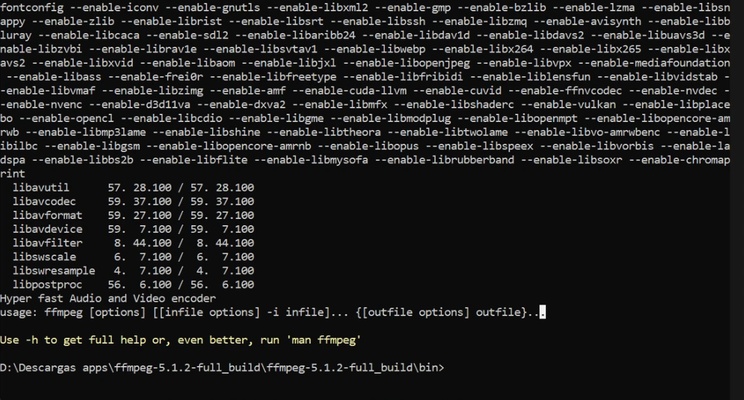
FFmpeg works through command lines on your Mac. However, the simplicity of this program means that you don't need advanced technical knowledge to run the main processes and codecs. For example, to convert an AVI file to MP4, simply type the command ffmpeg -i input.avi output.mp4. In this way, you can convert any file in a matter of seconds without resorting to other more complex programs.

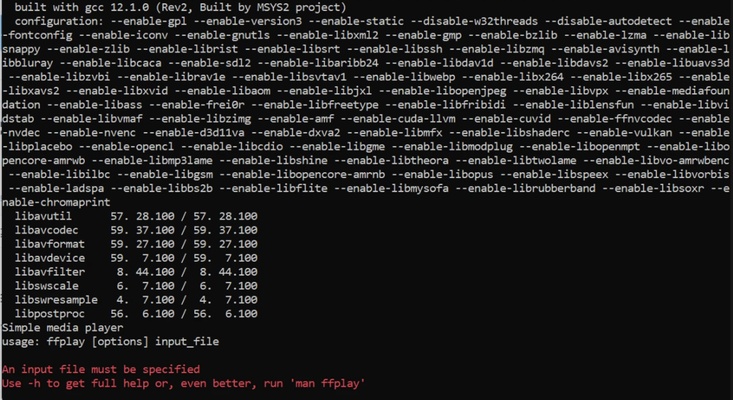
Run ffplay from within the program

By running ffplay [options] [input_url] on FFmpeg, you can also open ffplay on FFmpeg. This media player is really handy for API testing whenever you need it. This tool makes it incredibly easy to play any video or audio file from the command line.

Configure different parameters according to your needs

Whenever you need to compress a file, FFmpeg allows you to set various parameters according to your needs. Thanks to this, you can choose the desired compression quality or bitrate to make sure the resulting file meets your expectations.

Download FFmpeg for Mac to take advantage of this ideal program for converting and editing audio and video files on your computer from the command line.

Information about FFmpeg

License Free
Op. System Mac
Category Multimedia
Language English
Author FFmpeg
permission icon Permissions Not applicable
Date 2026-06-03 01:41:58
Size 16.81 MB
File type 7Z

Apps recommended for you

Pianoteq 9.2.1 for Mac icon
Virtual Mac Desktop Piano and Physically Modelled Acoustic
Reaper icon
Record, edit and render waveform audio
PhotoPad Photo and Image Editor icon
One of the best image editors for Mac
Spotify icon
An endless music library at your disposal
4kFinder YouTube To MP3 Converter icon
Download and convert YouTube Music to MP3
Audacity icon
Multitrack and multiplatform audio editor
ffWorks 5.1.2 for Mac icon
Making High Quality Video Encoding Accessible for Everyone
Wondershare Filmora 15.6.4 for Mac icon
Use Filmora amazing video editor to express your creativity!
ffWorks 5.1.1 for Mac icon
Making High Quality Video Encoding Accessible for Everyone
iDealshare VideoGo 6.8.2 for Mac icon
Amazing Video/Audio Converter App, Player and Editor for macOS
Wirecast 16.5.3 for Mac icon
Turn your laptop or Desktop computer into a television studio
Pianoteq 9.2.1 for Mac icon
Virtual Mac Desktop Piano and Physically Modelled Acoustic
MuseScore 4.7.3 for Mac icon
Create, play back and print beautiful sheet music for Mac
Audacity 3.7.8 for Mac icon
Easy-to-use, multi-track audio editor and recorder for Mac
TunesBank Music Converter for Mac icon
Convert Spotify Music on Macbook/iMac
TinyMediaManager icon
The best way to manage your movies in Mac
Poster Font Light icon
Create beautiful text for your presentations and thumbnails
MuseScore icon
Free and good WYSIWYG music notation program
HandBrake icon
Transform DVD to MPEG with this exceptional video converter
MuseScore 4.7.3 for Mac icon
Create, play back and print beautiful sheet music for Mac
n-Track Studio icon
Turn your computer into a recording studio