


Sticky Password for Mac is a secure and easy-to-use password manager and digital vault that helps users store passwords, automatically fill login information, and protect sensitive data with advanced encryption.
Instead of remembering dozens of passwords, users only need to remember one Master Password. Sticky Password securely stores login credentials, personal information, and online forms, allowing quick and safe access across multiple devices.
The password database uses AES-256 encryption, one of the strongest encryption standards available, ensuring that stored information remains protected from unauthorized access.
Features and Highlights
Secure Password Management
Store and manage all your passwords in one encrypted database.
- Save unlimited passwords
- Protect accounts with a Master Password
- Automatically generate strong passwords
- Securely store personal information
Automatic Login and Form Filling
Sticky Password automatically fills login details and online forms.
Features include:
- One-click website login
- Automatic form completion
- Secure storage for account information
- Support for multiple websites and services
AES-256 Encryption
Your password database is protected using advanced encryption technology.
- Military-grade AES-256 encryption
- Automatic database locking
- Protection against unauthorized access
- Private data remains encrypted
Cross-Platform Synchronization
Sticky Password works across multiple devices, including:
- Windows
- macOS
- Android
- iOS
Premium users can sync encrypted data through:
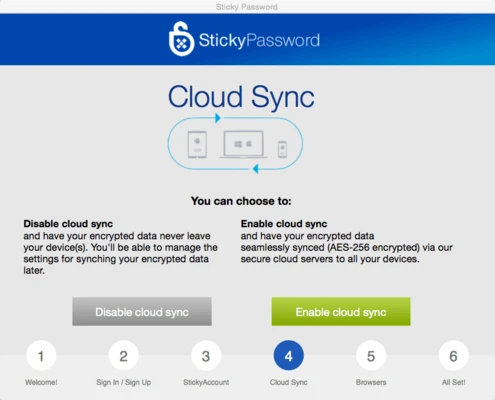
- Cloud synchronization
- Local Wi-Fi synchronization
- Manual transfer options
Biometric Authentication
Supports fingerprint authentication on compatible devices.
Includes:
- Touch ID support on iPhone and iPad
- Fingerprint login on Android devices
- Faster and more convenient account access
How to Use
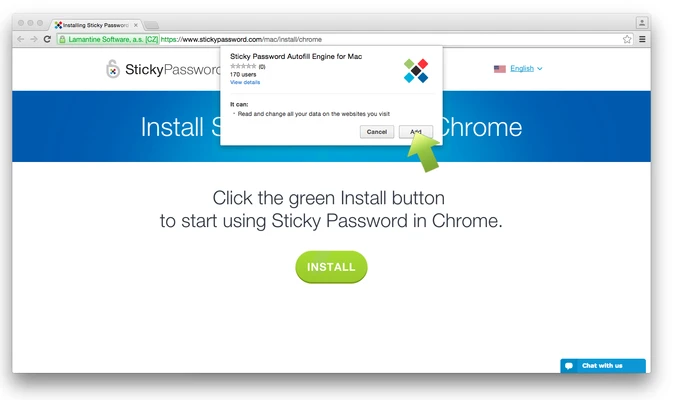
- Install Sticky Password for Mac.
- Create your Master Password.
- Import or add your existing passwords.
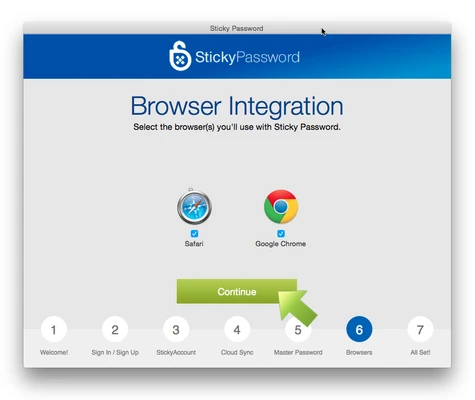
- Enable browser autofill and automatic login features.
- Sync your encrypted database across supported devices.
System Requirements
- macOS compatible
- 64-bit processor required
- Internet connection for synchronization and updates
PROS
- Strong AES-256 encryption
- Automatic password filling
- Cloud and local Wi-Fi synchronization
- Supports biometric authentication
- Portable version available
CONS
- Free version has limited features
- Browser integration could be improved
- Lacks advanced password security auditing
- Interface design feels outdated
Conclusion
Sticky Password for Mac is a reliable password management solution for users who want to securely store and manage their online credentials.
With strong encryption, automatic login features, biometric support, and flexible synchronization options, it provides a convenient way to protect passwords and simplify everyday online access.