

Telegram for Mac is a fast, secure, and free cloud-based messaging application designed for macOS users. It allows users to send text messages, make voice and video calls, share files, and communicate through groups and channels across multiple devices.
With support for encrypted conversations, secret chats, self-destructing messages, and large file sharing, Telegram provides a reliable communication platform for both personal and professional use.
The app synchronizes messages across devices, including macOS, Windows, Linux, iOS, Android, and Web versions, allowing users to continue conversations anywhere.
What's New in Latest Version 2026
- Redesigned navigation interface with improved access to chats, contacts, settings, and profiles.
- AI-powered summaries for long channel posts and Instant View pages.
- Improved Stories features with reactions and expanded sharing options.
- Enhanced bot interactions with colorful action buttons.
- Support for passkeys for faster and more secure login.
- Improved group call experience with live comments and reactions.
- Additional profile customization options.
- Performance improvements and interface optimizations.
Features
Secure Messaging
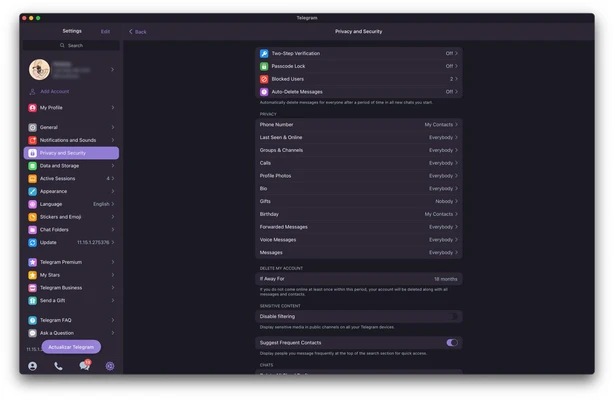
Telegram provides secure messaging features with encryption support, allowing users to communicate privately through personal chats and secret chats.
Large Groups and Channels
Users can create or join large communities with support for groups of up to 200,000 members and channels for broadcasting information to unlimited audiences.
Voice and Video Calls
The app supports high-quality voice and video calls, allowing users to stay connected with friends, family, and colleagues.
File Sharing
Telegram allows users to send various types of files, including:
- Documents
- Photos
- Videos
- Audio files
- Archives
Large file uploads are supported, making it useful for both personal and business communication.
Cloud Synchronization
Messages, media, and files are stored securely in the cloud and synchronized across multiple devices.
Customization
Users can personalize Telegram with:
- Custom themes
- Stickers
- Emojis
- Chat backgrounds
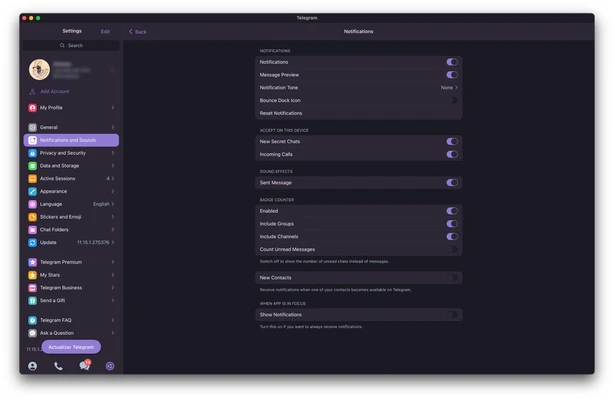
- Notification settings
Developer Support
Telegram provides an open API platform that allows developers to create bots, integrations, and custom applications.
Installation and Setup
- Download Telegram for Mac.
- Open the installer and complete the installation process.
- Launch the application.
- Sign in with an existing Telegram account or create a new account.
- Enter the verification code sent to your phone number.
- Start messaging and customizing your settings.
How to Use
- Search for contacts using usernames or phone numbers.
- Start individual or group conversations.
- Send messages, photos, videos, and documents.
- Create groups or channels.
- Make voice and video calls.
- Adjust privacy and notification settings.
User Interface
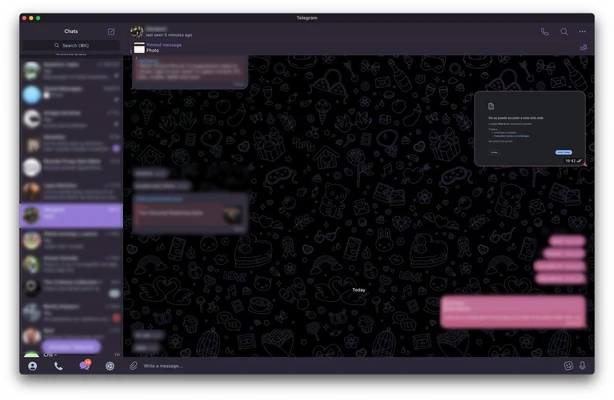
Telegram for Mac features a clean and modern interface with a familiar chat layout.
The main window provides quick access to conversations, contacts, search tools, and settings. The simple design allows new users to start chatting quickly while offering advanced options for experienced users.
FAQ
Is Telegram for Mac free?
Yes. Telegram for Mac is completely free to download and use.
Does Telegram support encrypted chats?
Yes. Telegram provides encrypted communication features, including Secret Chats with additional privacy controls.
Can Telegram run on multiple devices?
Yes. Telegram automatically synchronizes messages and files across supported devices.
Can I send large files through Telegram?
Yes. Telegram supports sharing large files, including documents, videos, and other media.
Does Telegram require a phone number?
Yes. A valid phone number is required for account registration.
Alternatives
- WhatsApp for Mac – Popular messaging platform with text, voice, and video communication features.
- Viber for Mac – Cross-platform messaging application with calling and chat features.
- Discord for Mac – Community-focused communication platform supporting voice, video, and text chat.
Pricing
Telegram for Mac is 100% FREE.
System Requirements
- Operating System: macOS 10.13 or later
- Processor: 64-bit Intel or Apple Silicon processor
- Storage: Around 120 MB available space
- Internet connection required
Pros
- Fast and reliable messaging service
- Cross-platform synchronization
- Large group and channel support
- Supports file sharing and cloud storage
- Free to use
- Customizable interface
Cons
- Secret Chats are only available for certain conversations
- Requires a phone number for registration
- Some advanced features may require learning
Conclusion
Telegram for Mac is a powerful and versatile messaging application that combines speed, security, and cross-platform support.
With support for large communities, file sharing, voice and video calls, and cloud synchronization, it is suitable for both everyday communication and professional collaboration. For users looking for a modern alternative to traditional messaging apps, Telegram is a strong choice.
Note: Requires a 64-bit processor.