


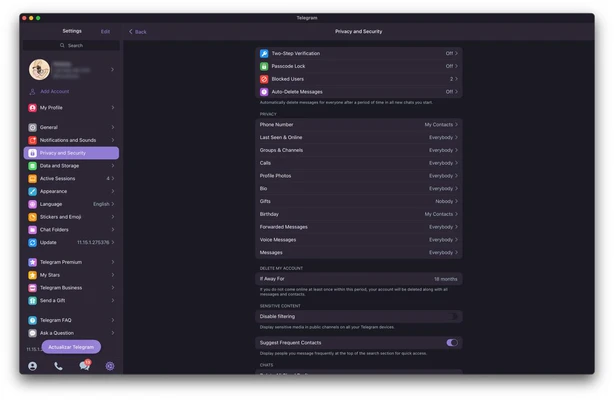
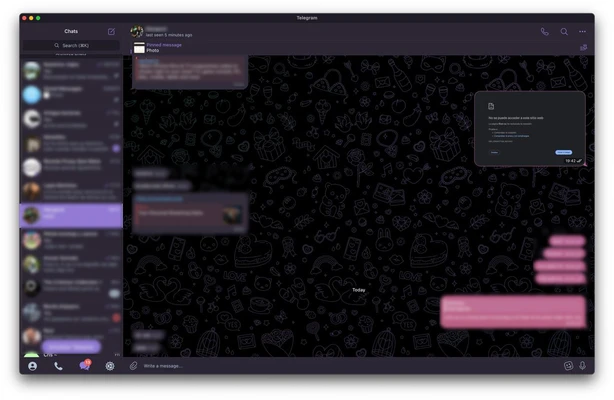
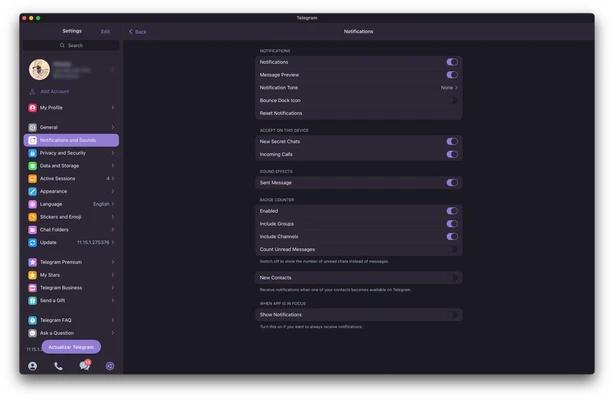
Telegram for Mac is a fast, cloud-based messaging and communication platform that allows users to send messages, make voice and video calls, share files, and participate in large communities across multiple devices. With cloud synchronization, advanced privacy controls, and support for massive group chats and channels, Telegram has become one of the world's most popular communication tools.
The macOS version delivers a seamless desktop experience, enabling users to stay connected across Mac, iPhone, iPad, Windows, Linux, Android, and web browsers.
Key Features
Fast Cloud Messaging
Send and receive messages instantly across all connected devices with real-time cloud synchronization.
Voice & Video Calls
Enjoy high-quality voice and video calls with secure encryption and reliable performance.
Secret Chats & Privacy
Use Secret Chats with end-to-end encryption, self-destructing messages, screenshot protection, and enhanced privacy controls.
Massive Groups & Channels
Create or join groups with up to 200,000 members and follow channels for news, communities, education, and entertainment.
File Sharing Without Limits
Share documents, videos, photos, archives, and other files with generous size limits and fast cloud storage access.
Stories & Social Features
Post stories, react to content, create polls, use stickers, emojis, GIFs, and personalized profiles.
Bots & Automation
Access thousands of bots for productivity, customer support, automation, AI tools, notifications, and business workflows.
Cross-Platform Sync
Continue conversations seamlessly between macOS, iPhone, Android, Windows, Linux, and Web versions.
Why Choose Telegram for Mac?
Telegram combines the simplicity of traditional messaging apps with powerful collaboration and community features. Unlike many competitors, it offers:
- Cloud-based message synchronization
- Large group and channel support
- Fast file sharing
- Strong privacy controls
- Extensive bot ecosystem
- Cross-device accessibility
- Lightweight and responsive desktop experience
It is suitable for personal communication, community management, content distribution, remote teams, and business collaboration.
Best For
- Personal messaging
- Remote teams
- Community administrators
- Content creators
- Cryptocurrency communities
- Online education groups
- Large-scale discussion groups
- Users seeking cross-platform communication
Pros
- Fast and reliable messaging
- Strong privacy and security options
- Large group and channel support
- Cross-platform synchronization
- Extensive customization options
- Supports large file transfers
- Rich bot and API ecosystem
- Free to use
Cons
- End-to-end encryption is not enabled by default for regular chats
- Large public groups can attract spam
- Some advanced features may feel overwhelming for new users
- Certain features vary between platforms
System Requirements
Operating System
- macOS 11 Big Sur or later (recommended)
Processor
- Intel or Apple Silicon (M1, M2, M3, M4)
Memory
- 4 GB RAM minimum
Storage
- Approximately 200 MB of available disk space
Internet
- Active internet connection required
Conclusion
Telegram for Mac is a feature-rich messaging platform that combines speed, cloud synchronization, privacy tools, and large-scale community features in a polished desktop application. Whether you're chatting with friends, managing a large online community, sharing files, or collaborating with a team, Telegram offers one of the most versatile communication experiences available on macOS.