


Mozilla Firefox for Mac is a free and open-source web browser focused on privacy, security, and performance. Developed by Mozilla, Firefox provides Mac users with a fast and customizable browsing experience while offering advanced tools to protect personal data online.
Unlike many mainstream browsers developed by large technology companies, Firefox emphasizes user privacy with features such as Enhanced Tracking Protection, Total Cookie Protection, DNS over HTTPS, and fingerprinting protection.
Firefox supports thousands of extensions, customizable themes, and cross-device synchronization, making it a popular choice for users who want more control over their browsing experience.
Key Features
Enhanced Tracking Protection
Automatically blocks known trackers that collect browsing activity and personal information.
Total Cookie Protection
Separates cookies by website to prevent cross-site tracking.
Private Browsing Mode
Browse the web without saving local browsing history, cookies, or temporary data.
DNS over HTTPS
Encrypts DNS requests to improve privacy and prevent unauthorized monitoring.
Fingerprinting Protection
Helps prevent websites from identifying users through unique browser characteristics.
Extension Support
Install thousands of add-ons to customize Firefox with additional features and tools.
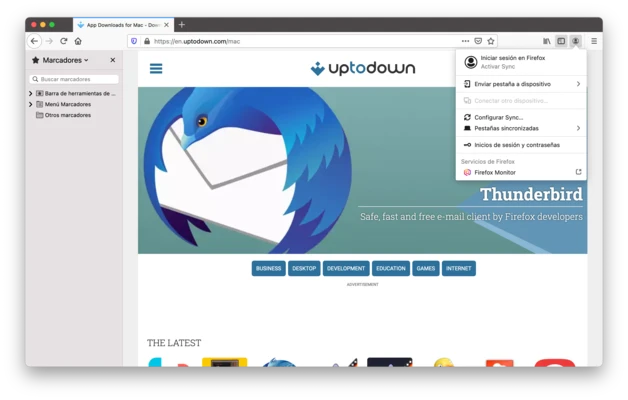
Firefox Sync
Synchronize bookmarks, passwords, history, and open tabs across multiple devices.
Customizable Interface
Change themes, toolbar layouts, and browser settings according to personal preferences.
Developer Tools
Includes powerful tools for web developers to inspect, debug, and optimize websites.
What's New in Latest Version 2026
- Improved browser performance and page loading speed.
- Enhanced privacy protection against trackers and fingerprinting.
- Better memory management for improved multitasking.
- Updated Firefox View with easier access to tabs and browsing history.
- Improved PDF viewer and editing capabilities.
- Enhanced support for modern web standards.
- Security updates and stability improvements.
Installation and Setup
- Download the Firefox installer for macOS.
- Open the downloaded DMG file.
- Drag Firefox into the Applications folder.
- Launch Firefox and complete the initial setup.
- Sign in with a Mozilla account to enable synchronization.
- Customize privacy settings, themes, and extensions.
How to Use
Firefox works like other modern web browsers. Users can:
- Search the web using the built-in search bar.
- Open multiple tabs and organize browsing sessions.
- Install extensions from the Firefox Add-ons store.
- Enable privacy protections from browser settings.
- Sync browsing data across devices.
- Use private windows for temporary browsing sessions.
User Interface
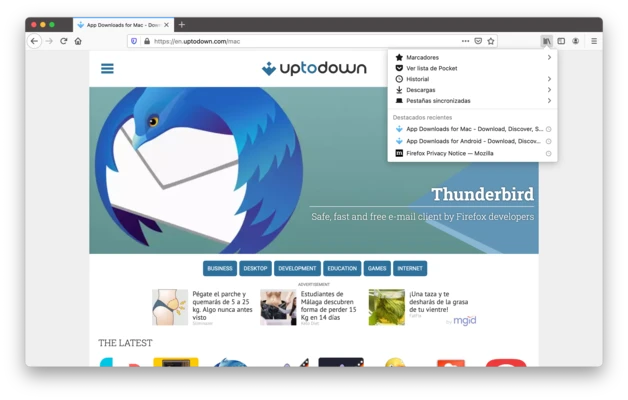
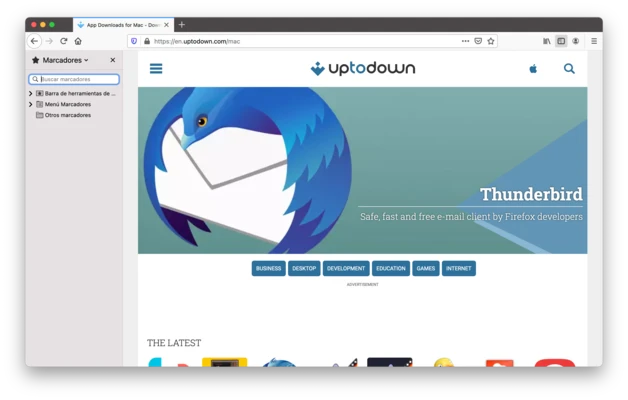
Firefox features a clean and modern interface designed for easy navigation.
Users can customize the toolbar, install themes, rearrange menus, and adjust privacy settings. The browser also provides a flexible tab management system and supports dark mode for a comfortable viewing experience.
FAQ
What is Firefox for Mac?
Firefox for Mac is a free, open-source web browser developed by Mozilla that focuses on privacy, security, and customization.
Is Firefox safe to use?
Yes. Firefox includes multiple security features such as tracking protection, secure connections, automatic updates, and privacy controls.
Does Firefox support extensions?
Yes. Firefox supports thousands of browser extensions for productivity, security, customization, and web development.
Is Firefox free?
Yes. Firefox is completely free and open-source.
Can Firefox sync data between devices?
Yes. Firefox Sync allows users to synchronize bookmarks, passwords, history, and open tabs across supported devices.
Alternatives
Google Chrome for Mac – A fast and widely used browser with extensive extension support.
Brave for Mac – A privacy-focused browser with built-in ad and tracker blocking.
Safari – Apple's default browser optimized for macOS performance and ecosystem integration.
Microsoft Edge for Mac – A Chromium-based browser with Microsoft services integration.
Opera for Mac – A feature-rich browser with built-in tools and customization options.
Pricing
Mozilla Firefox is 100% free to download and use. It is developed as an open-source project supported by Mozilla and the global community.
System Requirements
- Operating System: macOS 10.15 Catalina or later
- Processor: Intel or Apple Silicon (M1/M2/M3/M4)
- RAM: 2 GB minimum
- Storage: Approximately 500 MB free space
PROS
- Strong privacy and security features
- Free and open-source
- Large extension library
- Highly customizable interface
- Regular security updates
- Supports Intel and Apple Silicon Macs
CONS
- Some websites are optimized primarily for Chromium browsers
- Higher memory usage compared with some lightweight browsers
- Smaller extension ecosystem than Chrome
Conclusion
Mozilla Firefox for Mac is one of the best privacy-focused web browsers available for macOS.
With powerful tracking protection, extensive customization options, strong security features, and open-source development, Firefox provides a reliable alternative to Chrome, Safari, and Edge for users who want greater control over their online privacy.