


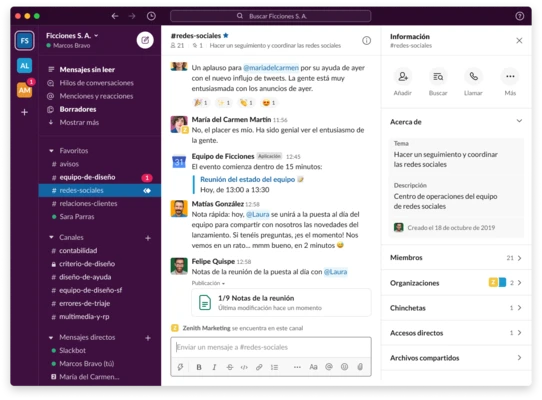


Slack for Mac is a cloud-based team communication and collaboration platform that brings messaging, file sharing, project discussions, and workflow automation into a single workspace. Designed for businesses of all sizes, Slack helps teams stay connected, organize conversations, and collaborate more efficiently in real time.
With support for channels, direct messaging, file sharing, voice and video communication, and thousands of third-party integrations, Slack has become one of the most widely used workplace collaboration tools.
Key Features
- Real-time team messaging and collaboration
- Public and private channels for organized discussions
- Direct messaging and group conversations
- File sharing with searchable document indexing
- Advanced search across messages, files, and conversations
- Audio and video meetings with Huddles
- Workflow Builder for task automation
- Slack AI-powered summaries and productivity tools
- Custom notifications and message management
- Shared channels for collaboration with external organizations
- Integration with Google Drive, Dropbox, Microsoft 365, GitHub, Jira, and thousands of other apps
- Enterprise-grade security and compliance controls
Why Choose Slack?
Slack centralizes workplace communication by replacing scattered emails, chat applications, and disconnected tools with a single collaborative workspace. Teams can communicate faster, share files instantly, automate repetitive tasks, and keep project discussions organized and searchable.
Its extensive integration ecosystem allows users to connect business-critical applications directly into their workflow, reducing context switching and improving productivity.
Best For
- Remote teams
- Businesses and enterprises
- Project management teams
- Software development teams
- Customer support teams
- Marketing departments
- Startups and growing organizations
Pros
- Clean and user-friendly interface
- Powerful search functionality
- Extensive third-party integrations
- Excellent team collaboration features
- Cross-platform synchronization
- Strong security and compliance options
Cons
- Can become overwhelming in large workspaces
- Free version has message history limitations
- High notification volume without proper configuration
- Advanced enterprise features require paid plans
System Requirements
- macOS 11 Big Sur or later
- Intel or Apple Silicon processor
- Internet connection required
- Slack workspace account
Conclusion
Slack for Mac is one of the leading team collaboration platforms available today. By combining messaging, file sharing, automation, and integrations into a single workspace, it helps organizations improve communication, streamline workflows, and enhance team productivity across both remote and office environments.