


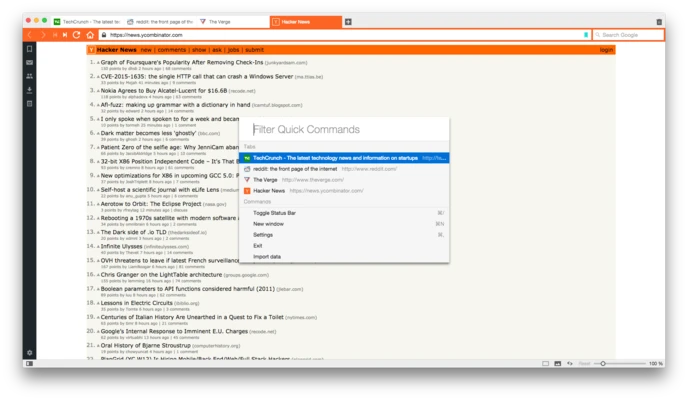
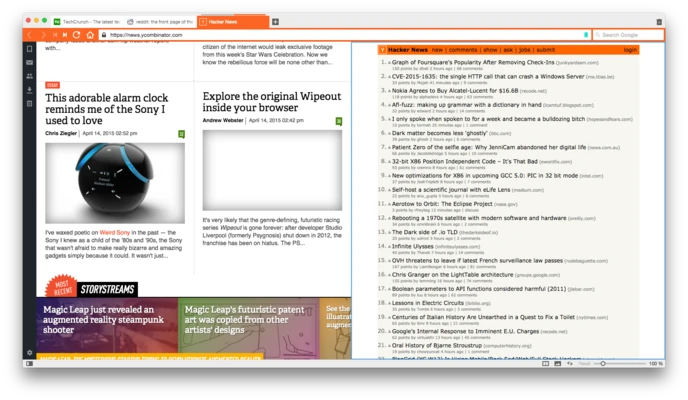
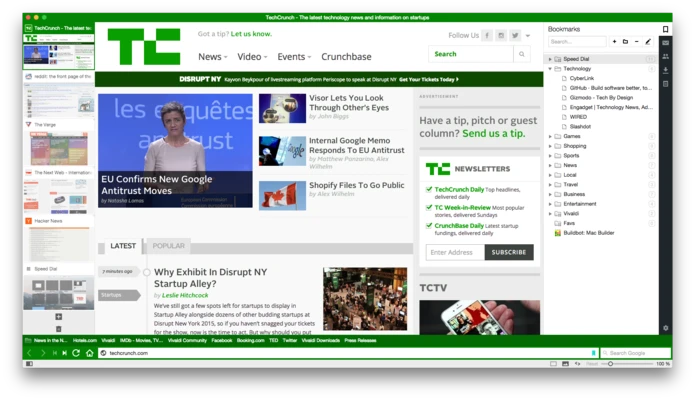
Vivaldi for Mac is a feature-rich web browser designed for users who want complete control over their browsing experience. Developed by former Opera creators, Vivaldi combines the speed and compatibility of Chromium with extensive customization options, advanced tab management, built-in productivity tools, and strong privacy features.
Unlike traditional browsers that follow a one-size-fits-all approach, Vivaldi allows users to customize nearly every aspect of the interface, making it a popular choice among power users, developers, researchers, and multitaskers.
Key Features
- Highly customizable user interface
- Advanced tab management with Tab Stacks and Workspaces
- Built-in Mail, Calendar, and Feed Reader
- Integrated ad blocker and tracker protection
- Cross-device synchronization
- Notes panel for research and productivity
- Mouse gestures and keyboard shortcuts
- Built-in page translation
- Full-page screenshot capture tool
- Pop-out video playback (Picture-in-Picture)
- Command Chains for workflow automation
- Chromium-based compatibility with Chrome extensions
Why Choose Vivaldi?
Vivaldi is built for users who demand flexibility and productivity. It offers powerful organization tools that help manage large numbers of tabs, workflows, and online tasks without relying heavily on third-party extensions.
Its integrated productivity suite, including Mail, Calendar, Notes, and Feeds, reduces the need for separate applications while maintaining a privacy-focused browsing environment.
Best For
- Power users and multitaskers
- Researchers and students
- Developers and IT professionals
- Users managing dozens of browser tabs
- Privacy-conscious users
- Chrome users looking for greater customization
Pros
- Extensive customization options
- Excellent tab management features
- Built-in Mail and Calendar tools
- Strong privacy protections
- Supports Chrome extensions
- Regular feature updates
- Powerful keyboard shortcuts and mouse gestures
- Cross-platform synchronization
Cons
- More complex than mainstream browsers
- Can feel overwhelming for beginners
- Built-in features may be unnecessary for casual users
- Slightly higher memory usage with many active features
- Smaller extension ecosystem compared to Chrome
System Requirements
- macOS 11 Big Sur or later
- Intel or Apple Silicon processor
- Minimum 4 GB RAM
- Approximately 500 MB of available storage
- Internet connection for syncing and updates
Conclusion
Vivaldi for Mac is one of the most customizable web browsers available today, offering a unique combination of productivity tools, advanced tab management, privacy features, and workflow customization. Its flexibility makes it an excellent choice for users who spend significant time in their browser and want complete control over how they work online.