Go to Windows platform Display platforms icon
Go to Mac platform Go to Windows platform Go to Android platform
Microsoft Edge Dev icon

Microsoft Edge Dev

136.0.3227.1
Microsoft
0
338.65 MB size

Try out what's new in Microsoft Edge before it launches

Microsoft Edge Dev is one of the preview versions of the Microsoft Edge web browser. Just like Google Chrome, Microsoft Edge has four versions: Stable, Beta, Dev and Canary, ordered from most to least stable. The Canary version is automatically compiled every day regardless of changes that have been introduced in the code. As a result, there may be malfunctions or stability problems.

Stability in Microsoft Edge Dev is higher than in the Canary version. Unlike Canary, Microsoft Edge Dev is reviewed for bugs by the developers prior to compilation. The compilation is carried out once or twice a week, and lets you check the latest new features introduced in the browser with a certain guarantee of basic function stability.

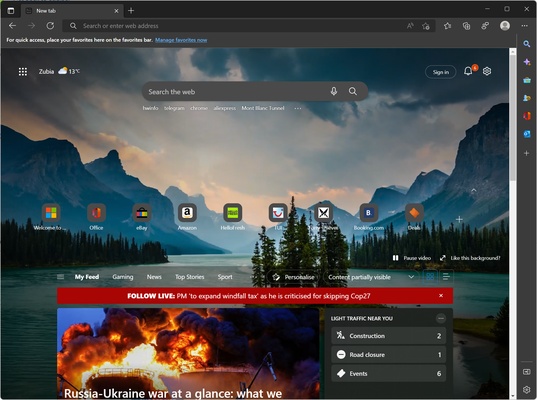
In addition to allowing you to enjoy the latest features in the browser, Microsoft Edge Dev offers the same as the stable version, meaning you can browse the Internet, sync accounts, add extensions, and so on. It can also be used as a default e-book reader, and you can add web pages to favorites for easy access.

So, if you want to try out the latest Microsoft Edge features with a certain guarantee of stability, go ahead and download Microsoft Edge Dev.

Information about Microsoft Edge Dev

License Free
Op. System Mac
Category Internet
Language English 47 more
Author Microsoft
permission icon Permissions Not applicable
Date 2026-06-03 01:55:10
Size 338.65 MB
File type DMG

Apps recommended for you

Microsoft Edge Beta icon
Get a sneak preview of what's new in Edge with the Beta version
Mailspring icon
A comfortable, simple and comprehensive email client
ForkLift 4.7.4 icon
Advanced file manager and FTP + SFTP + Amazon S3 + WEBDav for Mac
FileZilla Server icon
Tim Kosse
OnionShare icon
Share files and chat anonymously
Transmit icon
One of the best FTP clients for Mac
Brave Browser 1.93.132 icon
Load web pages 3x to 6x faster, better privacy and protection!
Mozilla Firefox Beta icon
Try the latest features in the Mozilla browser
WhatsApp for Mac 26.33.19 icon
Quickly send and receive WhatsApp messages right from your Mac
ForkLift 4.7.4 icon
Advanced file manager and FTP + SFTP + Amazon S3 + WEBDav for Mac
Vivaldi 8.1.4087.68 icon
An advanced browser made with the power user in mind
Tor Browser 15.0.20 icon
Defend yourself against network surveillance and traffic analysis
Brave Browser 1.93.132 icon
Load web pages 3x to 6x faster, better privacy and protection!
Firefox 153.0.3 icon
One of the World's Most Popular Web Browsers for Mac
Telegram for Desktop 7.0.7 icon
Speedy alternative to WhatsApp. Send Telegrams from any device!
NoMachine 10.0.57 icon
NoMachine is the fastest remote Mac desktop you have ever tried
Opera GX icon
OperaGX for Mac is a gaming-focused web browser that offers customizable features, performance optimization, and a unique design for an enhanced browsing experience.
Lark icon
A comprehensive tool for working remotely
Waterfox icon
A balanced and secure browser
Microsoft Edge 149.0.4022.62 for Mac icon
A fast and secure way to get things done on the Web!
Google Drive icon
Manage and work with your Google Drive account on Mac
Element 1.12.21 for Mac icon
Group chat, VoIP & video calling, file transfer and bridge networks!
Vivaldi icon
Stay organized while you work with this efficient browser
NordVPN icon
Safe and private browsing on Mac