


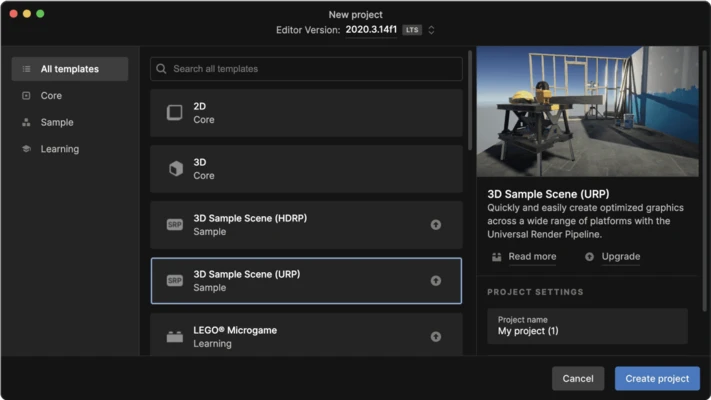
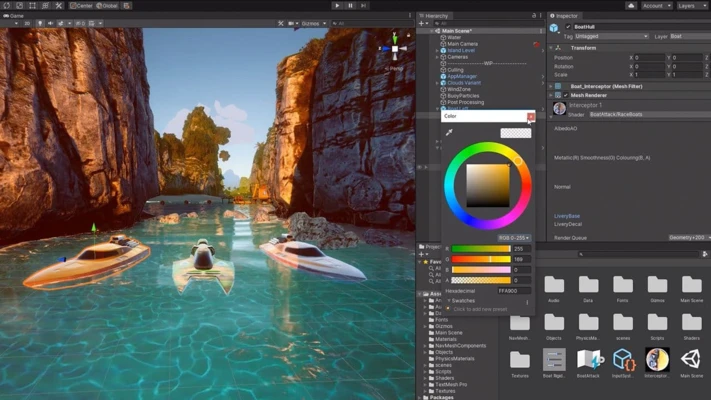
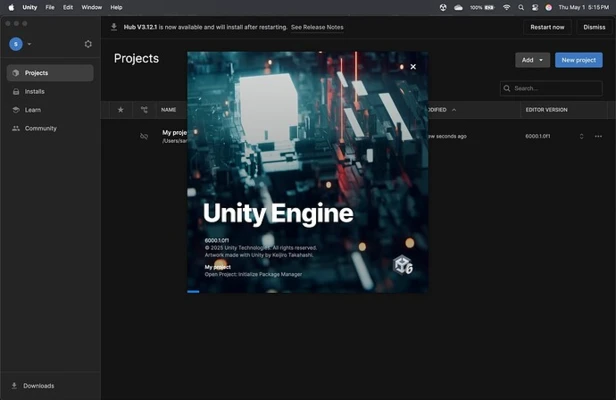
Unity for Mac is one of the world's most popular game development platforms, providing developers with a complete ecosystem for creating, testing, and deploying both 2D and 3D interactive experiences. From indie games and mobile apps to AAA productions, VR/AR projects, simulations, and real-time visualization, Unity offers a powerful set of tools that streamline the entire development workflow.
Built around a robust real-time rendering engine and an intuitive visual editor, Unity enables developers to create high-quality content and publish it across multiple platforms from a single codebase.
Key Features
Powerful 2D & 3D Development
Create immersive 2D and 3D games using dedicated tools, advanced rendering pipelines, and flexible asset workflows.
Visual Editor & Rapid Workflow
Design scenes, edit assets, test gameplay, and iterate quickly within Unity’s user-friendly development environment.
Cross-Platform Deployment
Build and deploy projects to macOS, Windows, iOS, Android, consoles, web browsers, VR, AR, and other supported platforms.
Advanced Rendering Technology
Deliver stunning visuals with modern rendering pipelines, real-time lighting, post-processing effects, and high-fidelity graphics.
Animation System
Create smooth character animations and object interactions using Unity's powerful animation and rigging tools.
Asset Store Integration
Access thousands of ready-made assets, plugins, tools, models, audio packs, and templates through the Unity Asset Store.
Multiplayer & Networking
Simplify online game development with multiplayer tools, networking services, and cloud-based infrastructure.
Unity Cloud Services
Utilize cloud builds, collaboration tools, analytics, and project management services to improve team productivity.
Runtime AI Capabilities
Leverage AI-powered tools and runtime features to create more dynamic and intelligent gameplay experiences.
Extensive Learning Resources
Benefit from comprehensive documentation, tutorials, courses, and a massive global developer community.
Why Choose Unity?
Unity offers one of the most complete game development ecosystems available today. Its balance between ease of use and advanced functionality makes it suitable for beginners learning game development as well as professional studios building commercial projects.
With strong cross-platform support, a huge asset marketplace, and continuous feature updates, Unity remains a leading choice for interactive content creation.
Best For
- Indie game developers
- Mobile game development
- PC and console games
- VR and AR applications
- Real-time 3D visualization
- Educational projects
- Simulation and training software
- Small and large development studios
Pros
- Beginner-friendly development environment
- Excellent cross-platform deployment support
- Large Asset Store ecosystem
- Extensive documentation and tutorials
- Strong community support
- Powerful 2D and 3D creation tools
- Visual scripting capabilities
- Frequent feature updates
Cons
- Resource-intensive for large projects
- Advanced rendering can require powerful hardware
- Some professional features require paid plans
- Complex projects can become difficult to optimize
- Custom shader development has a learning curve
System Requirements
- macOS 11 Big Sur or later
- Intel or Apple Silicon processor
- Minimum 8 GB RAM (16 GB recommended)
- Modern GPU with Metal support
- Several GB of available storage for projects and modules
- Internet connection for downloads and cloud services
Conclusion
Unity for Mac is a powerful and versatile game development platform that enables creators to build high-quality 2D and 3D experiences for virtually any device. With its intuitive editor, extensive asset ecosystem, cross-platform deployment capabilities, and professional-grade development tools, Unity remains one of the best choices for developers looking to create games, simulations, and interactive applications on macOS.