Ableton Live is a professional digital audio workstation (DAW) for creating, recording, editing, producing, and performing music. It combines traditional timeline-based production with a flexible Session View that allows musicians and producers to experiment with loops, clips, instruments, and effects in real time.
Designed for both studio production and live performance, Ableton Live supports audio and MIDI recording, virtual instruments, effects, sound libraries, third-party plugins, and hardware controllers. It is available for Windows and macOS in Intro, Standard, and Suite editions.
Key Features
-
Session View – Trigger and arrange audio and MIDI clips in a flexible, non-linear workspace.
-
Arrangement View – Build complete songs using a traditional timeline-based workflow.
-
Audio and MIDI Recording – Record instruments, vocals, external hardware, and MIDI performances.
-
Virtual Instruments – Create sounds and melodies using built-in software instruments.
-
Audio and MIDI Effects – Process and shape sounds with a wide range of built-in effects.
-
Audio Warping – Adjust the timing and tempo of audio clips while maintaining synchronization.
-
Audio-to-MIDI Conversion – Convert suitable audio recordings into MIDI data for further editing.
-
Max for Live – Extend Live with additional instruments, effects, and custom devices.
-
Third-Party Plugins – Support for common plugin formats allows users to expand their production setup.
-
Live Performance Tools – Trigger clips, control effects, process external audio, and integrate MIDI hardware during performances.
-
Sound Library – Includes sounds, samples, presets, instruments, and effects for music production.
User Interface
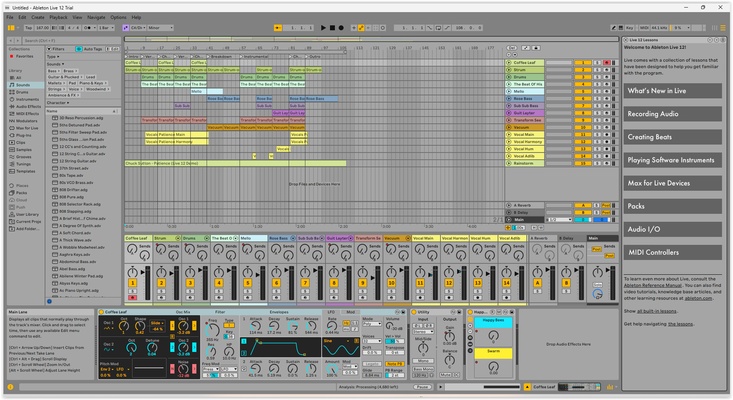
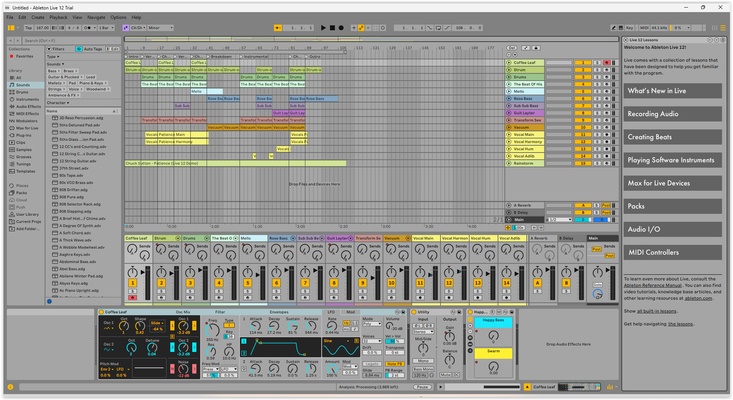
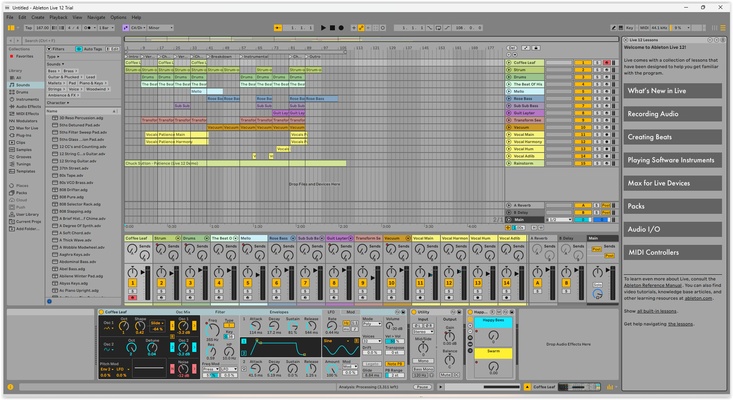
Ableton Live uses two main workspaces: Session View and Arrangement View. Session View is designed for experimentation, looping, and live performance, while Arrangement View provides a traditional timeline for detailed song production.
The interface can be customized to suit different workflows, with quick access to tracks, instruments, effects, clips, mixers, and editing controls.
Installation and Setup
-
Download and run the Ableton Live installer.
-
Follow the installation wizard to complete the setup.
-
Launch Ableton Live after installation.
-
Sign in or activate the software with an eligible Ableton license.
-
Open the Preferences menu to configure audio and MIDI devices.
-
Connect your MIDI controllers, instruments, or other audio hardware as needed.
How to Use
-
Create a new Live Set.
-
Add audio or MIDI tracks to the project.
-
Import samples or record audio and MIDI performances.
-
Use Session View to experiment with clips and musical ideas.
-
Move your material into Arrangement View to build the final song structure.
-
Add instruments and effects to shape the sound.
-
Adjust mixing, automation, and other production settings.
-
Export the finished project or use Live's performance features for live playback.
Pros
-
Powerful tools for music production and live performance
-
Flexible Session and Arrangement workflows
-
Extensive audio, MIDI, instrument, and effect capabilities
-
Strong support for MIDI hardware and third-party plugins
-
Advanced audio warping and editing features
-
Expandable through Max for Live
Cons
-
Advanced features can take time to learn
-
Suite edition can be expensive
-
Large projects may require substantial system resources
-
Some workflows may be less familiar to users coming from traditional DAWs
Conclusion
Ableton Live combines music production, audio recording, sound design, and live performance in a single DAW. Its Session View, Arrangement View, extensive effects and instruments, audio warping, MIDI support, and hardware integration provide a flexible environment for creating and performing music.