Anki is a powerful flashcard-based learning application designed to help users improve long-term memory retention through spaced repetition.
It allows students, professionals, and language learners to create customized flashcards or download shared decks to efficiently memorize information.
Using an intelligent review system, Anki adjusts the frequency of cards based on user performance, helping users focus on difficult material and improve learning efficiency.
Features and Highlights
Spaced Repetition Learning
Anki uses a scientifically designed spaced repetition algorithm to schedule card reviews at optimal intervals, improving long-term knowledge retention.
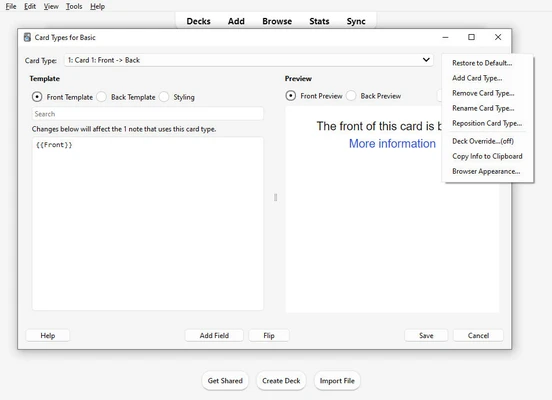
Custom Flashcards
Users can create personalized flashcards with:
- Text
- Images
- Audio
- Videos
- Custom formatting
Shared Deck Library
Download thousands of pre-made decks created by the Anki community for subjects such as:
- Language learning
- Medical studies
- Law exams
- Geography
- Science
- Music theory
Advanced Statistics
Track learning progress with detailed statistics, including:
- Review history
- Card difficulty
- Study time
- Learning progress
- Deck performance
Multimedia Support
Anki supports rich content, allowing users to add images, sounds, and other media elements to improve learning effectiveness.
Synchronization
Sync flashcards and learning progress across multiple devices through AnkiWeb.
Add-ons Support
Extend functionality with community-developed add-ons for additional features and customization options.
User Interface
Anki features a simple and lightweight interface focused on efficient learning.
The main dashboard provides quick access to decks, statistics, and study sessions. Although the design is relatively traditional, the interface is easy to navigate once users become familiar with the workflow.
How to Use
- Install Anki and create a user profile.
- Create a new deck or download an existing one.
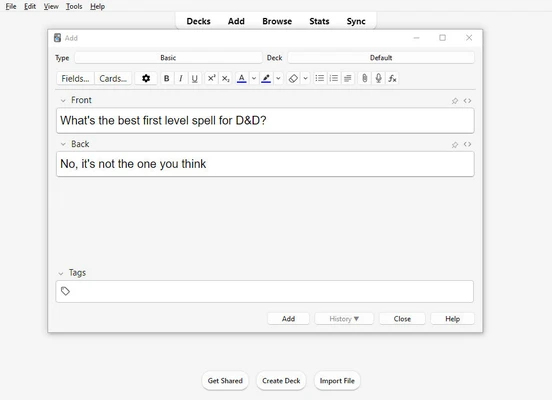
- Add questions and answers to create flashcards.
- Review cards regularly using the spaced repetition system.
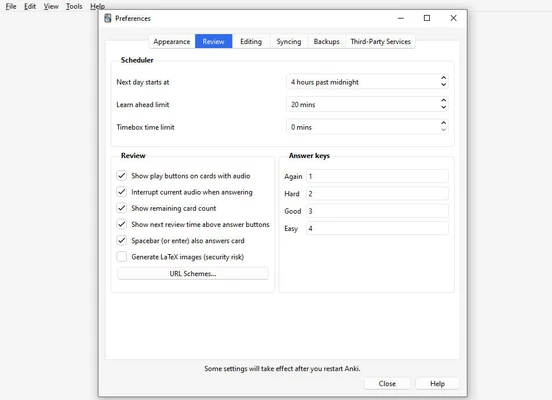
- Adjust study settings according to your learning goals.
- Sync progress across devices.
System Requirements
- Windows 10 or Windows 11
- Intel or AMD processor
- 2 GB RAM or higher
- 250 MB free disk space
- Internet connection for synchronization and add-ons
PROS
- Powerful spaced repetition learning system
- Highly customizable flashcards
- Supports images and audio
- Large community deck library
- Cross-platform synchronization
- Completely free for desktop users
CONS
- Interface design feels outdated
- Requires some learning to master advanced features
- Initial setup can be time-consuming
- Some advanced features require add-ons
Conclusion
Anki is one of the most effective learning tools available for users who want to improve memory retention through flashcards and spaced repetition.
With powerful customization options, multimedia support, and a large community of shared decks, Anki is especially useful for language learners, students, and anyone who needs to memorize large amounts of information.