

Aseprite is a pixel art and 2D animation editor designed for creating sprites, retro-style graphics, and animations for games. It provides specialized tools for pixel-based artwork, frame-by-frame animation, layers, palettes, and sprite editing.
Its timeline-based workflow makes it easy to create individual animation frames, organize them into sequences, preview animations, and export finished artwork in common image formats.
Key Features
-
Pixel Art Tools – Create detailed pixel-based artwork with drawing, selection, and editing tools.
-
2D Animation – Create frame-by-frame animations using a dedicated timeline.
-
Layers and Cels – Organize artwork into separate layers and edit individual frame-layer elements.
-
Onion Skinning – View previous and following frames while creating animations.
-
Color Palettes – Manage colors and create custom palettes for pixel art projects.
-
Sprite Editing – Resize, crop, transform, and modify sprites with pixel-focused tools.
-
Animation Preview – Preview animations directly within the editor.
-
Multiple Export Formats – Export artwork and animations as PNG, GIF, and other supported formats.
-
Keyboard Shortcuts – Customize shortcuts for faster editing and animation workflows.
User Interface
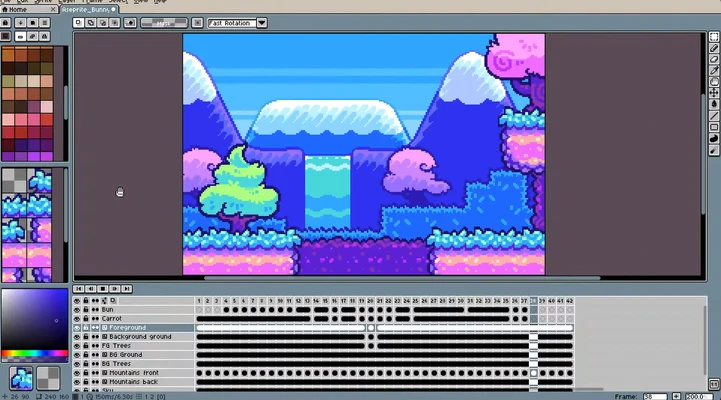
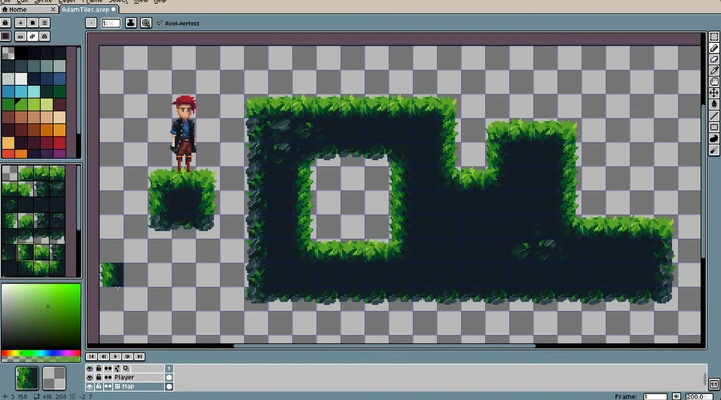
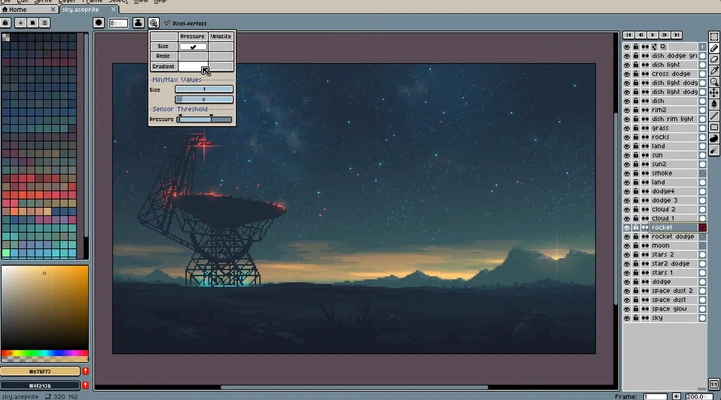
Aseprite uses an interface designed specifically for pixel art and animation. The main workspace provides drawing tools and canvas controls, while the timeline is used to manage animation frames and layers.
The layout keeps frequently used pixel-art tools, color controls, layers, and animation features readily accessible.
Installation and Setup
Install Aseprite on your Windows PC and launch the application. Create a new sprite project, choose the canvas size and color settings, and begin drawing or importing artwork.
Projects can be saved for later editing, while finished sprites and animations can be exported for use in games or other creative projects.
How to Use
-
Open Aseprite and create a new sprite.
-
Choose the canvas size and color settings.
-
Draw your pixel art using the available tools.
-
Add layers to separate different parts of the artwork.
-
Add frames to create an animation.
-
Use the timeline to organize and edit frames.
-
Enable onion skinning when precise frame-to-frame animation is needed.
-
Preview the animation.
-
Export the finished artwork or animation in a suitable format.
System Requirements
-
Windows 7, 8, 10, or 11 (64-bit)
-
Intel or AMD processor with SSE2 support
-
2GB RAM minimum
-
OpenGL 2.0 compatible graphics support
-
At least 50MB of available storage
Pros
-
Excellent tools for pixel art
-
Dedicated 2D animation workflow
-
Layers and onion skinning
-
Customizable keyboard shortcuts
-
Lightweight and easy to use
Cons
-
Limited vector drawing capabilities
-
Not designed for advanced photo editing
-
Large or complex projects may require more system resources
-
Some export settings may require additional learning
Conclusion
Aseprite is a focused pixel art and 2D animation editor that works particularly well for game sprites, retro-style graphics, and frame-by-frame animations. Its dedicated pixel-art tools, timeline, layers, and onion skinning make it a practical choice for both beginners and experienced game artists.