

Charles Proxy is a professional HTTP and HTTPS debugging tool for developers, testers, and network engineers. It works as a web proxy between your computer and the internet, allowing users to monitor, inspect, and modify network traffic in real time.
With Charles Proxy, users can analyze API requests, troubleshoot web applications, debug mobile apps, and test network performance by viewing detailed information about HTTP and HTTPS connections.
It is widely used for web development, mobile application testing, API debugging, and security analysis.
Key Features
- Capture and analyze HTTP and HTTPS traffic
- Inspect requests, responses, headers, and data
- SSL Proxying for HTTPS traffic decryption
- Modify requests and responses during debugging
- Breakpoints for intercepting network requests
- Bandwidth throttling for slow network simulation
- Session recording and playback
- Reverse proxy support
- Mobile app traffic debugging
- Advanced filtering and search tools
- Cross-platform support for Windows, macOS, and Linux
Main Features Explained
HTTP/HTTPS Traffic Monitoring
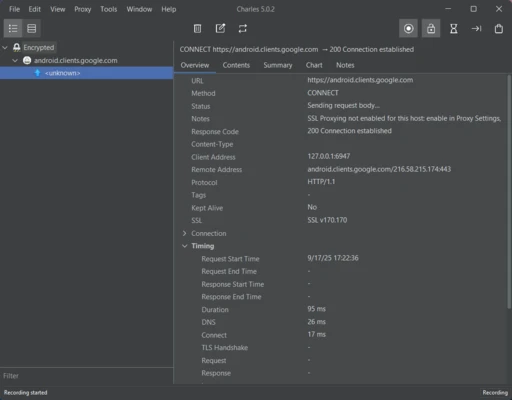
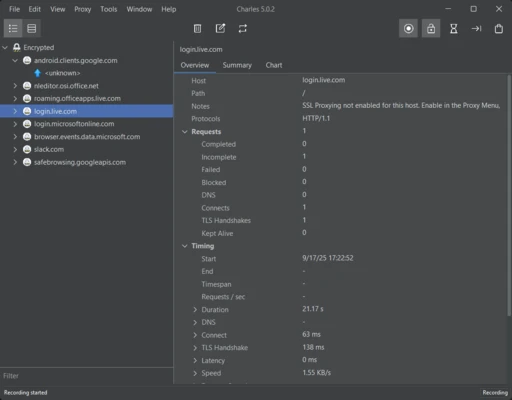
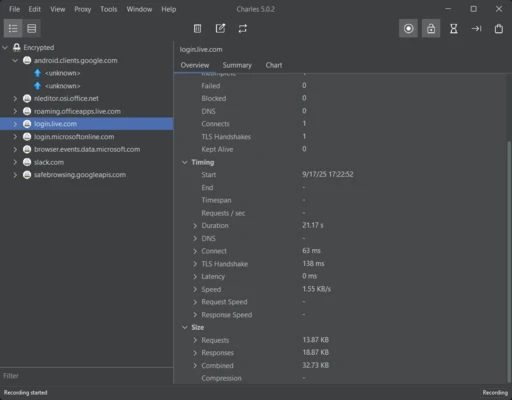
Charles captures internet traffic from applications and browsers, allowing developers to inspect communication between clients and servers.
SSL Proxying
The software can decrypt HTTPS connections by installing the Charles SSL certificate, making encrypted traffic visible for debugging.
Request and Response Editing
Developers can modify API parameters, headers, and responses to test different scenarios without changing application code.
Bandwidth Throttling
Charles can simulate slow internet connections, helping developers test application performance under different network conditions.
Mobile Debugging
It supports iOS and Android device debugging by routing mobile traffic through the Charles proxy server.
How to Use Charles Proxy
- Download and install Charles Proxy.
- Launch the application and enable proxy recording.
- Configure browser or device proxy settings.
- Install the Charles SSL certificate for HTTPS inspection.
- Open websites or applications to capture traffic.
- Analyze requests and responses in the session window.
- Export logs or modify requests for testing.
System Requirements
- Operating System: Windows 7/8/10/11, macOS, Linux
- Processor: Intel or AMD processor
- Memory: 2GB RAM minimum (4GB recommended)
- Storage: 200MB free disk space
- Java Runtime: Required for some versions and features
Pricing
Free Trial
- 30-day trial version
- Session recording limitations
Full License
- One-time purchase license
- Available for individual users and organizations
Pros
- Powerful HTTP debugging capabilities
- Supports HTTPS traffic inspection
- Excellent API debugging features
- Works with mobile applications
- Cross-platform compatibility
- Easy request modification
Cons
- Requires technical knowledge
- Paid license needed after trial period
- Interface design feels outdated
- Not suitable for beginners
- Limited automation compared with some alternatives
Alternatives
- Fiddler – Popular web debugging proxy with HTTP traffic inspection features.
- Wireshark – Advanced network packet analyzer for deep traffic analysis.
- Postman – API development and testing platform.
Conclusion
Charles Proxy is one of the most useful web debugging tools for developers who need detailed visibility into network traffic. Its HTTPS inspection, request editing, mobile debugging, and performance testing features make it a valuable solution for troubleshooting web and API-related issues.
Although beginners may need some time to learn the workflow, Charles remains a reliable choice for professional developers and testers.