

Driver Booster Free is a Windows utility designed to scan for outdated device drivers and help users update them from a centralized interface. It supports a wide range of hardware, including graphics cards, audio devices, network adapters, storage controllers, and other components.
The software automates driver detection and provides options to update individual drivers or multiple drivers at once. It also includes driver backup and restore functions, making it easier to recover from problematic updates.
Key Features
Driver Scanning – Scans the system to identify outdated or missing device drivers.
Automatic Driver Updates – Finds available driver updates and simplifies the installation process.
One-Click Updates – Update multiple detected drivers from a single interface.
Large Driver Database – Supports drivers for a wide range of hardware devices and components.
Driver Backup and Restore – Creates backups before driver updates and provides options to restore previous versions when necessary.
Driver Rollback – Helps revert to an earlier driver version if an update causes compatibility or stability problems.
Game Boost – Provides tools for reducing unnecessary background activity while gaming.
Hardware Information – Displays information about detected hardware and installed drivers.
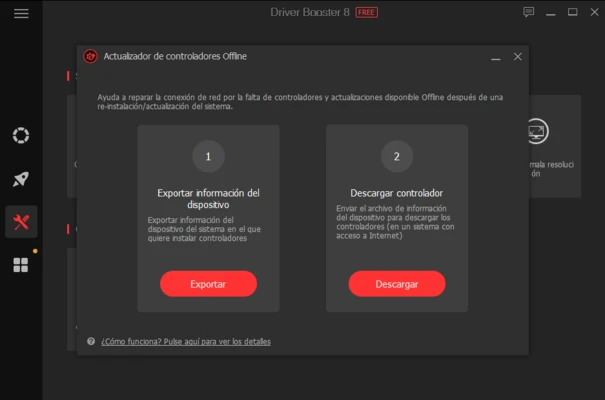
Offline Driver Tools – Includes options for handling driver installation on systems with limited or unavailable internet access.
User Interface
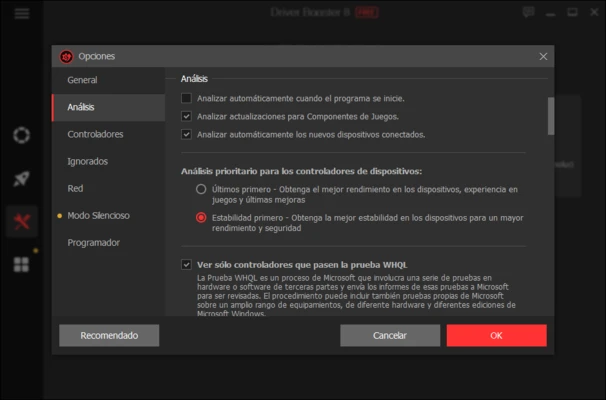
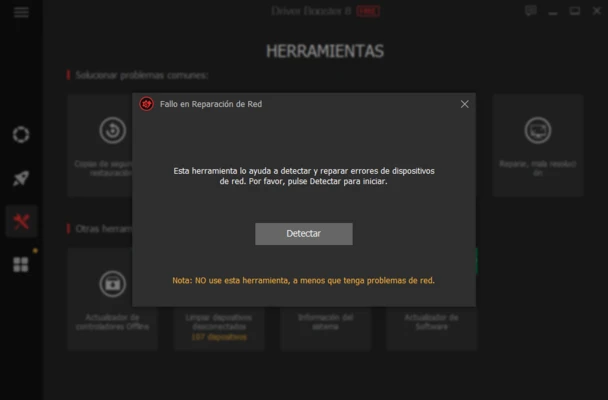
Driver Booster Free uses a straightforward interface centered around the system scanning and driver update functions. The main screen displays the scan status and detected driver updates, while additional sections provide access to tools for backups, restoration, hardware information, and system optimization.
Installation and Setup
-
Install Driver Booster Free on your Windows PC.
-
Launch the application after installation.
-
Allow it to scan the system for installed hardware and drivers.
-
Review the detected outdated drivers.
-
Configure backup and update preferences if needed.
-
Start updating the selected drivers.
During installation, pay attention to optional software or additional offers and decline them if they are not required.
How to Use
-
Launch Driver Booster Free.
-
Click Scan to check the installed drivers.
-
Review the list of drivers identified as outdated.
-
Select individual drivers or choose the available update option.
-
Allow the software to download and install the selected drivers.
-
Restart Windows if required.
-
Use the backup or restore functions if you need to recover a previous driver version.
-
Optionally use Game Boost and other included tools.
Pros
-
Simple driver scanning and updating process
-
Supports a wide range of hardware
-
One-click driver updates
-
Includes backup and restore features
-
Provides additional hardware and gaming utilities
Cons
-
Some advanced features are limited to the Pro edition
-
Optional software offers may appear during installation
-
Automatic driver updates can occasionally require troubleshooting if a new driver causes compatibility issues
Conclusion
Driver Booster Free provides a convenient way to scan for and manage outdated Windows drivers. Its automated detection, one-click updates, driver backup and restore tools, and additional system utilities make driver maintenance easier for users who prefer not to manage every driver ma