Go to Windows platform Display platforms icon
Go to Windows platform Go to Mac platform Go to Android platform
HyperX NGENUITY icon

HyperX NGENUITY

5.30.0.0
HyperX
5
391.8 MB size

Control all your HyperX peripherals

HyperX NGENUITY is Kingston's official app for controlling its range of HyperX peripherals. With it, you can modify all the company's keyboard, mouse, headset and RAM settings, as well as update the corresponding firmware.

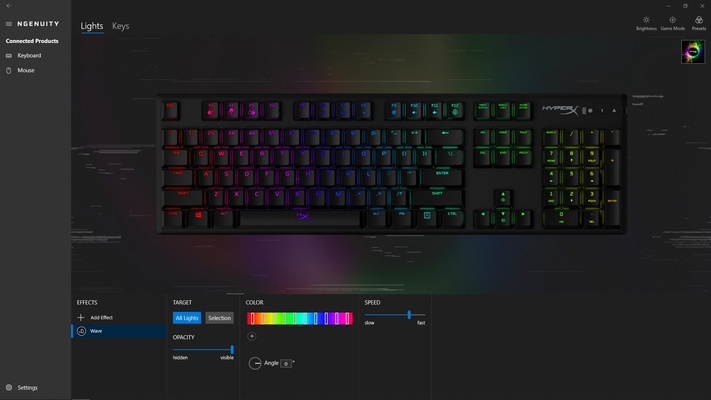
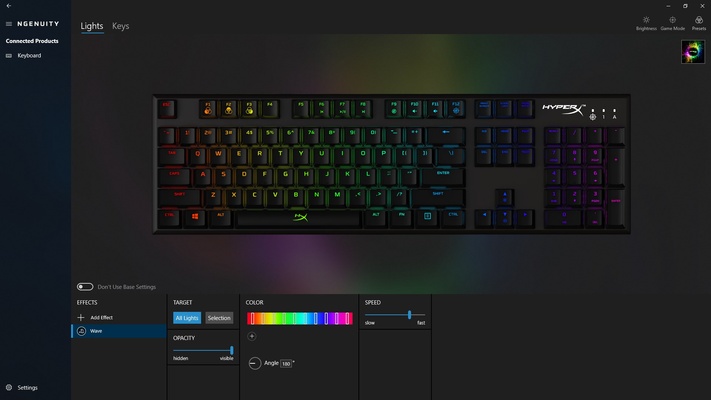
For keyboards, with HyperX NGENUITY you can control everything related to RGB lighting. You can program effects, change the light intensity, choose a color for each keyboard zone, specify the speed at which the colors change, etc. You can also program macros and change the keyboard keys function.

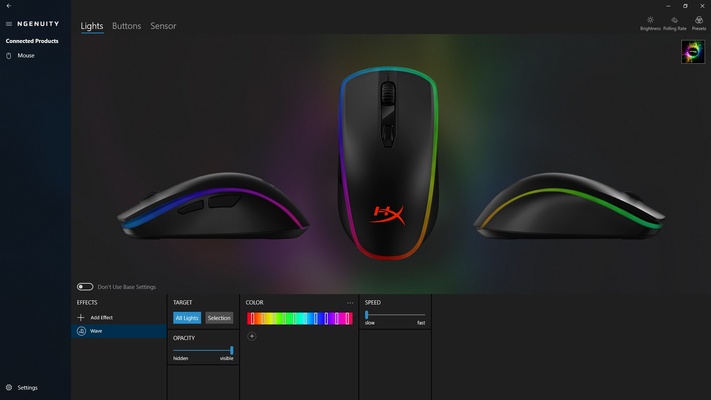
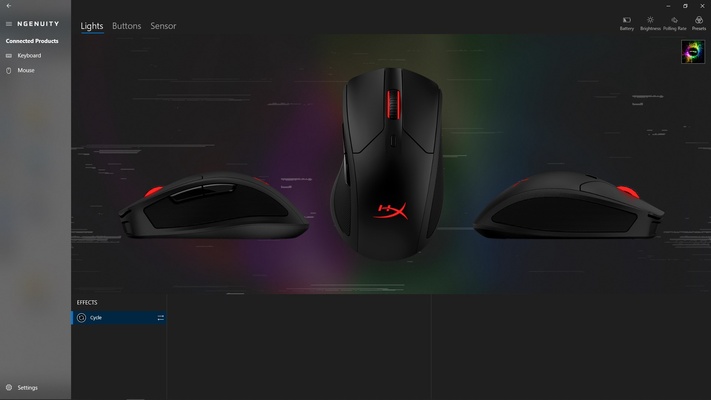
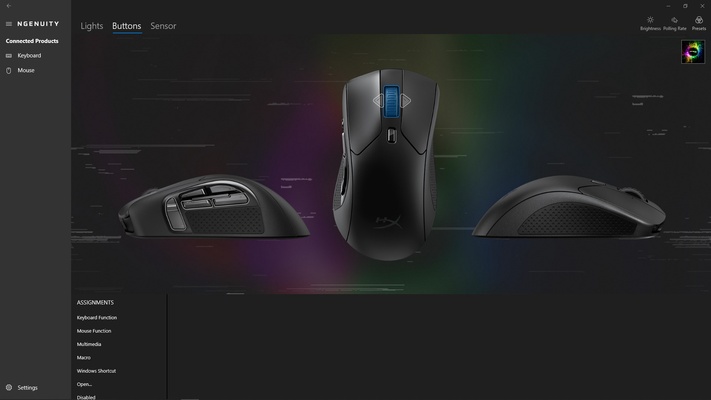
As for the mouse, in addition to being able to control the RGB lighting, you can program the buttons to do whatever you want. For example, you can change multimedia settings, create macros, emulate keystrokes, and so on.

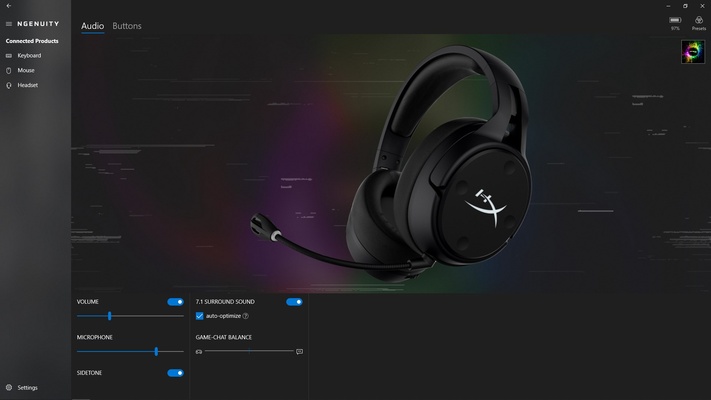
For headphones, you can change the volume and microphone gain or enable virtual 7.1 surround sound if you have a compatible model. You can also enable the Sidetone function, which lets you hear your own voice while speaking into the microphone.

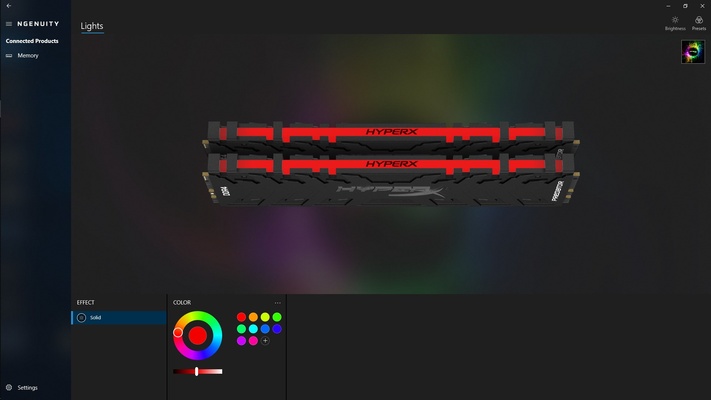
Finally, you can modify light settings on the RAM —provided you have models that include RGB LEDs.

If you have HyperX peripherals, downloading HyperX NGENUITY is a must to change their settings and update their firmware.

Information about HyperX NGENUITY

License Free
Op. System Windows
Category Games
Language English
Author HyperX
permission icon Permissions Not applicable
Date 2026-06-02
Size 391.8 MB
File type MSIXBUNDLE

Apps recommended for you

Candy Crush Soda Saga icon
Match identical candies on Windows
VTM: Bloodlines Unofficial Patch icon
Best way to play Vampire: the Masquerade - Bloodlines
Blacksmith Launcher icon
Escape from dark dungeons and fight to survive
EDuke32 icon
EDuke32 Community
OpenRCT2 icon
An open source reimplementation of RollerCoaster Tycoon 2
Gardenscapes icon
Solve the puzzles and renovate this villa
Nexus Mod Manager 0.91.8 icon
The elegant, powerful, and open-source mod manager from Nexus Mods!
3DMark icon
Benchmark and test your PC performance with 3DMark for Windows, featuring advanced GPU, CPU, and gaming benchmark tools.
NVIDIA GeForce NOW 2.0.90.138 icon
NVIDIA's cloud gaming service
BlueStacks 5.22.290.1031 icon
Emulate any Android app on your PC
Vita3K 0.2.1.4317 icon
The best emulator for PS Vita (PlayStation Vita)
Rockstar Games Launcher 1.0.110.3150 icon
The official Rockstar Games client
Ankama Launcher 3.15.14.20606 icon
A portal to the world of Ankama video games and animated movies
Xbox Game Bar 7.326.11042.0 icon
The best Windows tool for gamers
Yandere Simulator 2026-11-01 icon
Stealth and murder in a Japanese high school
KytyPS5 2026-11-02 icon
Play PlayStation 5 games on PC with this PS5 emulator
Nexus Mod Manager 0.91.8 icon
The elegant, powerful, and open-source mod manager from Nexus Mods!
3DMark icon
Benchmark and test your PC performance with 3DMark for Windows, featuring advanced GPU, CPU, and gaming benchmark tools.
PPSSPP icon
PPSSPP for Windows is a PSP emulator that allows users to play PlayStation Portable games on their PC with enhanced graphics.
Script Hook V icon
The library for installing mods and scripts in GTA V
Playnite icon
Playnite for Windows is an open-source game library manager that consolidates your games from multiple platforms into one unified interface.
Blacksmith Launcher icon
Escape from dark dungeons and fight to survive
RPCS3 0.0.41-19659 icon
Open-source PlayStation 3 Emulator, enjoy PS3 games on your PC!
Mad Birds icon
Shooting The Birds, but in 3D