OpenWork is an open-source AI automation platform that lets users create and run AI-powered tasks and workflows locally. It uses AI agents to interpret natural-language instructions, perform actions, automate repetitive processes, and connect different tools without requiring all processing to take place in the cloud.
Key Features
-
AI Agents – Create agents that can interpret instructions and perform tasks autonomously.
-
Task Automation – Automate repetitive tasks, searches, content generation, data processing, and other workflows.
-
Local Operation – Run workflows locally to reduce reliance on external cloud services.
-
Tool Integration – Connect external tools, scripts, and development environments to your workflows.
-
Connectors – Integrate with supported services and communication platforms.
-
Custom Workflows – Configure agents and tasks to match different projects and automation needs.
-
Server Mode – Run OpenWork as a server to centralize agents and workflows on your own infrastructure.
-
Open Source – Provides an open-source platform that can be customized and self-hosted.
User Interface
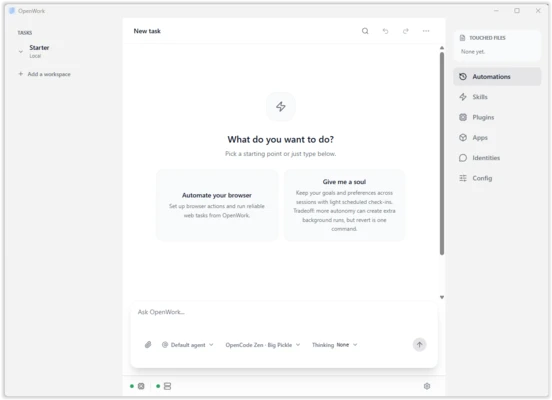
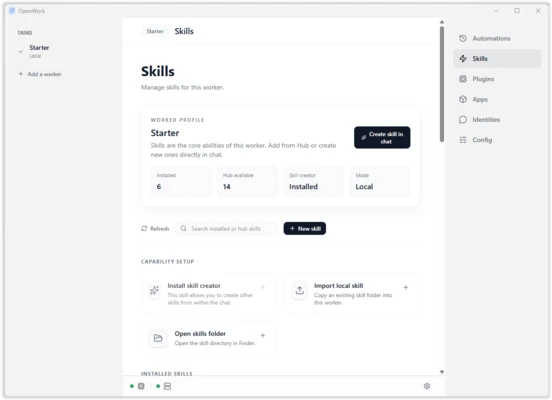
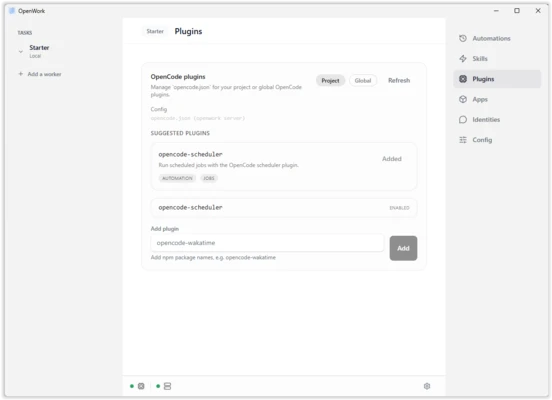
OpenWork is designed around AI agents and workflows rather than a traditional task automation interface. Users can configure agents, connect tools, and define tasks from a centralized workspace.
Installation and Setup
Install OpenWork on a supported system and configure the required AI services, agents, and connectors. After setup, create a workflow or agent and provide instructions for the tasks you want to automate.
How to Use
-
Launch OpenWork and configure the required services.
-
Create an AI agent or workflow.
-
Define the task using natural-language instructions.
-
Connect the tools or services required by the workflow.
-
Run the agent and review its results.
-
Modify the workflow or agent configuration as needed.
Pros
-
AI-powered task automation
-
Local operation
-
Open-source
-
Customizable agents and workflows
-
Supports external tools and connectors
-
Server mode for self-hosted deployments
Cons
-
More suitable for users familiar with AI and automation
-
Advanced workflows may require additional configuration
Conclusion
OpenWork provides a local, open-source approach to AI-powered automation. Its agent-based workflows, tool integrations, and self-hosting options make it useful for users who want to automate complex tasks while maintaining greater control over their data and infrastructure.