


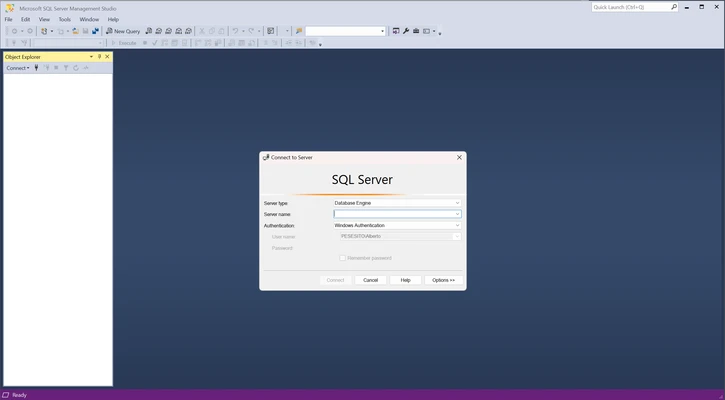
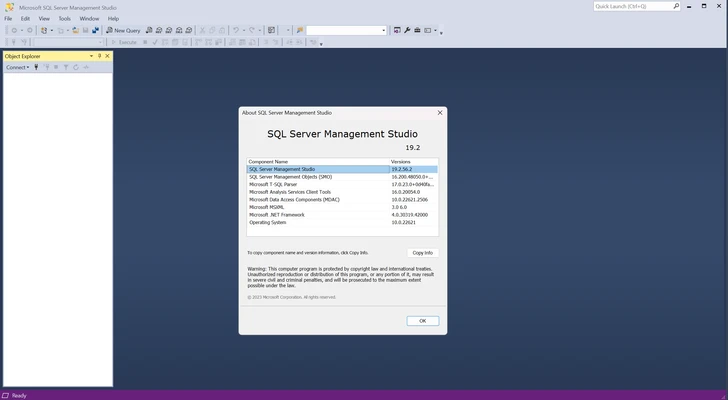

Microsoft SQL Server Management Studio (SSMS) is a free integrated environment for managing, configuring, administering, and developing Microsoft SQL Server databases. It combines graphical management tools with a powerful query and script editor, making it suitable for database administrators, developers, and other SQL Server users.
SSMS supports SQL Server as well as cloud services such as Azure SQL Database, Azure Synapse Analytics, and Microsoft Fabric. It can also be installed alongside earlier SSMS versions when different projects require separate environments.
Key Features
-
Database Management – Create, configure, manage, and administer SQL Server databases and related objects.
-
Query Editor – Write, execute, and manage T-SQL queries and scripts.
-
Graphical Management Tools – Manage databases, servers, security settings, jobs, and other SQL Server components through a visual interface.
-
Database Development – Create and modify database objects, stored procedures, functions, and scripts.
-
Debugging and Performance Tools – Analyze queries and troubleshoot database performance issues.
-
Azure Integration – Connect to supported Azure SQL services and manage cloud-based databases.
-
Reporting and Monitoring – Monitor server activity and database performance using built-in tools.
-
Multiple Versions – Recent SSMS releases can coexist with earlier versions for compatibility with different database environments.
User Interface
SSMS uses a traditional Windows development and administration interface with a server and database navigation panel, query editor, result windows, and configurable toolbars.
The interface provides access to most database management tasks without requiring command-line tools, while the integrated query editor gives experienced users full control through T-SQL.
Installation and Setup
Download and run the SSMS installer with administrator privileges. Follow the installation wizard and select the required installation options.
After installation, launch SSMS and connect to a local or remote SQL Server instance. Depending on the environment, you may need the appropriate server address, authentication method, username, and password.
How to Use
-
Launch SQL Server Management Studio.
-
Connect to a SQL Server instance.
-
Expand the server and database tree to access available objects.
-
Use Object Explorer to manage databases, tables, security, jobs, and other components.
-
Open a new query window to write and execute T-SQL commands.
-
Review query results and execution information.
-
Use the available monitoring and performance tools when troubleshooting database issues.
System Requirements
-
Operating System: Windows 10 64-bit version 1607 or later, Windows 11, and supported Windows Server editions
-
Processor: 1.8 GHz or faster; dual-core or better recommended
-
Memory: 2 GB RAM minimum; 4 GB recommended
-
Storage: Approximately 3 GB to 10 GB of available disk space
-
Architecture: 64-bit
-
Additional: .NET Framework 4.7.2 or later may be required
-
Installation: Administrator privileges required
Pros
-
Free and comprehensive SQL Server management environment
-
Powerful query and scripting tools
-
Extensive database administration features
-
Useful performance and debugging tools
-
Supports SQL Server and Microsoft cloud database services
-
Suitable for both developers and database administrators
Cons
-
Windows-focused and not a native cross-platform application
-
Can consume significant system resources
-
The large number of tools and options may be overwhelming for beginners
-
Large database environments can require substantial system resources
Conclusion
Microsoft SQL Server Management Studio (SSMS) is a comprehensive tool for working with SQL Server databases. Its combination of graphical administration tools, T-SQL scripting, database development features, monitoring, and performance tools makes it suitable for both everyday database management and more advanced development tasks.
For users working with Microsoft SQL Server or supported Azure database services, SSMS provides a practical all-in-one environment for managing and developing database systems.