SuperAntiSpyware is a Windows malware detection and removal tool designed to identify and remove spyware, adware, trojans, hijackers, dialers, and other unwanted software.
Key Features
-
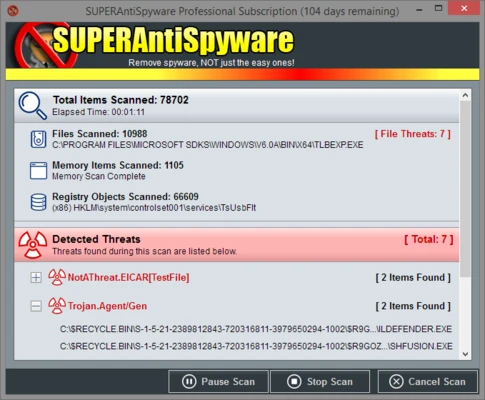
Malware Scanning – Scan your system for spyware, adware, trojans, hijackers, and other threats.
-
Custom Scans – Scan specific folders, drives, or selected areas of the system.
-
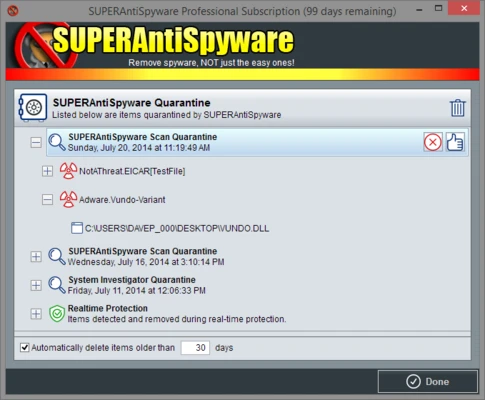
Threat Removal – Remove detected malware or place suspicious files in quarantine.
-
Registry Repair – Repair certain Windows Registry changes caused by malware.
-
Malware Damage Repair – Provides tools for addressing system changes associated with infections.
-
Regular Updates – Updated threat definitions help detect newer malware.
User Interface
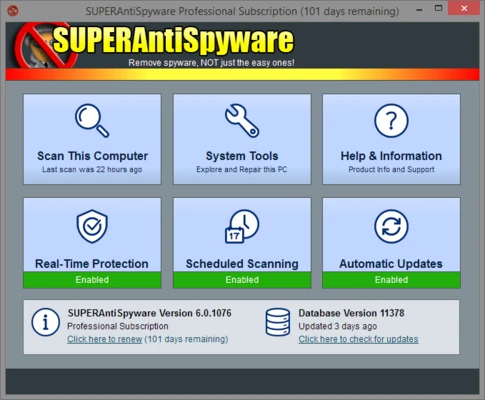
SuperAntiSpyware provides a straightforward interface for starting scans, reviewing detected threats, managing quarantined items, and accessing repair tools.
Installation and Setup
Install SuperAntiSpyware on Windows and launch the application. Update its malware definitions, select a scan type, and start scanning the system or specific locations.
How to Use
-
Update the malware definitions.
-
Select a full, custom, or targeted scan.
-
Scan the selected areas.
-
Review detected threats.
-
Remove or quarantine suspicious files.
Pros
-
Supports multiple types of malware.
-
Offers custom scanning options.
-
Includes quarantine and repair tools.
-
Simple interface.
Cons
-
Primarily focused on malware detection and removal.
-
Some features may depend on the edition of the software.
Conclusion
SuperAntiSpyware provides a simple way to scan Windows systems for spyware, adware, trojans, hijackers, and other unwanted software, with additional quarantine and system repair tools.