

Visual Studio Code is a free, cross-platform source code editor developed by Microsoft. It provides a streamlined environment for writing, editing, running, and debugging code across a wide range of programming languages.
VS Code combines a lightweight editor with features such as intelligent code completion, debugging, integrated Git support, a built-in terminal, and a large extension ecosystem. It is available for Windows, macOS, and Linux and can be customized for different development workflows.
Key Features
-
IntelliSense – Provides context-aware code completion, parameter information, and suggestions for supported languages.
-
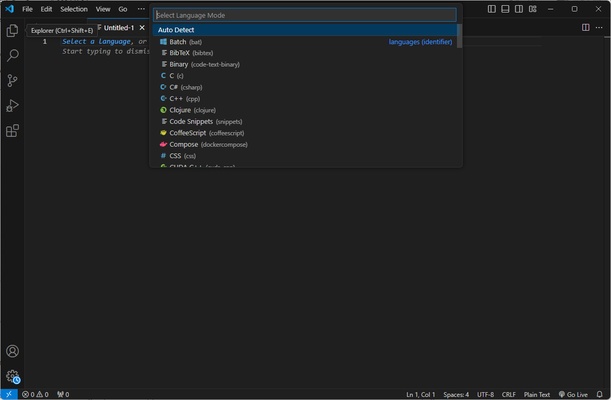
Syntax Highlighting – Supports syntax highlighting and language-aware editing for numerous programming languages.
-
Code Navigation – Quickly navigate files, symbols, definitions, references, and project structures.
-
Integrated Debugging – Set breakpoints, inspect variables, view call stacks, and debug applications directly within the editor.
-
Git Integration – Review changes, compare files, stage changes, create commits, and manage source control from the interface.
-
Integrated Terminal – Run command-line tools, scripts, and development commands without leaving the editor.
-
Extensions – Add support for programming languages, frameworks, debuggers, themes, formatters, and other development tools.
-
Customizable Interface – Configure themes, keyboard shortcuts, editor settings, panels, and layouts.
-
Search and Replace – Search across individual files or entire workspaces and perform multi-file replacements.
-
Remote Development – Work with development environments running on remote machines or containers through supported extensions.
-
Workspace Support – Open individual folders or organize larger projects as configurable workspaces.
-
Cross-Platform – Available for Windows, macOS, and Linux.
User Interface
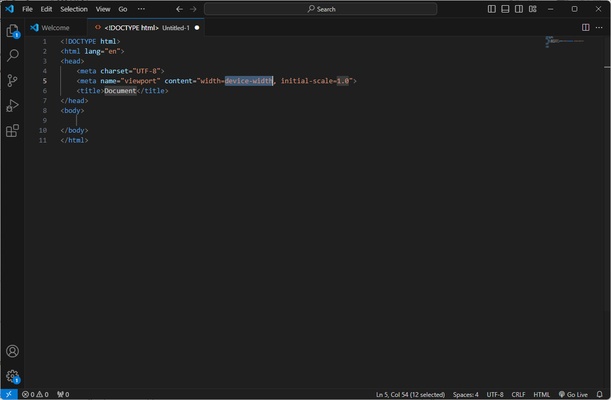
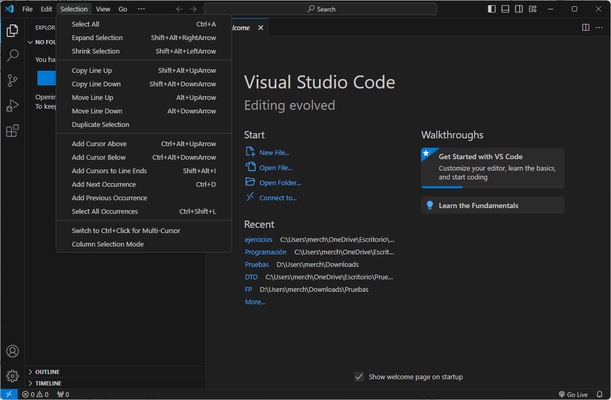
Visual Studio Code uses a clean, customizable interface built around a central code editor. The sidebar provides quick access to files, search, source control, debugging, and extensions, while additional panels can display the terminal, problems, output, and debugging information.
The layout can be customized extensively, allowing developers to adjust panels, themes, keyboard shortcuts, and editor settings to suit different workflows.
Installation and Setup
-
Download and install Visual Studio Code.
-
Follow the installation wizard to complete the setup.
-
Launch VS Code and open an existing project folder or create a new workspace.
-
Install the extensions required for your programming language or development environment.
-
Configure editor settings, themes, and keyboard shortcuts as needed.
How to Use
Open a Project: Launch VS Code and open a folder containing your project files. The Explorer panel provides access to files and folders within the workspace.
Edit Code: Select a file to open it in the editor. IntelliSense, syntax highlighting, code navigation, and other language features can assist while you work.
Use Extensions: Open the Extensions view and install tools for additional languages, frameworks, debuggers, formatters, and development services.
Run and Debug: Configure the appropriate runtime or debugger, set breakpoints, and start debugging from the Run and Debug panel.
Use Git: Open the Source Control view to review changes, stage files, create commits, and synchronize repositories with supported Git services.
Run Commands: Open the integrated terminal to execute build commands, scripts, package managers, and other development tools.
Pros
-
Free and open-source.
-
Lightweight and highly customizable.
-
Supports many programming languages.
-
Powerful extension ecosystem.
-
Integrated Git and debugging tools.
-
Built-in terminal.
-
Supports remote and container-based development.
-
Available on Windows, macOS, and Linux.
Cons
-
Large projects and many extensions can increase resource usage.
-
Some development environments require additional extensions or configuration.
-
The large number of customization options can be overwhelming for beginners.
Conclusion
Visual Studio Code provides a flexible development environment that combines the simplicity of a code editor with many features normally associated with a full development environment. IntelliSense, debugging, Git integration, the integrated terminal, and its extensive extension ecosystem make it suitable for a wide range of programming tasks.
Its cross-platform support and extensive customization options also allow developers to configure VS Code for everything from simple scripting to larger software development projects.