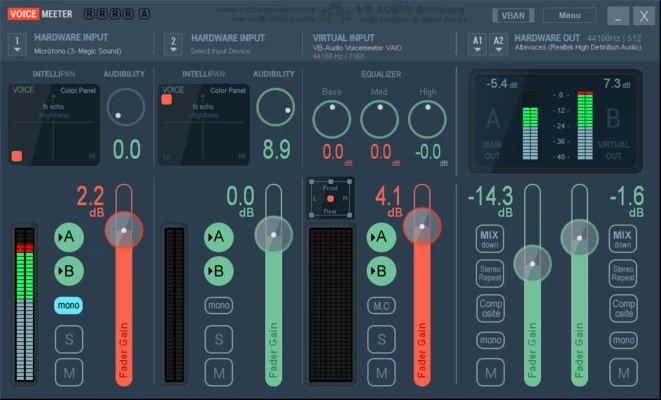
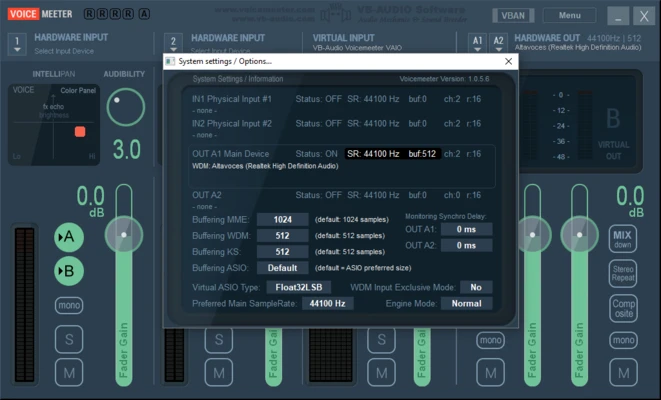
VoiceMeeter is a virtual audio mixer for Windows that lets users combine, control, and route audio from multiple hardware and software sources. It is useful for streaming, recording, gaming, voice communication, music production, and other workflows that require flexible audio routing.
Key Features
Virtual Mixing Console
Combine microphones, applications, games, music, and other audio sources in a single mixer.
Hardware and Virtual Inputs
Work with physical audio devices such as microphones and audio interfaces, as well as software-based audio sources.
Advanced Audio Routing
Send different audio sources to selected speakers, headphones, recording applications, or other output devices.
Audio Processing
Adjust audio levels and apply processing such as equalization, compression, and noise gating.
ASIO and WDM Support
Supports common Windows audio technologies and ASIO-based workflows for compatible applications and hardware.
Multiple Outputs
Route audio to different physical and virtual destinations simultaneously.
User Interface
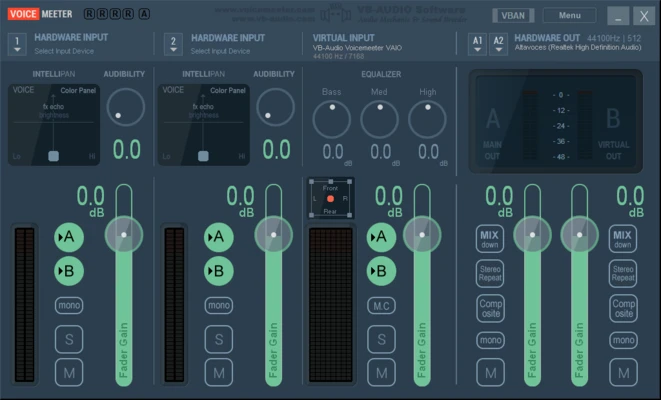
VoiceMeeter uses a traditional mixing-console layout with input channels, faders, meters, routing controls, and output sections.
The interface provides detailed control over individual audio sources, although the large number of controls can take some time for new users to understand.
Installation and Setup
Install VoiceMeeter on a Windows PC and restart the system if requested. After installation, open the mixer and select the required hardware input and output devices.
Configure the virtual audio devices and routing options according to your recording, streaming, communication, or playback setup.
How to Use
Select Input Devices
Choose the microphones, audio interfaces, applications, or other sources you want to mix.
Adjust Levels
Use the channel faders to control the volume of each audio source.
Configure Outputs
Assign audio sources to the required speakers, headphones, virtual outputs, or recording applications.
Apply Audio Processing
Use available processing controls to adjust sound characteristics and reduce unwanted noise.
Monitor the Mixer
Watch the level meters and adjust routing and volume settings to maintain suitable audio levels.
Pros
-
Powerful audio routing capabilities.
-
Supports multiple audio sources.
-
Works with hardware and virtual audio devices.
-
Supports ASIO and WDM audio.
-
Suitable for streaming and recording workflows.
-
Provides detailed mixing controls.
Cons
-
Interface can be difficult for beginners.
-
Configuration requires some understanding of Windows audio routing.
-
Incorrect settings can cause latency or audio glitches.
Conclusion
VoiceMeeter provides a flexible way to mix and route multiple audio sources on Windows. Its virtual mixing console, multiple outputs, hardware and software input support, and audio processing controls make it useful for streamers, content creators, musicians, gamers, and other users who need more control over their computer's audio.