Vim for Windows is a powerful, lightweight, keyboard-driven text editor designed for programmers, system administrators, and advanced users. It is an improved version of the classic UNIX Vi editor, offering fast text editing, extensive customization, and a large plugin ecosystem.
Vim uses a modal editing system, including Normal, Insert, Visual, and Command-line modes. While it has a steep learning curve, experienced users can edit and navigate files extremely efficiently without relying heavily on a mouse.
Key Features
- Modal Editing – Switch between Normal, Insert, Visual, and Command-line modes.
- Keyboard Navigation – Edit and navigate files efficiently using keyboard commands.
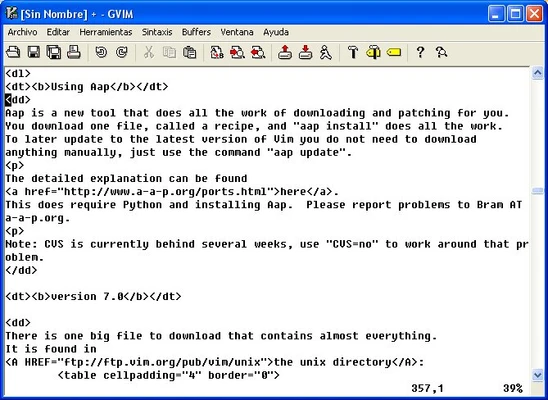
- Syntax Highlighting – Supports hundreds of programming and scripting languages.
- Search and Replace – Powerful pattern matching and regular expression support.
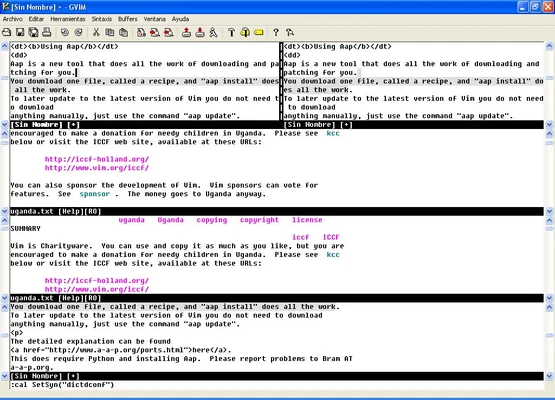
- Split Windows and Tabs – Edit multiple files simultaneously.
- Undo Tree – Maintain and navigate through non-linear editing history.
- Customizable – Configure Vim through
.vimrc, scripts, and plugins. - Plugin Support – Extend functionality with a wide range of community-developed plugins.
- Lightweight – Uses minimal system resources and runs efficiently on older hardware.
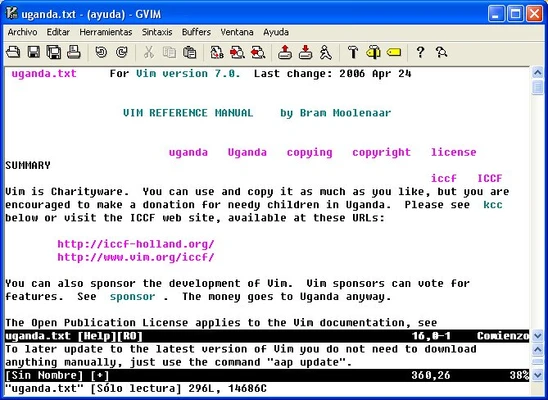
- GVim – Includes a graphical version with menus, toolbars, and other GUI features.
How to Use
Launch Vim from the Start menu or command prompt and use its different modes for editing.
- Press
ito enter Insert mode. - Press
Escto return to Normal mode. - Press
vto enter Visual mode. - Use
:wto save a file. - Use
:qto quit. - Use
:wqto save and exit. - Use
ddto delete a line. - Use
yyto copy a line. - Use
pto paste.
Vim can be further customized through the .vimrc configuration file and plugins.
System Requirements
- Operating System: Windows 7, 8, 10, or 11
- Processor: Any modern processor
- RAM: 512 MB or more
- Disk Space: Less than 100 MB
PROS
- Extremely fast and lightweight
- Powerful keyboard-driven editing
- Highly customizable
- Extensive plugin ecosystem
- Free and open-source
CONS
- Steep learning curve
- Command-based interface can be intimidating for beginners
- Advanced customization requires additional configuration