


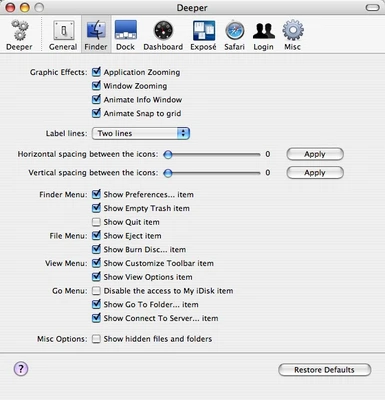
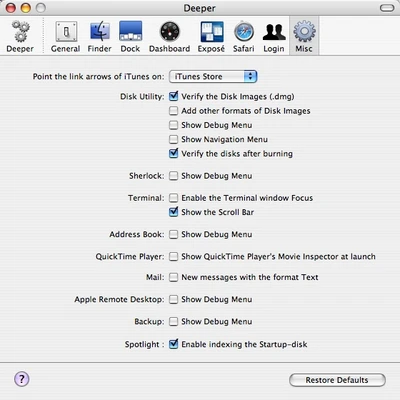
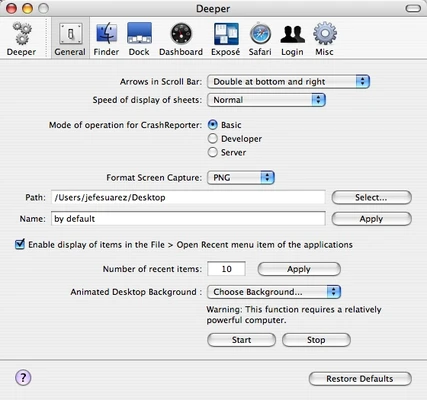
Deeper for Mac is a free macOS customization utility that allows users to access and modify hidden system settings that are not normally available through Apple's standard System Settings interface.
Developed by Titanium Software, Deeper provides an easy way to customize Finder, Dock, Safari, Spotlight, QuickTime, Login Window, and other macOS components without using Terminal commands. It is designed for users who want greater control over the appearance and behavior of their Mac.
Whether you're looking to unlock hidden features, streamline your workflow, or personalize the macOS experience, Deeper offers a centralized interface for managing advanced system preferences.
Key Features
Finder Customization
Modify hidden Finder options, adjust file visibility settings, customize interface behavior, and configure advanced browsing preferences.
Dock Tweaks
Control Dock animations, appearance, positioning, hidden features, and other behavior settings that are not available through standard macOS preferences.
Safari Settings
Enable additional Safari options and customize browser behavior through advanced configuration settings.
Spotlight Configuration
Manage Spotlight indexing and search behavior to improve search results and system performance.
Login Window Options
Customize the macOS login screen, user display settings, and authentication preferences.
QuickTime Enhancements
Access additional QuickTime settings and hidden playback options.
System Maintenance Tools
Perform basic system configuration tasks and manage various hidden macOS preferences from a single interface.
Restore Default Settings
Quickly revert all changes back to Apple's default configuration using the built-in Restore Defaults feature.
Why Choose Deeper?
Unlike Terminal-based customization methods, Deeper provides a user-friendly graphical interface for accessing hidden macOS settings. It eliminates the need to remember complex command-line instructions while offering a safer and more convenient way to customize the operating system.
Best For
- macOS power users
- System administrators
- Advanced Mac users
- Productivity enthusiasts
- Users seeking hidden macOS features
- Anyone looking to customize system behavior
Pros
- Access to numerous hidden macOS settings
- Simple and easy-to-use interface
- Free to download and use
- Lightweight and fast performance
- Includes restore default functionality
- No command-line knowledge required
Cons
- Some changes require administrator privileges
- Incorrect settings may affect system behavior
- Limited usefulness for casual users
- Compatibility depends on macOS version
How to Use
- Launch Deeper from the Applications folder.
- Enter administrator credentials when prompted.
- Select the category you want to customize.
- Enable or disable available options.
- Apply changes and restart affected applications if required.
- Use the Restore Defaults option to revert modifications.
System Requirements
Minimum Requirements
- macOS 10.9 Mavericks or later
- Intel or Apple Silicon Mac
- Administrator privileges
- 50 MB available disk space
- Internet connection for updates
Conclusion
Deeper for Mac is a useful utility for users who want to unlock and manage hidden macOS settings without relying on Terminal commands. With support for Finder, Dock, Safari, Spotlight, Login Window, and many other system components, it offers a convenient way to personalize and fine-tune the Mac experience while maintaining the ability to restore default settings at any time.
Note: Requires a 64-bit processor. Some features may vary depending on the installed macOS version.