


Ultimate Vocal Remover is an app that allows you to remove the vocals from any song. However, if you prefer, you can also remove all the instrumental music and leave only the vocals. Thanks to its MDX-Net model technology, which uses a hybrid spectrogram network to perform the separation directly at the source, UVR allows you to isolate the vocals or instrumental music from any audio file.
Very easy to use
Unlike other similar tools, some of which can be found online, Ultimate Vocal Remover is very easy to use. However, it's important to keep in mind that this app takes up a little more than 5 GB on your Mac's memory, so you'll need to have enough space for it. Once you've completed the installation, you won't have to do anything else to start working with it. Just one click, and in a matter of seconds, you can start working with your favorite audio files.
The fastest way to isolate parts of an audio file
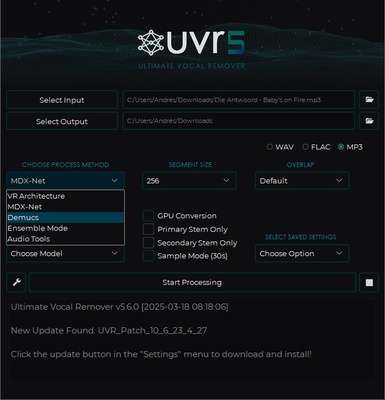
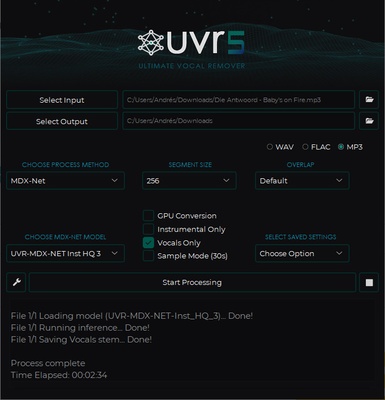
Using UVR is very simple. All you have to do is select the audio file you want to work with and choose a folder in which to save the new audio file you're about to create. Then, you will have to choose whether you want to save the new audio file in WAV, FLAC, or MP3. One of the most important steps is choosing the AI model you want to use when isolating parts of the track. You can choose from a few different options, but the best one is MDX-Net, which offers extraordinary results in just a few seconds. The last thing to decide is whether you want to isolate the vocals or the instrumental music.
Different audio qualities
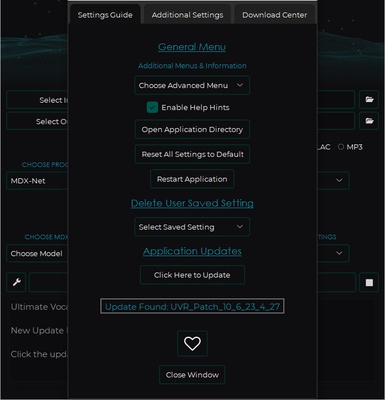
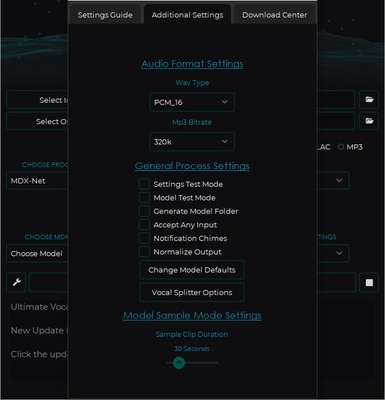
From Ultimate Vocal Remover's Configuration Options menu, you can take a look at the various settings it offers to customize your experience using the app. One of the most useful options lets you modify the bitrate of the MP3 files you create. If you prefer to create the new audio files in WAV format, you can also choose between different WAV file types.
An amazing tool for karaoke
Although it has many interesting uses, Ultimate Vocal Remover is especially useful for turning any song you want into a karaoke song. In just a few seconds, you can create an instrumental version of any song from any music group in the world, perfect for singing with a microphone in your hand. The results are practically perfect.
Isolating different parts of a song has never been easier
Download Ultimate Vocal Remover if you're looking for an app to transform your favorite songs into instrumental tracks. Thanks to this simple software, you can even isolate the vocals of any song to see how it sounds without the instrumental music in the background.