


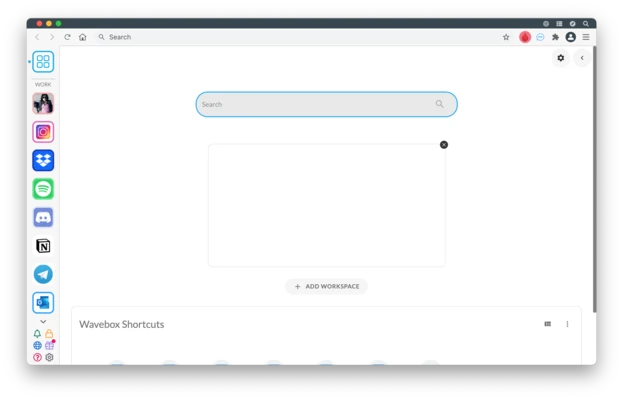
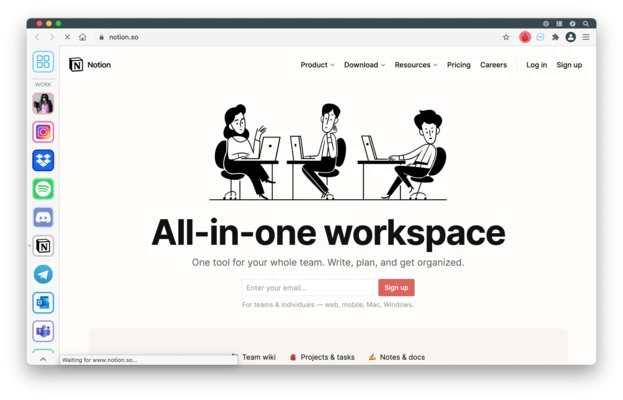
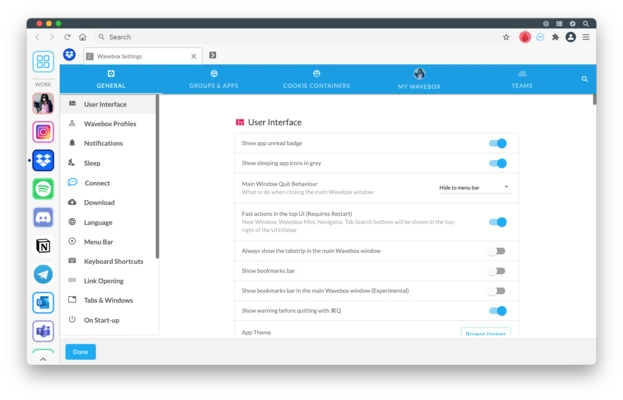
Wavebox for Mac is a productivity-focused desktop application that combines multiple web apps, services, and online tools into a single unified workspace. It is designed to help users manage email, messaging, cloud apps, and web-based tools without switching between multiple browser tabs.
Built on Chromium technology, Wavebox allows users to run web applications as standalone desktop-like experiences, with support for notifications, multiple accounts, and customizable workspaces.
Key Features
Unified Web App Workspace
Combine multiple web services into a single interface, including email, messaging, cloud storage, and productivity tools.
Multiple Account Management
Sign in to multiple accounts of the same service simultaneously and switch between them without logging in and out.
Custom Workspaces
Organize apps into groups and workspaces to separate personal, work, and project environments.
Notification Support
Receive real-time notifications from connected web apps directly within the Wavebox interface.
Chrome Extension Support
Supports most Chrome Web Store extensions, extending functionality and customization options.
Productivity Tools Integration
Compatible with popular services such as Gmail, Slack, Outlook, and other web-based productivity platforms.
Keyboard Shortcuts
Full support for keyboard shortcuts to improve workflow efficiency and navigation speed.
Lightweight Background Operation
Apps can run in the background while remaining active for notifications and sync without consuming unnecessary resources.
Cross-Platform Support
Available on macOS, Windows, and Linux, allowing consistent workflow across devices.
Why Choose Wavebox?
Wavebox replaces the need for multiple browser tabs and separate applications by bringing all web tools into a single structured workspace. It is especially useful for users who rely heavily on cloud-based applications and need to manage multiple accounts efficiently.
Best For
- Remote workers
- Digital marketers
- Developers and IT teams
- Users with multiple email accounts
- Productivity-focused professionals
- Cloud-based workflow users
Pros
- Centralizes multiple web apps in one interface
- Supports multiple accounts per service
- Chrome extension compatibility
- Customizable workspaces and layouts
- Real-time notifications support
- Cross-platform availability
Cons
- Subscription required for full features
- Can consume significant system resources with many apps
- Learning curve for workspace configuration
- Not ideal for lightweight users
System Requirements
Minimum Requirements
- macOS 10.12 or later
- Intel or Apple Silicon Mac (depending on version)
- 2 GB RAM minimum
- 200 MB available disk space
- Internet connection required
Conclusion
Wavebox for Mac is a powerful workspace-based web application manager that helps users centralize multiple online tools and accounts into a single desktop environment. It is well suited for professionals who work heavily with cloud services and need efficient multi-account and multi-app management.
Note: Free plan available with limited features. Paid plans are required for full functionality.