

Xperia Companion for Mac
Overview
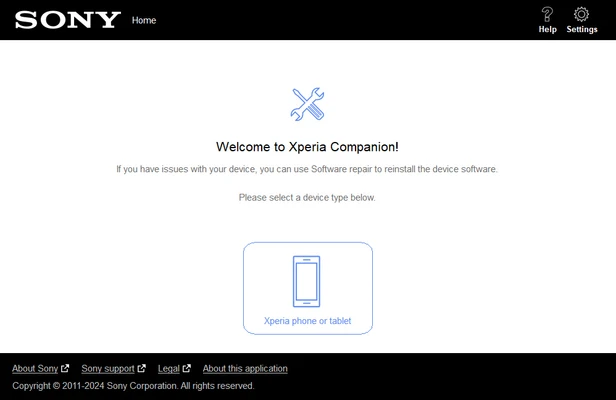
Xperia Companion for Mac is the official device management software for Sony Xperia smartphones and tablets. It allows users to update device software, perform backups, restore data, and repair system issues through a simple desktop interface.
Designed to provide a secure and reliable way to maintain Xperia devices, the software helps users keep their phones updated, recover important data, and perform clean software installations when troubleshooting problems.
Key Features
-
Official Sony Xperia device management tool
-
Software updates and firmware installation
-
Device backup and restore functionality
-
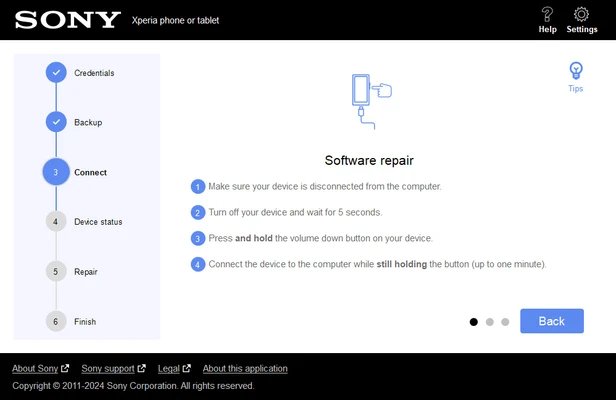
Software repair for system recovery
-
File browsing and content management
-
Media synchronization and transfer
-
Device reset and clean installation support
-
Secure USB-based device connection
-
Easy-to-use interface for maintenance tasks
Why Choose Xperia Companion?
-
Official software developed for Xperia devices
-
Simple solution for backups and updates
-
Helps recover devices with software issues
-
Secure data transfer and restoration
-
Free to download and use
Best For
-
Sony Xperia smartphone users
-
Device maintenance and troubleshooting
-
Data backup and restoration
-
Firmware updates and software repairs
-
Content synchronization and file management
Pros
-
Easy-to-use interface
-
Reliable backup and restore tools
-
Supports firmware repair and recovery
-
Official Sony software
-
Free application
Cons
-
Limited functionality compared to third-party tools
-
USB connection required for most operations
-
May not support older Xperia models
-
Occasional device detection issues
System Requirements
-
macOS 10.11 El Capitan or later
-
Intel-based Mac
-
Minimum 2 GB RAM
-
At least 5 GB of available storage
-
USB port for device connection
Conclusion
Xperia Companion for Mac is a practical tool for managing Sony Xperia devices on macOS. With support for software updates, backups, restores, and system repairs, it provides an easy way to maintain and troubleshoot Xperia smartphones while keeping important data secure.
Note
Compatible with supported Sony Xperia smartphones and tablets. A USB connection is required for most features.