

Go to Windows platform Display platforms icon
Go to Mac platform Go to Windows platform Go to Android platform
CoolTerm icon

CoolTerm

2.3.0
Roger Meier
0
19.35 MB size

An easy way to transfer information between serial ports

CoolTerm is a completely free app that will allow you to make reliable data transfers through serial ports. This is especially useful for users (usually professionals or electronics hobbyists) who need to send data between various devices that must be connected through serial ports. A particularly useful tool for any Mac user, as this hardware tends to offer fewer and fewer connections and ports.

Very easy to set up and use

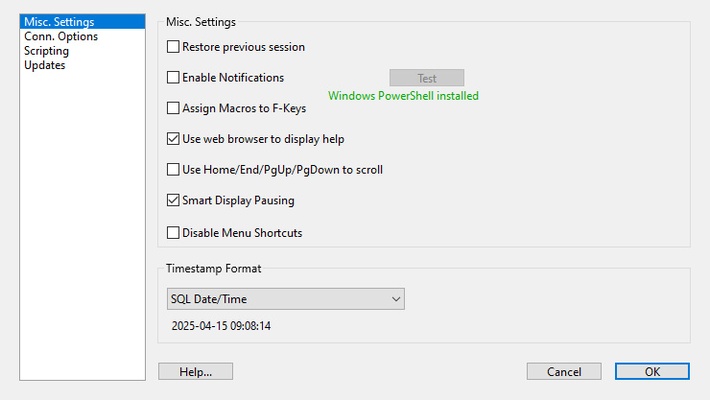
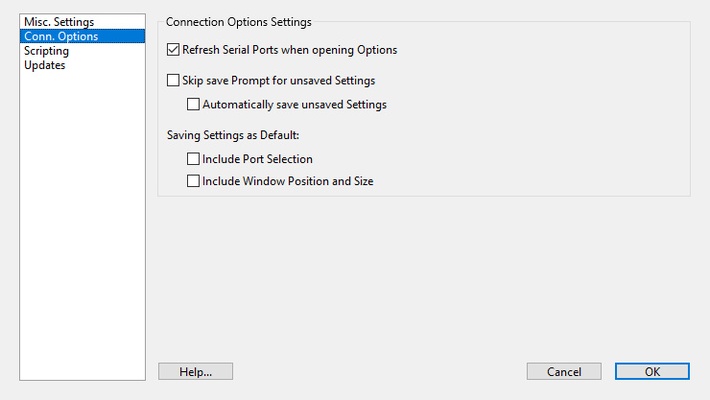
In order to use CoolTerm you only have to unzip the compressed file in any directory on your Mac. The first time you run the app you can adjust the Configuration Options, but if you prefer (or don't know how to do it very well) you can also leave all the options by default. Once you have completed this first boot, you will be able to use the app without any problems, just by clicking on the executable.

Very simple connection between serial ports

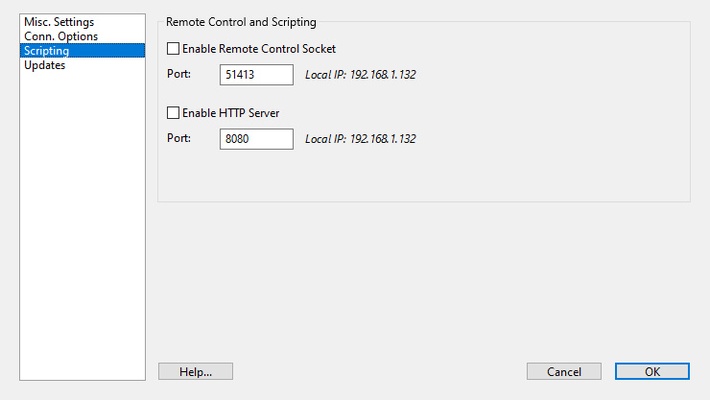
As soon as you open CoolTerm you will see a terminal where you will be able to enter all the information you want to send to the serial port. The app supports both .CoolTermSettings files and .STC files, so you can create and save your own macros for later use. You can also choose between three different view types: standard, hexadecimal and graphical.

Send information through serial ports on Mac

Download CoolTerm if you usually work with this type of ports or if you need to do it occasionally. Thanks to this app you will be able to work with any external device that uses serial ports and send information and data between them.

Information about CoolTerm

License Free
Op. System Mac
Category Utilities
Language English 47 more
Author Roger Meier
permission icon Permissions Not applicable
Date 2026-06-03 01:08:30
Size 19.35 MB
File type DMG

Apps recommended for you

WhatPulse icon
WhatPulse
iDrive icon
Save a backup of your files in the cloud
Easy Duplicate Finder icon
Find all the duplicate files on your hard drive
Nicepage icon
Nicepage
Duet Display icon
Turn your iPad into a convenient second screen
Heroic Games Launcher icon
Manage your GOG and Epic Games libraries
OnyX 5.0.1 for Mac icon
You can use to verify the startup disk and the structure of its system files
Syncovery 11.15.15 for Mac icon
Syncovery will copy your files the way you need it!
Tresorit 3.5.3467.4810 for Mac icon
Work with your team without worrying about hacker attacks
Cocktail 19.8.1 for Mac icon
Lets you clean, repair and optimize your Mac
TinkerTool 11.6 for Mac icon
Access to additional preference settings Apple has built into OS X
Deeper 3.3.0 for Mac icon
Enable and disable the hidden functions of the Finder, Dock, Safari, iTunes..
Logi Options+ 2.4.903778 for Mac icon
It enables even more customization of all your supported devices
Tenorshare ReiBoot iOS for Mac 9.5.8 icon
Put iPhone/iPad/iPod touch in/out of Recovery Mode Easily without iTunes
Baidu Netdisk icon
Free cloud storage
Mactracker icon
Database that includes every Apple product
Geekbench AI icon
Evaluate your Mac's performance in AI tasks
Deeper 3.3.0 for Mac icon
Enable and disable the hidden functions of the Finder, Dock, Safari, iTunes..
WhatPulse icon
WhatPulse
MacSonik OST to PST Converter icon
Premium tool to convert OST files to PST
Douyin icon
The Chinese version of TikTok
Free VPN Planet icon
Free VPN Proxy, fast and secure