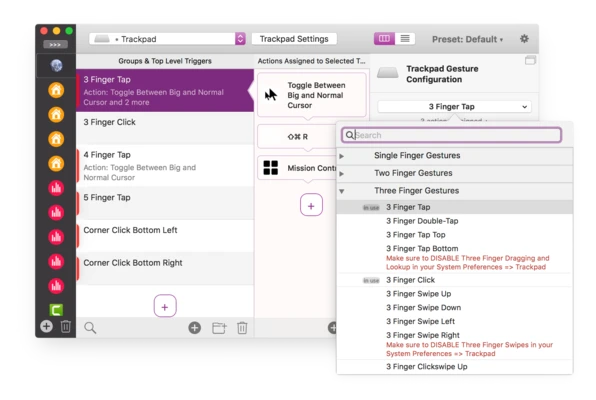
BetterTouchTool for Mac is a powerful macOS customization and productivity tool that allows users to create custom gestures, shortcuts, automations, and workflows for Magic Mouse, Magic Trackpad, MacBook Trackpad, keyboards, standard mice, Touch Bar, Apple Remote, Stream Deck, and more.
Designed for power users and professionals, BetterTouchTool gives you complete control over how you interact with your Mac. Beyond gesture customization, it also includes advanced utilities such as window snapping, window switching, clipboard management, screenshot tools, floating menus, and workflow automation features that can significantly improve productivity.
Key Features
- Custom gestures for Magic Mouse, Magic Trackpad, and MacBook Trackpad
- Keyboard shortcut and key sequence automation
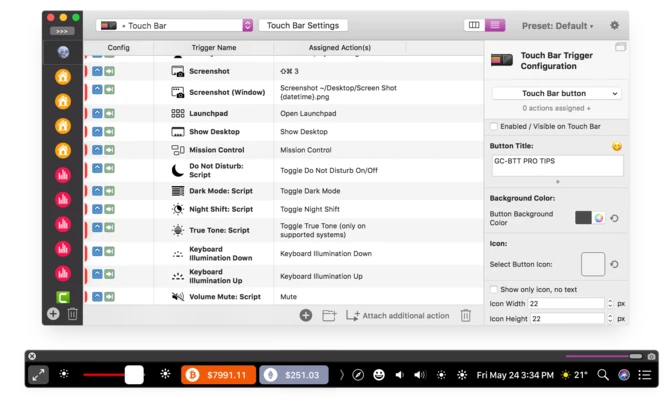
- Touch Bar customization and enhancement
- Mouse button remapping and gesture support
- Elgato Stream Deck integration
- Apple Remote and Siri Remote support
- BTT Remote companion app for iPhone and iPad
- Fully customizable floating menus and widgets
- Menu bar customization tools
- Advanced automation and workflow creation
Why Choose BetterTouchTool?
BetterTouchTool transforms macOS into a highly customizable workspace. It allows users to automate repetitive tasks, create personalized shortcuts, and optimize input devices far beyond Apple's default capabilities. Whether you're a developer, designer, content creator, or productivity enthusiast, BetterTouchTool can dramatically improve workflow efficiency.
Best For
- Productivity enthusiasts
- Power users
- Developers
- Designers and creatives
- Multi-monitor setups
- Touch Bar customization
- Workflow automation
- Advanced macOS customization
Pros
- Extremely powerful customization options
- Supports a wide range of Apple and third-party devices
- Advanced gesture and automation capabilities
- Built-in window management tools
- Clipboard manager included
- Frequent updates and active development
- Excellent Touch Bar customization features
Cons
- Steep learning curve for beginners
- Interface can feel overwhelming initially
- Advanced features require time to configure
- Some automations may require experimentation
- Can consume additional system resources with complex setups
System Requirements
- macOS 10.13 High Sierra or later
- 64-bit Intel or Apple Silicon processor
- Magic Mouse, Trackpad, Keyboard, or supported input device (optional)
- Internet connection for updates and licensing
Conclusion
BetterTouchTool for Mac is one of the most powerful productivity and customization utilities available for macOS. With support for custom gestures, Touch Bar enhancements, workflow automation, window management, and dozens of advanced tools, it enables users to tailor their Mac experience exactly to their needs and significantly boost everyday productivity.