

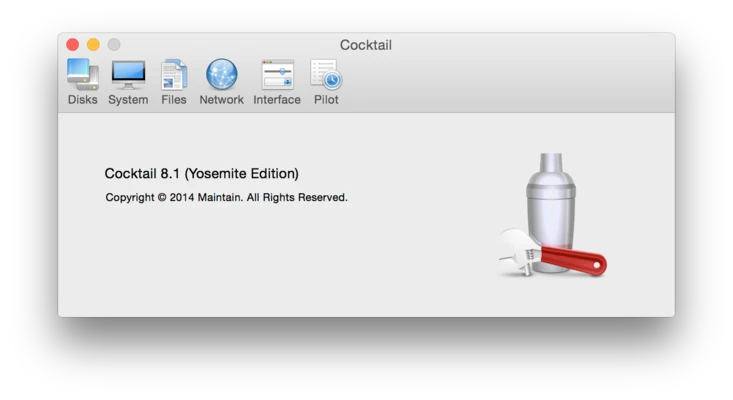
Cocktail for Mac is a system maintenance and optimization utility designed to help users clean, repair, and optimize macOS performance. It provides a collection of system tools that allow users to manage disk maintenance, system cleaning, and various macOS optimization tasks through a simple graphical interface.
The application is designed for both basic users and advanced Mac users who want to improve system performance without using Terminal commands.
Key Features
System Cleaning & Maintenance
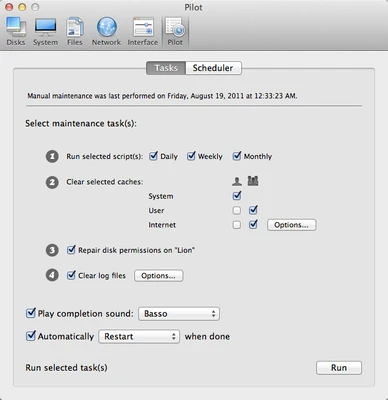
Cocktail includes a range of tools for maintaining macOS system health, such as cache cleaning, log file removal, and temporary file cleanup.
Disk Repair Tools
Provides utilities for repairing disk permissions and maintaining system integrity to help improve stability and performance.
System Optimization
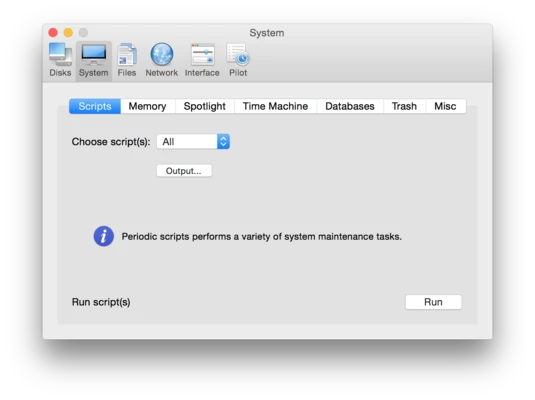
Optimize macOS performance by adjusting system settings, managing startup behavior, and improving overall responsiveness.
Rebuild System Databases
Rebuild system databases such as Launch Services, Spotlight indexes, and other macOS internal components when needed.
Automation & Scheduler
Includes a scheduling feature that allows users to automate routine maintenance tasks such as cleanup and optimization.
System Tweaks
Allows users to adjust hidden or advanced macOS settings, including startup behavior, sleep settings, and system language options.
File Management Tools
Includes tools for securely emptying trash, managing files, and performing batch maintenance operations.
Why Choose Cocktail?
Cocktail combines multiple macOS maintenance functions into a single application, eliminating the need for separate tools or Terminal commands. It provides a centralized interface for cleaning, repairing, and optimizing system performance.
Best For
- macOS system maintenance
- Performance optimization
- Disk cleanup and repair
- Advanced Mac users
- IT support and system administrators
- Users avoiding Terminal commands
Pros
- All-in-one system maintenance tool
- Easy-to-use graphical interface
- Supports automation and scheduling
- Includes repair and optimization features
- Lightweight and efficient performance
Cons
- Paid software with limited trial
- Advanced tools require caution
- No real-time system monitoring
- Interface design feels outdated
- Limited relevance for casual users
How to Use
- Install Cocktail and move it to the Applications folder.
- Launch the application and enter administrator credentials if required.
- Choose a category such as Disk, System, or Files.
- Select the maintenance tasks you want to perform.
- Click Execute to run operations.
- Optionally set up scheduled maintenance tasks.
- Quit the application when finished.
System Requirements
Minimum Requirements
- macOS 10.10 Yosemite or later
- Intel or Apple Silicon Mac (compatibility depends on version)
- Administrator privileges for certain tasks
Conclusion
Cocktail for Mac is a comprehensive macOS maintenance utility that combines cleaning, repair, and optimization tools in a single application. It is suitable for users who want to improve system performance, manage disk health, and automate routine maintenance tasks without using command-line tools.