Go to Windows platform Display platforms icon
Go to Mac platform Go to Windows platform Go to Android platform
Yandex Disk icon

Yandex Disk

3.2.41.5053
Yandex
0
19.67 MB size

Store and share files on the cloud from any of your devices

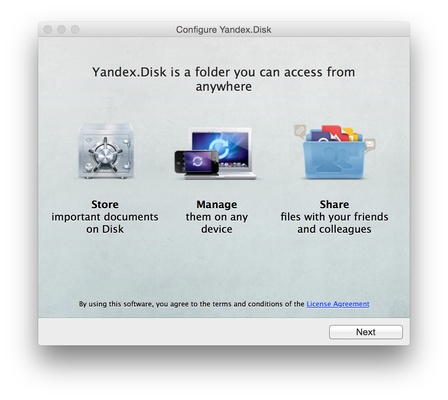
Yandex Disk is an online storage service similar to Dropbox and Google Drive, designed so you can save in it all the content that you want, for free, and from any device that's connected to the Internet, so you can share your images, music, movies, and documents with your family and friends.

Yandex Disk offers 3 gigabytes of free space, which can be extended to 10 gigabytes if you install the desktop client, share the first file, and invite your friends to join the service on social networks. Besides, if you have an account in Yandex Mail, you can sync your attached files and share the link.

The files you save on Yandex Disk aren't lost if you lose your phone or if your computer breaks down, so it's a great way to avoid any problems caused by hard drive issues. Thanks to the amount of space it has, you can save all of your pictures and most important documents.

Since you can access Yandex Disk from any device, you can also access all your files, no matter where you are.

A feature that stands out in this service is that when you share files, you can control who has access to your folders and their contents.

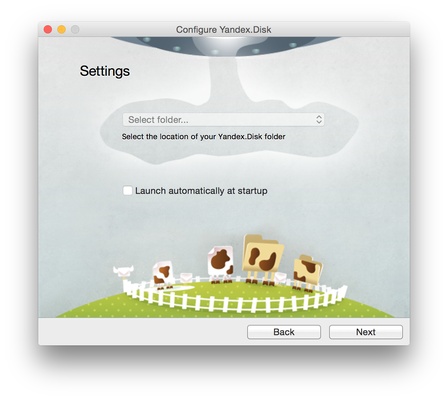
How does it work? Simple, once you create an account on Yandex Disk, you just have to insert your username and password, and a Yandex folder will appear on your desktop so you can drag and drop there any files you want to save and share, exactly like a normal folder, except this one syncs automatically on the cloud.

Information about Yandex Disk

License Free
Op. System Mac
Category Utilities
Language English
Author Yandex
permission icon Permissions Not applicable
Date 2026-06-03 01:08:29
Size 19.67 MB
File type DMG

Apps recommended for you

ExifTool icon
Check and edit your photos' metadata
WhatSize icon
Displays used space on hard drive numerically
MacFuse icon
Lets you implement file systems within the application
iStat menus icon
Take a look at your whole system from your menu bar
Tresorit 3.5.3467.4810 for Mac icon
Work with your team without worrying about hacker attacks
MacSonik OST to PST Converter icon
Premium tool to convert OST files to PST
OpenRGB icon
OpenRGB
OnyX 5.0.1 for Mac icon
You can use to verify the startup disk and the structure of its system files
Syncovery 11.15.15 for Mac icon
Syncovery will copy your files the way you need it!
Tresorit 3.5.3467.4810 for Mac icon
Work with your team without worrying about hacker attacks
Cocktail 19.8.1 for Mac icon
Lets you clean, repair and optimize your Mac
TinkerTool 11.6 for Mac icon
Access to additional preference settings Apple has built into OS X
Deeper 3.3.0 for Mac icon
Enable and disable the hidden functions of the Finder, Dock, Safari, iTunes..
Logi Options+ 2.4.903778 for Mac icon
It enables even more customization of all your supported devices
Tenorshare ReiBoot iOS for Mac 9.5.8 icon
Put iPhone/iPad/iPod touch in/out of Recovery Mode Easily without iTunes
Workflowy icon
Workflowy
DBeaver icon
Manage various databases from just one tool
UFS Explorer Standard Recovery icon
Recover deleted or defective files
Cocktail icon
Time to tune up your Mac
OpenAudible icon
Enjoy your Audible audiobooks
iDrive icon
Save a backup of your files in the cloud
Yuanbao icon
Tencent AI client for Mac
Yuhan Blu-ray DVD Creator icon
It is an all-in-one DVD, Blu-ray, and 4K UHD authoring software