


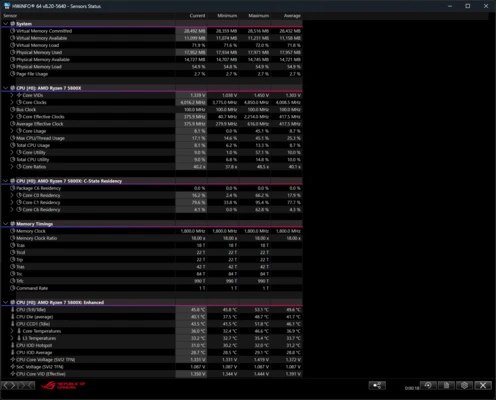
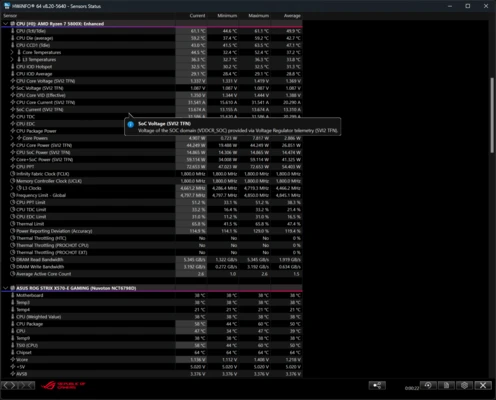
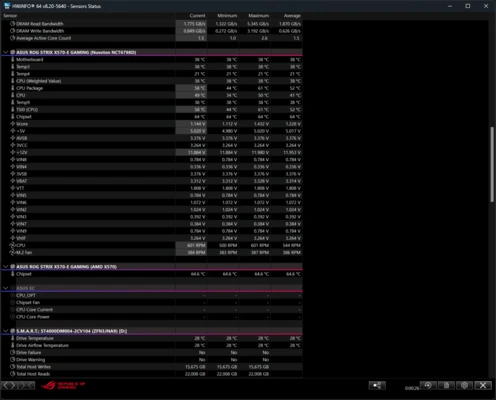
HWiNFO64 is a comprehensive hardware information, monitoring, and diagnostics tool for Windows. It provides detailed information about your computer’s CPU, GPU, motherboard, memory, storage devices, network adapters, and other hardware components.
The software can also monitor temperatures, voltages, fan speeds, clock speeds, power consumption, and other sensor data in real time. Reports and sensor logs can be exported for further analysis, making HWiNFO64 useful for troubleshooting, system monitoring, performance testing, and hardware diagnostics.
HWiNFO64 is lightweight and can be used as a standard installed application or a portable tool without installation.
What’s New
Recent HWiNFO64 updates focus on support for newer hardware and improvements to sensor monitoring and reporting.
-
Added support for newer NVIDIA GeForce RTX 50-series graphics cards.
-
Improved PCI Express error counter monitoring.
-
Enhanced NVIDIA GPU sensor support.
-
Improved SVID VR monitoring.
-
Improved reporting of shared video memory for integrated Intel GPUs.
-
Added early support for upcoming Intel processor platforms.
-
Improved sensor monitoring for ASUS, GIGABYTE, MSI, and MAXSUN motherboards.
-
Improved fan speed monitoring on selected ASUS laptops.
-
Various hardware detection, monitoring, and stability improvements.
Key Features
Hardware Information: Provides detailed information about CPUs, GPUs, motherboards, RAM, storage devices, network adapters, and other system components.
Real-Time Monitoring: Monitor CPU and GPU temperatures, voltages, fan speeds, clock speeds, power consumption, and other sensor values in real time.
Sensor Logging: Record hardware sensor data over time to analyze system behavior and identify overheating, throttling, or power-related issues.
Hardware Reports: Generate detailed hardware reports that can be exported in formats such as HTML, XML, and CSV.
Customizable Sensors: Select the sensors you want to monitor and configure the display according to your requirements.
Alerts: Configure warnings for specific sensor values, such as high temperatures or abnormal voltages.
Hardware Compatibility: Regular updates provide support for new processors, graphics cards, chipsets, motherboards, and other hardware.
Portable Version: HWiNFO64 is also available as a portable application, allowing users to run it without a traditional installation.
Basic Benchmarking: Includes basic performance testing capabilities for evaluating selected CPU and GPU characteristics.
User Interface
HWiNFO64 uses a functional interface focused on providing detailed technical information rather than visual effects.
The main window organizes hardware components into categories, allowing users to select individual devices and view detailed specifications. The Sensors window provides continuously updated information about temperatures, voltages, fan speeds, clock speeds, and other measurements.
Advanced users can customize sensor layouts, create monitoring graphs, configure alerts, and enable logging. Although the amount of information can initially seem overwhelming, the interface is well suited to users who need detailed hardware data.
Installation and Setup
-
Download the HWiNFO64 installer or portable version.
-
Run the installer and follow the on-screen instructions, or launch the portable executable directly.
-
Start HWiNFO64 and allow it to scan the system hardware.
-
Choose the system summary or sensor monitoring options when prompted.
-
Open the settings menu if you want to customize monitoring, logging, alerts, or displayed sensors.
The portable version can be particularly useful for troubleshooting or running hardware diagnostics on multiple PCs.
How to Use
View Hardware Information: Launch HWiNFO64 and browse the hardware categories to view detailed information about individual components.
Monitor Sensors: Open the Sensors window to view real-time temperatures, voltages, fan speeds, clock speeds, and power readings.
Track Performance: Monitor sensor values while running demanding applications or games to identify thermal or performance issues.
Log Sensor Data: Enable sensor logging to record system measurements over time for later analysis.
Create Reports: Use the reporting function to generate a detailed overview of the installed hardware.
Configure Alerts: Set warning thresholds for selected sensors to help identify potentially dangerous temperatures or voltage levels.
FAQ
Is HWiNFO64 free?
Yes. HWiNFO64 is free for personal use. Commercial environments may require a Pro license.
Is HWiNFO64 safe to use?
Yes. HWiNFO64 is primarily a hardware information and monitoring tool. It reads system and sensor information without requiring users to modify BIOS settings or hardware configurations.
Does HWiNFO64 support the latest hardware?
Yes. The software is regularly updated with support for new CPUs, GPUs, motherboards, chipsets, and other hardware.
Can HWiNFO64 monitor CPU and GPU temperatures?
Yes. It can monitor temperatures from supported CPU, GPU, motherboard, storage, and other hardware sensors.
Can HWiNFO64 monitor fan speeds?
Yes. It can display fan speeds from supported motherboards, graphics cards, laptops, and other devices.
Can HWiNFO64 record sensor data?
Yes. Sensor values can be logged to files, allowing users to analyze temperature, voltage, fan speed, clock speed, and other measurements over time.
Does HWiNFO64 include benchmarking tools?
It includes basic benchmarking capabilities, but it is primarily designed for hardware information and monitoring rather than dedicated benchmark testing.
Does HWiNFO64 have a portable version?
Yes. A portable version is available and can be run without a traditional installation.
Alternatives
AIDA64 – A comprehensive system information and diagnostics suite with hardware monitoring, benchmarking, and stress-testing features.
CPU-Z – A lightweight utility focused on CPU, motherboard, memory, and basic system information.
Speccy – A simpler hardware information tool designed for users who want a quick overview of their PC components.
Open Hardware Monitor – A free and open-source monitoring utility for tracking temperatures, voltages, fan speeds, and other hardware sensors.
Pricing
Free for Personal Use
HWiNFO64 is free for personal and non-commercial use.
Pro License
Commercial use requires a Pro license. The Pro edition also provides additional features for professional and business environments.
Commercial licensing options include subscription and lifetime licenses, with pricing determined by the current license terms.
System Requirements
-
Operating System: Windows 7, Windows 8, Windows 10, Windows 11
-
Architecture: 32-bit or 64-bit, depending on the version
-
Processor: Compatible Intel, AMD, or VIA x86 processor
-
RAM: 256 MB minimum
-
Storage: Approximately 10 MB or more of available space
Actual requirements may vary depending on the hardware configuration and monitoring features being used.
Pros
-
Extremely detailed hardware information
-
Real-time sensor monitoring
-
Supports modern CPUs and GPUs
-
Sensor logging and customizable alerts
-
Hardware reporting and export options
-
Lightweight and portable
-
Free for personal use
-
Regular hardware compatibility updates
Cons
-
Interface is technical and somewhat dated
-
Large amount of information can be overwhelming for beginners
-
Benchmarking features are limited compared with dedicated benchmark software
-
Some advanced commercial features require a Pro license
Conclusion
HWiNFO64 is one of the most comprehensive hardware information and monitoring tools available for Windows. It provides detailed component information, real-time sensor monitoring, logging, reporting, and hardware diagnostics in a relatively lightweight package.
It is particularly useful for PC enthusiasts, system administrators, technicians, and users troubleshooting hardware or monitoring system temperatures and performance. If you need detailed and accurate information about what is inside your PC and how its hardware is performing, HWiNFO64 is an excellent choice.