App Builder is a visual development environment for Windows that lets users create HTML5 applications, WebApps, Progressive Web Apps (PWAs), WebExtensions, and hybrid mobile and desktop applications. It combines a visual designer with built-in actions while also allowing JavaScript and Apache Cordova plugins for more advanced development.
Key Features
-
Visual Designer – Build application interfaces using drag-and-drop controls.
-
Visual Actions – Add application logic using built-in actions without writing JavaScript for basic tasks.
-
HTML5 and PWA Support – Create web applications and Progressive Web Apps for modern browsers.
-
Hybrid App Development – Use Apache Cordova to package applications for platforms such as Android, iOS, and Windows.
-
JavaScript Support – Extend applications with custom JavaScript when visual actions are not sufficient.
-
Themes – Includes multiple interface themes that can be customized at design time or runtime.
-
Samples and Tutorials – Provides example projects and documentation to help users learn the development workflow.
-
Plugin Support – Supports JavaScript and Apache Cordova plugins for additional functionality.
-
Command-Line Compiler – Compile projects from the command line as well as through the graphical IDE.
-
Customizable IDE – Dock panels, toolbars, layouts, and themes can be adjusted to suit different workflows.
User Interface
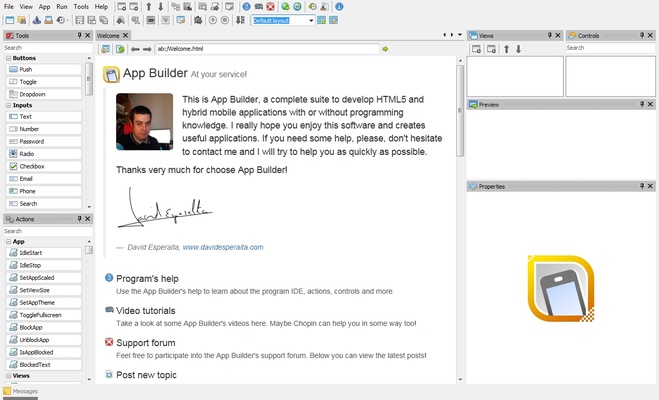
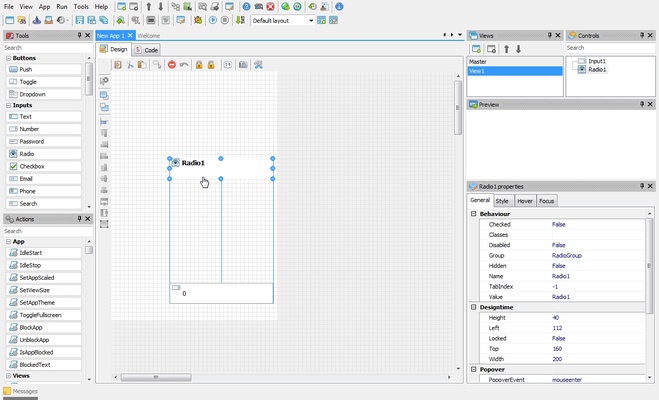
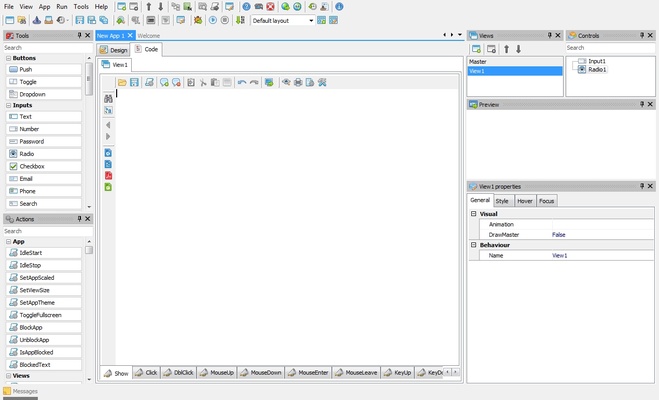
App Builder provides a visual IDE with a project workspace, application designer, controls, properties, and development tools. Its drag-and-drop workflow is suitable for users who prefer visual development, while JavaScript support provides additional flexibility for experienced developers.
Installation and Setup
Install App Builder on a Windows PC and launch the IDE. Create a new project, select the desired application type, and begin designing the interface with the available controls. Additional JavaScript or Cordova components can be added when required.
How to Use
-
Create a new project in App Builder.
-
Design the interface using the visual editor.
-
Add controls and configure their properties.
-
Add functionality using visual actions or JavaScript.
-
Configure project and platform settings.
-
Test the application during development.
-
Compile the project using the IDE or command-line compiler.
-
Export and deploy the application to the required platform.
System Requirements
-
Operating System: Windows 7, 8, 10, or 11
-
Processor: Intel or AMD processor
-
RAM: 2 GB minimum, 4 GB recommended
-
Storage: At least 500 MB of free space
-
Display: 1024×768 resolution or higher
-
Additional Software: .NET Framework may be required depending on the version
Pros
-
Visual development requires less coding for basic projects
-
Supports HTML5, PWAs, and WebExtensions
-
JavaScript and Cordova plugin support
-
Cross-platform application deployment
-
Built-in samples and documentation
-
Includes command-line compilation
Cons
-
Advanced projects may still require JavaScript knowledge
-
Large projects can become more complex to manage
-
Not intended for fully native application development
-
Learning the visual action system takes some time
-
Commercial licensing is required for continued use beyond the trial
Conclusion
App Builder is a practical choice for developers who want to create web-based and hybrid applications through a visual development environment. Its combination of drag-and-drop controls, visual actions, JavaScript support, and Apache Cordova integration makes it suitable for building applications from a shared codebase across multiple platforms.