

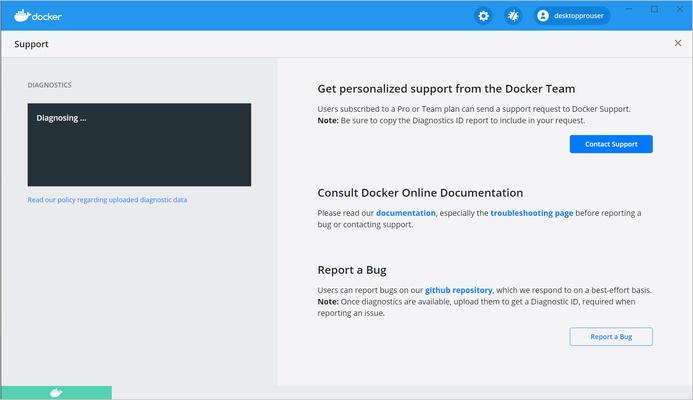
Docker is an open-source platform for building, running, and managing applications in lightweight containers. Docker for Windows provides a consistent development environment where applications and their dependencies can be packaged into containers and run reliably across different systems.
Docker is widely used by developers for application development, testing, deployment, and environment management. It includes both command-line tools and a graphical interface, making it possible to manage containers, images, networks, and other resources from a Windows desktop.
Key Features
-
Containerization – Package applications and their dependencies into isolated, portable containers.
-
Docker Images – Create, manage, and share reusable container images.
-
Container Management – Start, stop, restart, remove, and inspect containers from the command line or graphical interface.
-
Docker Networking – Configure communication between containers and external services.
-
Resource Management – Configure resource limits and other container settings.
-
Application Isolation – Run applications in separate container environments to reduce conflicts between dependencies.
-
Scalable Deployment – Use the same containerized application environment across development, testing, and production.
-
Command-Line Interface – Manage Docker resources efficiently using Docker commands.
-
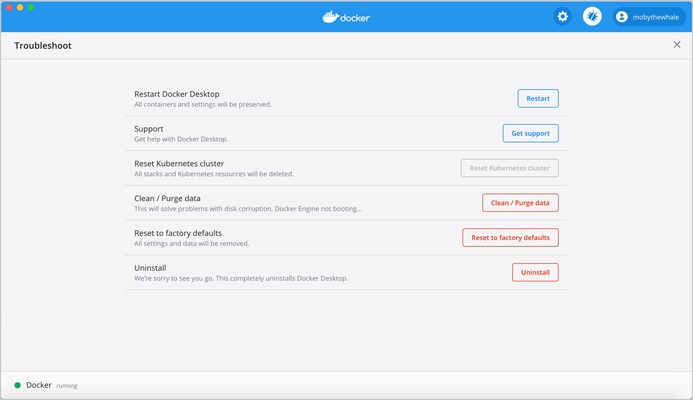
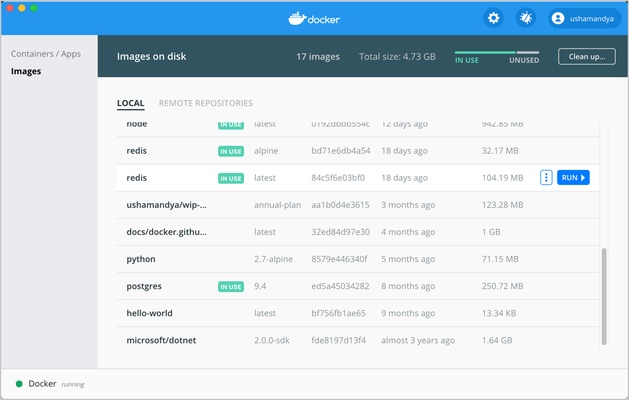
Graphical Interface – Monitor and manage containers, images, volumes, and other resources through Docker Desktop.
-
Development Integration – Supports common programming languages, frameworks, development tools, and container-based workflows.
-
Extensions – Add functionality and integrations through supported Docker extensions.
User Interface
Docker Desktop provides a graphical dashboard for managing containers, images, volumes, networks, and related resources. Users can view the current status of containers and perform common management tasks without relying entirely on the command line.
For advanced workflows, Docker also provides a powerful command-line interface that gives developers more control over container configuration and automation.
Installation and Setup
-
Download and install Docker Desktop for Windows.
-
Make sure hardware virtualization is enabled in the system BIOS or UEFI.
-
Follow the installation wizard and complete the required configuration.
-
Launch Docker Desktop after installation.
-
Wait for the Docker engine to start.
-
Verify the installation from the command line by running a Docker command such as
docker version. -
Create or download a container image to begin working with containers.
Docker Desktop may require additional Windows components or virtualization support depending on the system configuration.
How to Use
Start by creating a Dockerfile that defines the application environment, dependencies, and commands required to run the application. Build the Dockerfile into a container image using the Docker command-line interface.
Once the image has been created, use it to start a container. Containers can be configured with ports, environment variables, volumes, networks, and resource limits as required by the application.
Docker Desktop can then be used to monitor and manage running containers, images, volumes, and networks. Developers can also use the command line for scripting, automation, and more advanced container operations.
System Requirements
-
Operating System: Windows 10 or Windows 11, 64-bit
-
Memory: At least 4 GB RAM
-
Virtualization: Hardware virtualization must be enabled in BIOS/UEFI
-
Additional: Docker Desktop uses Windows virtualization technologies and may require supported Windows components depending on the configuration.
Pros
-
Lightweight and portable application environments
-
Consistent development and testing environments
-
Supports a wide range of programming languages and frameworks
-
Powerful command-line tools
-
Convenient graphical management through Docker Desktop
-
Flexible networking and storage options
-
Large ecosystem of container images and extensions
-
Free version available
Cons
-
Can be complex for beginners
-
Requires familiarity with containers and command-line tools
-
Virtualization can consume significant system resources
-
Advanced Docker workflows have a learning curve
Conclusion
Docker is a powerful containerization platform for developers who need consistent and portable application environments. Its combination of container management, image creation, networking, command-line tools, and Docker Desktop makes it suitable for development, testing, and deployment workflows on Windows.
For users who regularly work with modern development environments or need to isolate applications and their dependencies, Docker provides a flexible and efficient solution.