

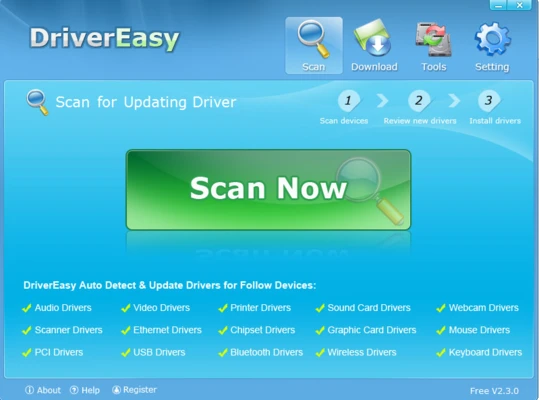
Driver Easy is a Windows driver management utility that scans a PC for missing, outdated, or problematic hardware drivers. It can identify drivers for graphics cards, network adapters, audio devices, chipsets, USB devices, printers, scanners, and other hardware, helping users find and install the appropriate driver updates.
Key Features
-
Automatic Driver Scanning – Detects missing and outdated drivers on your system.
-
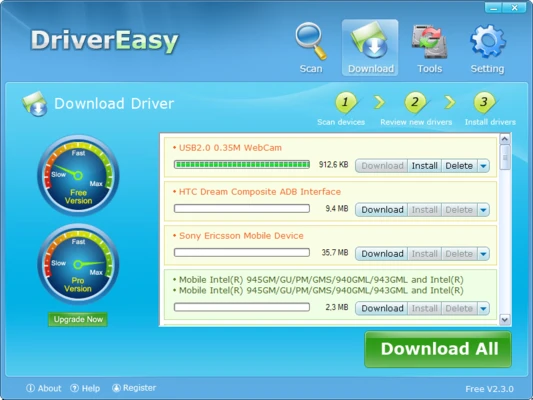
Driver Updates – Download and install available driver updates from the application.
-
Offline Scan – Scan a computer without Internet access and transfer the results to another PC for downloading drivers.
-
Driver Backup and Restore – Back up existing drivers and restore previous versions when necessary.
-
Hardware Information – Displays information about hardware components and their installed drivers.
-
Driver Removal – Helps remove drivers associated with hardware that is no longer in use.
-
Large Driver Database – Supports a wide range of hardware devices and driver versions.
-
Multiple Hardware Categories – Supports graphics, audio, network, Bluetooth, USB, printers, scanners, chipsets, and other devices.
User Interface
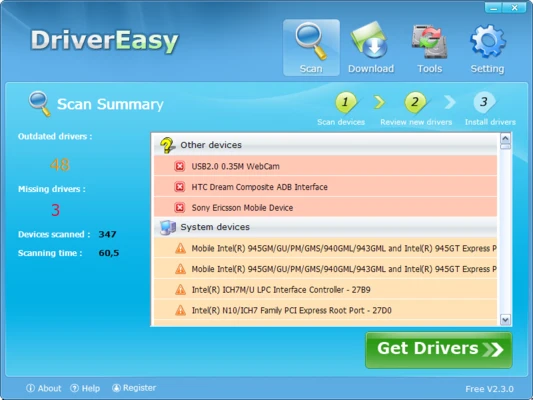
Driver Easy provides a straightforward interface centered around system scanning and driver management. After a scan, available driver updates are displayed in a list, allowing users to review and update individual drivers.
Installation and Setup
Install Driver Easy on your Windows PC and launch the application. Run a driver scan to identify missing or outdated drivers. Before applying updates, it is recommended to create a driver backup or restore point, particularly when updating important hardware drivers.
How to Use
-
Launch Driver Easy and start a driver scan.
-
Review the missing or outdated drivers identified by the scan.
-
Select the drivers you want to update.
-
Download and install the required drivers.
-
Restart Windows if required.
-
Use the backup and restore tools if you need to revert a driver update.
System Requirements
-
Operating System: Windows 7, 8, 8.1, 10, or 11
-
Processor: 1 GHz or faster
-
RAM: 512 MB or more
-
Storage: About 100 MB of free space
-
Internet: Required for downloading driver updates and online features
-
Additional: .NET Framework may be required depending on the version
Pros
-
Simple driver scanning and management
-
Supports a wide range of hardware
-
Driver backup and restore features
-
Offline scanning capability
-
Hardware information tools
-
Reduces the need to search for drivers manually
Cons
-
Some features require a paid license
-
Driver updates can occasionally require a restart
-
Automated driver updates should be reviewed carefully before installation
-
Older hardware may have limited driver availability
Conclusion
Driver Easy provides a convenient way to identify and manage Windows hardware drivers without manually searching for each driver. Its scanning, backup, restore, and offline scan features make it useful for maintaining driver installations, although users should review driver updates before applying them, especially on systems that are already stable.