


Easy System Utility is an all-in-one Windows system utility designed to help users monitor, clean, and manage their PCs. It provides tools for viewing hardware information, removing unnecessary files, managing files and folders, generating passwords, and accessing frequently used programs.
The software is designed for Windows 10 and Windows 11 and is available in both free and Pro versions.
What's New
Recent versions of Easy System Utility continue to expand its system maintenance and file management tools, including automatic cleaning, bulk file operations, software repair, printer repair, and Windows Update repair.
Key Features
-
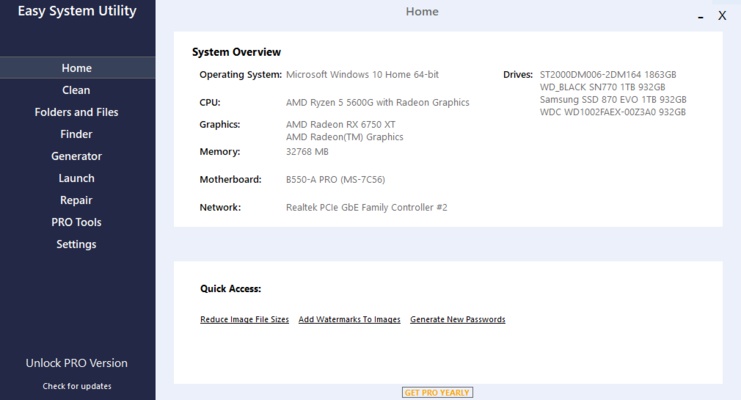
View detailed information about the operating system, CPU, GPU, memory, motherboard, network, and drivers.
-
Analyze and remove Windows junk files and temporary data.
-
Clean software-related files to free up disk space.
-
Unlock files and folders with permission issues.
-
Reduce image file sizes and add watermarks.
-
Rename files and folders in bulk with the Pro version.
-
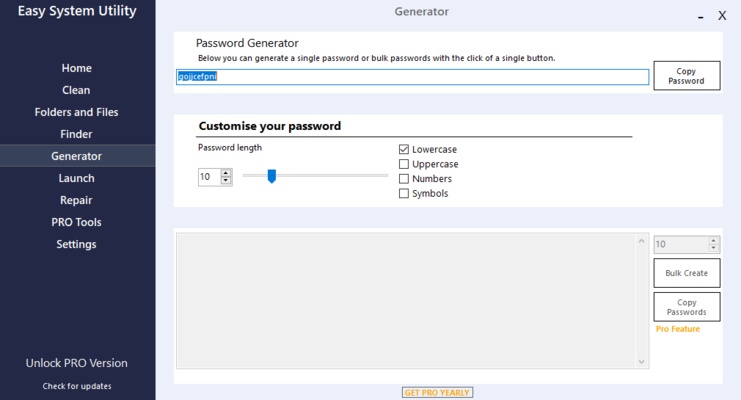
Generate random passwords with customizable character options.
-
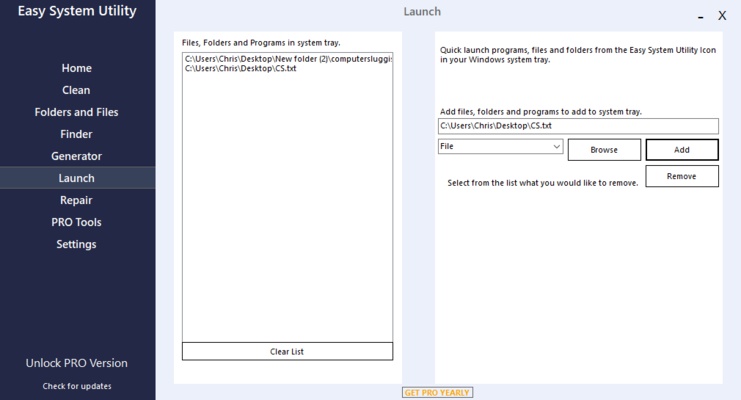
Quickly launch frequently used programs, files, and folders.
-
Find the Windows product key and saved Wi-Fi passwords.
-
Repair software, printers, and Windows Update components with Pro.
-
Change DNS settings and uninstall multiple programs with Pro.
User Interface
Easy System Utility uses a modern interface with its tools organized into separate sections. The Home tab provides an overview of the computer, while dedicated tabs provide access to cleaning, file management, password generation, and quick-launch functions.
The layout is straightforward, making common maintenance tasks easy to find without navigating through complicated menus.
Installation and Setup
Download and run the Easy System Utility installer, then follow the on-screen instructions to complete the installation.
After launching the program, the Home tab provides an overview of your system. You can then select the appropriate tool for cleaning files, managing folders, generating passwords, or accessing other utilities.
How to Use
-
Launch Easy System Utility.
-
Review your hardware and Windows information from the Home tab.
-
Open the Clean tab to analyze and remove unnecessary files.
-
Use the Files/Folders tools to manage files, folders, and images.
-
Generate passwords from the Password Generator tab.
-
Add frequently used programs, files, or folders to Quick Launch.
-
Upgrade to the Pro version when advanced maintenance and bulk-processing features are required.
FAQ
Is Easy System Utility free?
Yes. The free version provides a range of system information, cleanup, file management, password generation, and quick-launch tools. Additional features are available in the Pro version.
Does Easy System Utility work on Windows 11?
Yes. It is designed for Windows 10 and Windows 11.
What is included in the Pro version?
The Pro version adds automatic cleaning, bulk file operations, software repair, printer repair, Windows Update repair, DNS management, bulk program removal, and other advanced features.
Can Easy System Utility clean junk files?
Yes. It can analyze and remove various Windows and software-related temporary and unnecessary files.
Pricing
Free Version: Includes system information, junk file analysis and cleaning, file and folder tools, password generation, and Quick Launch features.
Pro Version: £3.99 per year for use on up to 3 personal PCs. It includes all free features plus automatic cleaning, bulk operations, repair tools, DNS management, bulk program uninstallation, and other advanced functions.
System Requirements
-
Operating System: Windows 10 or Windows 11
-
Additional Software: .NET Framework
-
Internet Connection: Required
Pros
-
Comprehensive collection of Windows utilities
-
Clean and easy-to-use interface
-
Useful system information tools
-
Includes junk file cleaning features
-
File and folder management tools
-
Free version available
-
Affordable Pro upgrade
Cons
-
Some advanced features require Pro
-
Windows-only
-
Internet connection required
-
Limited support for older Windows versions
Conclusion
Easy System Utility is a practical collection of maintenance and management tools for Windows 10 and Windows 11. It combines system information, junk file cleaning, file management, password generation, and quick-launch functions in a single application.
The free version covers many common tasks, while the affordable Pro version adds automation, bulk operations, and system repair tools for users who need more advanced functionality.