


GitHub Desktop is a free graphical Git client developed by GitHub that simplifies version control and repository management without requiring users to work primarily from the command line.
It provides an easy way to clone repositories, create branches, review changes, commit code, manage pull requests, and synchronize local projects with GitHub. The application is suitable for developers and other users who prefer a visual Git workflow.
Key Features
-
Graphical Git Interface
-
Repository Cloning and Management
-
Branch Creation and Switching
-
Commit and Change Management
-
Push and Pull Synchronization
-
Pull Request Support
-
Merge and Conflict Management
-
Commit History
-
GitHub Integration
-
Fork and Repository Workflows
-
Co-Authored Commits
-
Local Repository Support
-
Customizable Git Workflow
User Interface
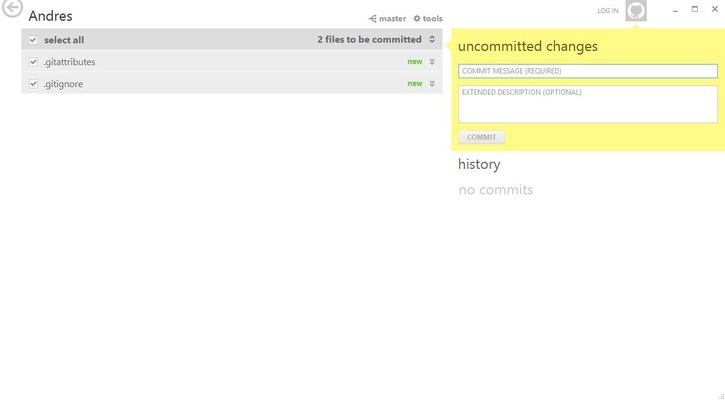
GitHub Desktop uses a clean interface centered around the selected repository. The sidebar provides access to repositories and branches, while the main workspace displays file changes, commit history, and other repository information.
Common Git operations are presented through buttons and menus, making tasks such as committing changes, switching branches, and pushing updates easier to manage.
Installation and Setup
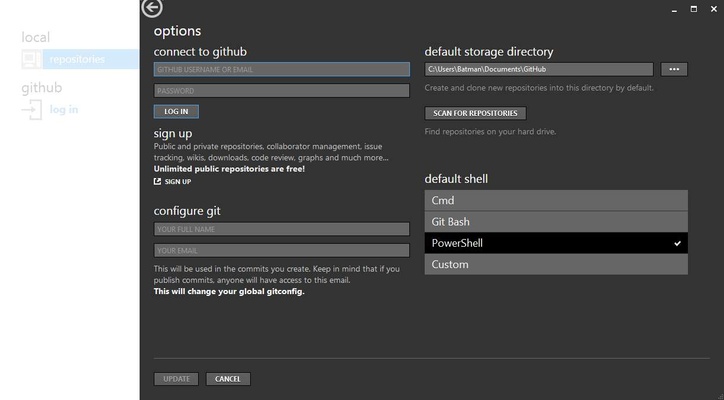
Download and install GitHub Desktop on a compatible Windows or macOS computer, then launch the application and sign in with a GitHub account when required.
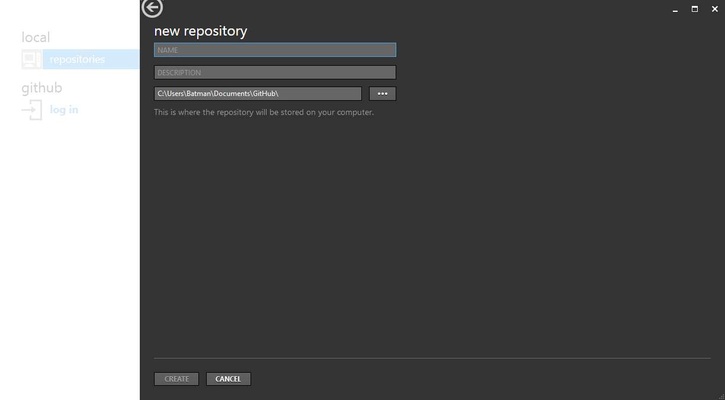
You can clone an existing repository from GitHub or add an existing local Git repository. After selecting a repository, GitHub Desktop displays its current status and available changes.
How to Use
Start by cloning a repository or adding an existing local Git repository. Create a new branch when working on a separate feature or change.
After modifying files, open GitHub Desktop to review the changes and enter a commit message. Commit the changes to the selected branch, then push the branch to GitHub to synchronize it with the remote repository.
Branches can be merged when work is complete, and pull requests can be created to submit changes for review and collaboration.
Pros
-
Free to use
-
Easy graphical Git workflow
-
Strong GitHub integration
-
Simple repository and branch management
-
Visual change and commit history
-
Supports pull requests and collaboration
-
Suitable for Git beginners
Cons
-
Advanced Git workflows may still require the command line
-
Primarily designed around GitHub workflows
-
Some advanced repository management features are limited compared with specialized Git clients
Conclusion
GitHub Desktop provides a straightforward graphical interface for Git and GitHub workflows. Its repository management, branching, commits, synchronization, and pull request features make it a practical choice for users who want to manage Git projects without relying entirely on command-line tools.