


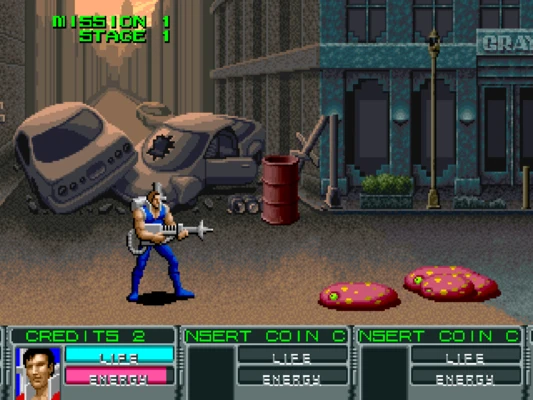
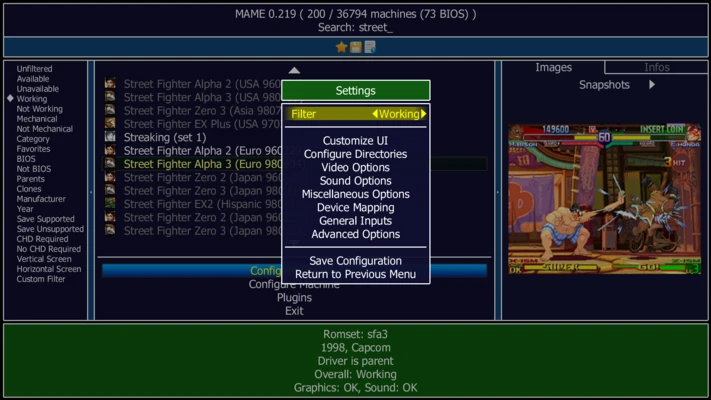
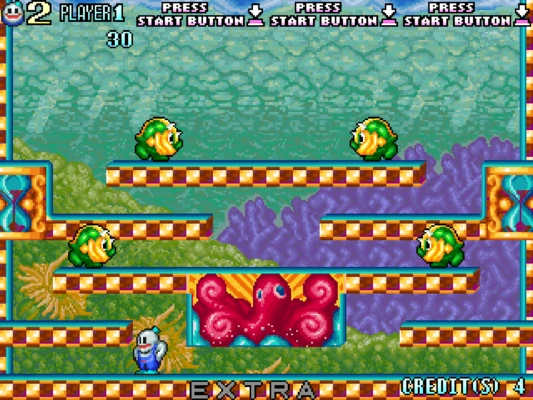
MAME (Multiple Arcade Machine Emulator) is a free and open-source arcade emulator that allows users to run classic arcade games on modern computers.
Originally released in 1997, MAME focuses on accurately recreating arcade hardware, including CPUs, graphics chips, sound systems, and input devices. It supports thousands of arcade machines and helps preserve classic gaming history.
Features and Highlights
- Arcade Hardware Emulation – Accurately reproduces classic arcade systems for authentic gameplay.
- Thousands of Supported Games – Compatible with a large collection of arcade titles from different eras.
- Game Preservation – Helps preserve old arcade software and hardware.
- Custom Controls – Supports keyboards, gamepads, arcade sticks, and other input devices.
- Save States – Save and restore gameplay progress.
- Video & Audio Settings – Adjust graphics, resolution, sound, and performance options.
- Multi-Platform Support – Available for Windows, Linux, and macOS.
How to Use
- Download and install MAME.
- Configure the ROM folder location.
- Add your legally obtained ROM files.
- Launch MAME and select a game.
- Configure controls and display settings.
FAQ
Is MAME free?
Yes. MAME is free and open-source.
Does MAME include games?
No. MAME does not include game ROMs. Users must provide their own legally obtained files.
Does MAME work on Windows 11?
Yes. The latest version supports Windows 10 and Windows 11.
Can MAME play all arcade games?
MAME supports thousands of arcade systems, but compatibility varies depending on the game.
Alternatives
RetroArch – Multi-system emulator supporting arcade and console platforms.
FinalBurn Neo – Lightweight arcade emulator focused on performance and compatibility.
System Requirements
- OS: Windows 10 / Windows 11 (64-bit recommended)
- Processor: Dual-core 2 GHz or higher
- RAM: 4GB minimum
- Storage: 100MB free space (additional space required for ROMs)
- Graphics: OpenGL 3.3 compatible GPU
PROS
- Free and open-source
- Supports thousands of arcade games
- High emulation accuracy
- Excellent preservation project
- Supports many controllers
CONS
- ROM files are not included
- Setup can be complicated for beginners
- Some games require BIOS files
Conclusion
MAME is one of the most powerful arcade emulators available for Windows. It provides accurate emulation, extensive compatibility, and a reliable way to experience classic arcade games on modern PCs.
For retro gaming enthusiasts and arcade preservation fans, MAME remains one of the best choices.