


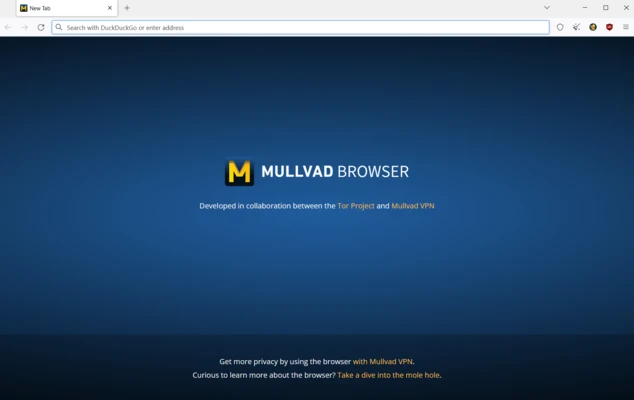
Mullvad Browser is a free, privacy-focused web browser developed through a collaboration between Mullvad VPN and the Tor Project. Based on Firefox technology, it is designed to reduce online tracking and browser fingerprinting while providing a familiar browsing experience.
The browser comes with privacy-focused settings and extensions enabled by default, including tracker and ad blocking. It does not require a Mullvad VPN subscription and can be used independently as a privacy-oriented web browser.
Key Features
-
Anti-Tracking Protection – Reduces common forms of online tracking and data collection.
-
Fingerprinting Protection – Uses standardized browser settings to make users less distinguishable from one another.
-
Ad and Tracker Blocking – Includes uBlock Origin for blocking advertisements and tracking elements.
-
Private Browsing – Provides privacy-focused defaults without built-in telemetry designed to track browsing behavior.
-
Anti-Cross-Site Tracking – Helps limit tracking across different websites.
-
HTTPS Support – Supports secure HTTPS connections when websites provide them.
-
Privacy-Focused Defaults – Many privacy protections are enabled without requiring extensive manual configuration.
-
Firefox Compatibility – Built on Firefox technology and supports many familiar browser features and extensions.
-
Cross-Platform – Available for Windows, macOS, and Linux.
-
Mullvad VPN Compatibility – Can be used together with Mullvad VPN for additional network-level privacy, although the browser itself does not provide a built-in VPN service.
User Interface
Mullvad Browser uses a familiar Firefox-style interface with tabs, an address bar, bookmarks, menus, and browser controls. Privacy and content-blocking features can be accessed through the browser toolbar.
The interface remains relatively simple while keeping privacy-related controls readily available for users who want to adjust blocking or site permissions.
Installation and Setup
-
Download and install Mullvad Browser.
-
Follow the installation wizard to complete the setup.
-
Launch the browser after installation.
-
Adjust privacy, security, and content-blocking settings if necessary.
-
Start browsing normally.
No Mullvad VPN subscription or account is required to use the browser.
How to Use
Open Mullvad Browser and enter a website address or search query in the address bar. Websites and trackers are filtered according to the browser's privacy settings and installed blocking tools.
Use the browser's privacy and content-blocking controls when you need to adjust permissions or manage how individual websites behave. For additional network privacy, Mullvad VPN can be used separately alongside the browser.
Pros
-
Free and open-source.
-
Strong privacy-focused defaults.
-
Built-in ad and tracker blocking.
-
Designed to reduce browser fingerprinting.
-
No Mullvad VPN subscription required.
-
Available for Windows, macOS, and Linux.
-
Familiar Firefox-based browsing experience.
Cons
-
Privacy-focused settings may cause some websites to behave differently.
-
Some users may need to adjust site permissions for compatibility.
-
No native mobile version.
Conclusion
Mullvad Browser is designed for users who want stronger privacy protection without configuring a browser from scratch. Its anti-tracking and fingerprinting protections, built-in content blocking, and privacy-focused defaults make it suitable for everyday browsing where reducing online tracking is a priority.
The browser can also be paired with Mullvad VPN for additional network-level privacy, but it remains fully usable without a VPN subscription.