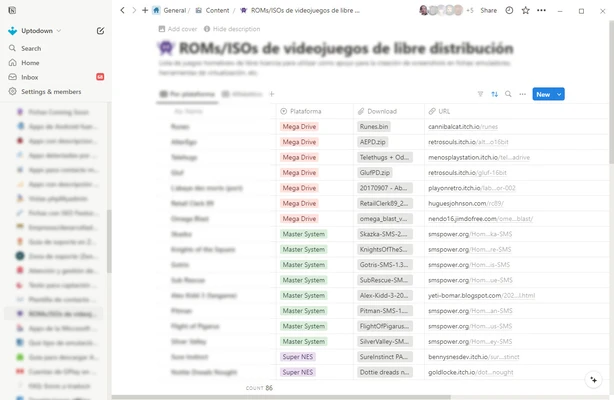
Notion Desktop is an all-in-one productivity application that combines note-taking, project management, databases, and team collaboration tools in a single workspace.
Designed for individuals, students, and teams, Notion helps users organize information, manage tasks, create documents, and build personal or business knowledge bases.
With its flexible block-based editor and customizable workspace, users can create everything from simple notes to complex project management systems.
Features and Highlights
Flexible Workspace
Notion provides a customizable workspace where users can create pages, documents, databases, and project dashboards according to their needs.
Block-Based Editor
The powerful editor allows users to add and arrange different content blocks, including:
- Text
- Images
- Videos
- Tables
- Code blocks
- Files
- Checklists
- Embedded content
Notes and Document Management
Create and organize documents, meeting notes, research materials, personal journals, and other information in one place.
Database Management
Notion includes flexible databases that allow users to manage tasks, projects, customers, schedules, and other structured information.
Task and Project Management
Users can organize workflows with:
- Kanban boards
- Calendars
- Lists
- Task trackers
- Project timelines
Team Collaboration
Notion supports real-time collaboration, allowing teams to share pages, leave comments, assign tasks, and manage projects together.
Templates
A large collection of templates helps users quickly create:
- Project plans
- To-do lists
- Personal dashboards
- Knowledge bases
- Meeting notes
Cross-Platform Sync
Notion is available across multiple platforms, including Windows, macOS, iOS, Android, and web browsers, keeping data synchronized between devices.
Integration Support
The software supports integration with popular services such as Google Drive, Slack, GitHub, and other productivity tools.
Notion AI
Notion AI provides writing assistance, content generation, summarization, and information search features directly inside the workspace.
User Interface
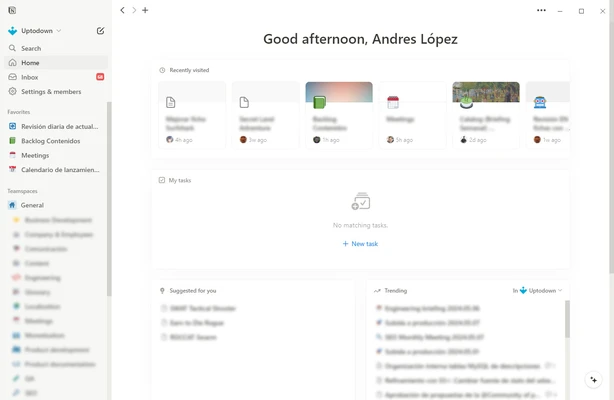
Notion features a clean and modern interface focused on simplicity and productivity.
The sidebar provides quick access to workspaces and pages, while the main editor area offers a distraction-free writing experience.
The drag-and-drop system makes it easy to rearrange content and customize layouts.
How to Use
- Install Notion Desktop and create an account.
- Create a workspace or select a template.
- Add pages for notes, documents, or projects.
- Organize information using blocks and databases.
- Share pages with others for collaboration.
- Sync your workspace across devices.
System Requirements
- Windows 10 or later
- macOS supported
- Modern processor
- Minimum 2 GB RAM recommended
- Internet connection for synchronization and updates
PROS
- Powerful all-in-one productivity platform
- Highly customizable workspace
- Excellent note-taking and organization tools
- Strong collaboration features
- Supports multiple platforms
- Large template library
CONS
- Requires time to learn advanced features
- Some features require a paid plan
- Offline functionality is limited compared with traditional note apps
Conclusion
Notion Desktop is a powerful productivity application that combines notes, databases, project management, and collaboration features into one flexible workspace.
With its customizable design and wide range of tools, Notion is suitable for students, professionals, and teams who need an efficient way to organize information and manage projects.