Go to Windows platform Display platforms icon
Go to Windows platform Go to Mac platform Go to Android platform
PyCharm Community icon

PyCharm Community

2025.1
JetBrains
5
825.28 MB size

The free version of PyCharm

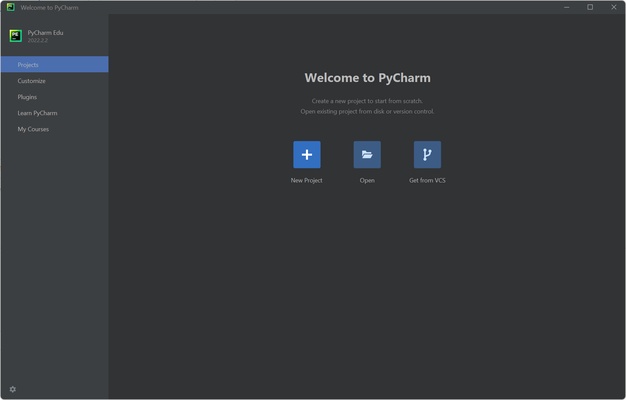
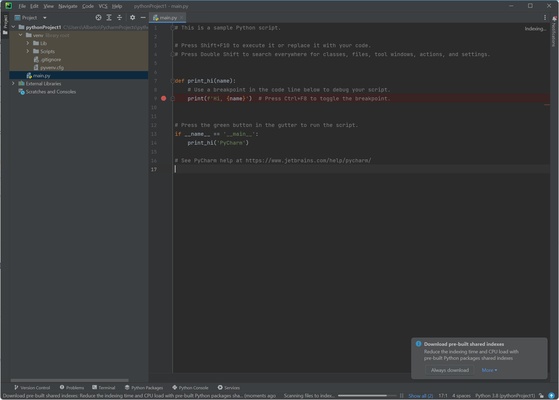
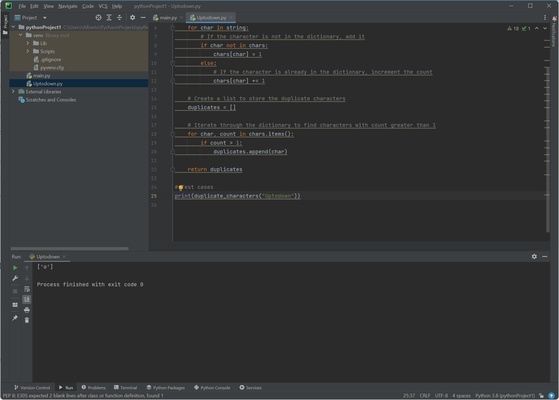
PyCharm Community is a Python development environment (IDE). On it, you can write, run, and debug code from a single program. PyCharm Community is the free version of PyCharm, so you can use it without paying a dime. Because it's free, it has fewer features, but it includes the most important ones if you're looking to program in Python.

A complete Python development environment

Developed by JetBrains, PyCharm Community was initially launched in 2011. Since then, it has gained widespread popularity thanks to its excellent performance as a development environment, including a clean and intuitive interface that's accessible for all kinds of users.

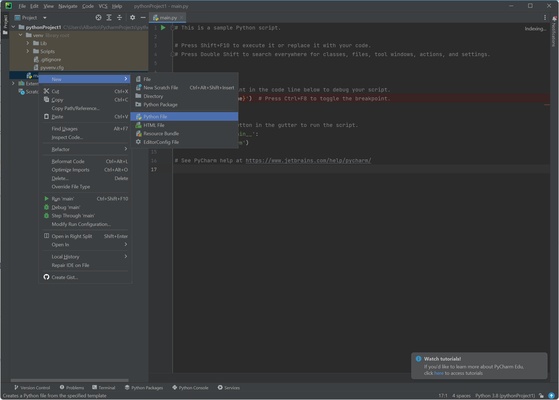
PyCharm Community gives you code hints as you type, which speeds up the programming process and helps you avoid making mistakes. You can also have multiple project tabs open at once, making it easier to switch between them or even create new ones.

Debug and run your code from PyCharm Community

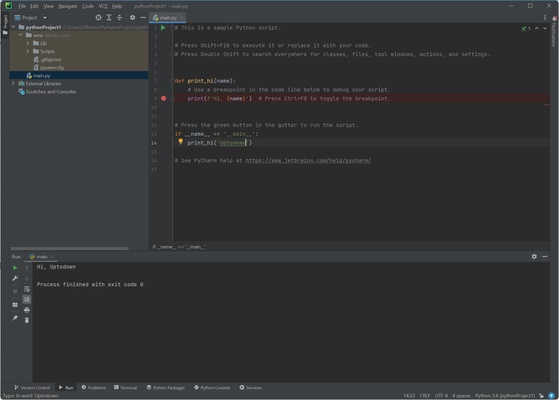
Once you've finished writing the code, you can debug it with this powerful system, which finds problems and offers solutions quickly. You can also run it and see the result at the bottom of the screen.

PyCharm Community is compatible with plugins. By default, it allows you to write in Python, HTML, CSS, and JavaScript, but you can also add plugins to use Rust and Dart.

Download PyCharm Community to enjoy one of the best Python programming experiences out there.

Information about PyCharm Community

License Free
Op. System Windows
Category Development
Language English 47 more
Author JetBrains
permission icon Permissions Not applicable
Date 2026-06-02
Size 825.28 MB
File type EXE

Apps recommended for you

Twine 2.12.1 icon
A tool to create non-linear interactive stories
Google Chrome 150.0.7871.182 (64-bit) icon
The fast, free browser that's built for the modern web
Scala icon
Develop scalable applications and run functional programming projects with Scala for Windows, the powerful language combining object-oriented and functional programming.
pgAdmin 4 9.17 icon
A web based administration tool for the PostgreSQL database!
Beyond Compare 5.2.5 Build 32528 icon
Windows utility that combines directory compare and file compare
VSCodium icon
Powerful IDE that protects your privacy
Beekeeper Studio 6.2.1 icon
A modern, elegant, and open source SQL client
EditPlus icon
EditPlus for Windows is a powerful text editor that supports multiple programming languages, with features like syntax highlighting and code folding for efficient coding.
Codex 26.1103.4239.0 icon
OpenAI's official companion for programming with ChatGPT
Beekeeper Studio 6.2.1 icon
A modern, elegant, and open source SQL client
InnoExtractor 12.2.0.187 icon
Complete GUI for Inno Setup.
Orca 1.4.246 icon
An environment for coordinating multiple AI agents
cc-switch 4.0.4 icon
Manage multiple AI models from one place
Twine 2.12.1 icon
A tool to create non-linear interactive stories
Codex 26.930.3930.0 icon
OpenAI's official companion for programming with ChatGPT
Python 3.14.8150.0 icon
Accessible multi-paradigmatic programming language
Cursor icon
Improve your code writing with AI
DBeaver 26.2.0 icon
Awesome Universal Database Tool for multiple tables, scripts, triggers...
Gradle 9.6.0 icon
It helps teams build, automate and deliver better software!
Git for Windows 2.55.0.5 icon
Integrates Git Bash and Git GUI into Windows PC!
dbForge Data Compare for PostgreSQL icon
Compare Diffs and Sync Table Data in PostgreSQL
pgAdmin 4 9.17 icon
A web based administration tool for the PostgreSQL database!
Charles icon
Debug and analyze HTTP and HTTPS traffic with Charles for Windows, the powerful web proxy tool for monitoring, testing, and troubleshooting network requests.
Unity 6000.5.11 icon
Powerful 3D and 2D gaming development software for Windows