

Remote Desktop Manager is a remote connection management tool designed for IT professionals, system administrators, and businesses. It provides a centralized interface for organizing and accessing remote desktop sessions, servers, virtual machines, and other network resources.
The software supports a wide range of connection types, including RDP, SSH, VNC, FTP, Telnet, VPN, and web-based sessions. It also combines remote connection management with password storage, shared databases, access controls, and security features.
Key Features
Remote Connection Management – Create, organize, edit, and access remote connections from a centralized interface.
Multiple Connection Protocols – Supports RDP, SSH, VNC, FTP, Telnet, VPN, and other remote access technologies.
Connection Organization – Group sessions into folders and subfolders for easier management.
Quick Connect – Quickly connect to remote computers by entering a hostname, IP address, or other connection details.
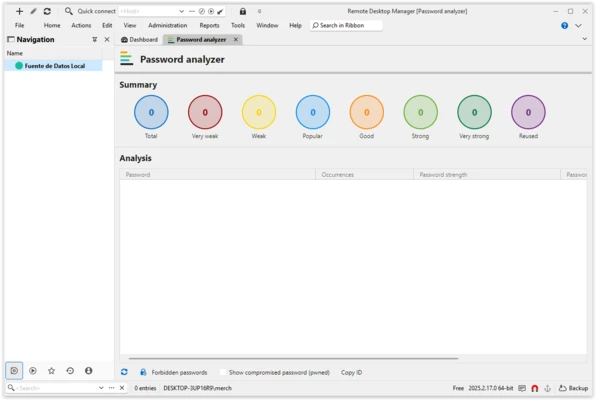
Password Management – Store and manage credentials associated with remote connections.
Shared Databases – Share connection information and credentials with authorized team members.
Role-Based Access Control – Control which users can access specific connections and resources.
Two-Factor Authentication – Provides additional authentication options for protecting accounts and remote resources.
Security and Encryption – Uses encryption to help protect stored connection information and sensitive credentials.
Auditing and Reports – Track connection activity and generate reports for administration and monitoring.
VPN Support – Manage VPN connections alongside other remote access sessions.
User Interface
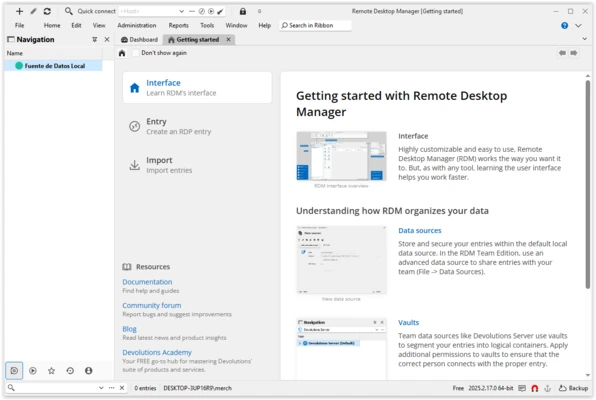
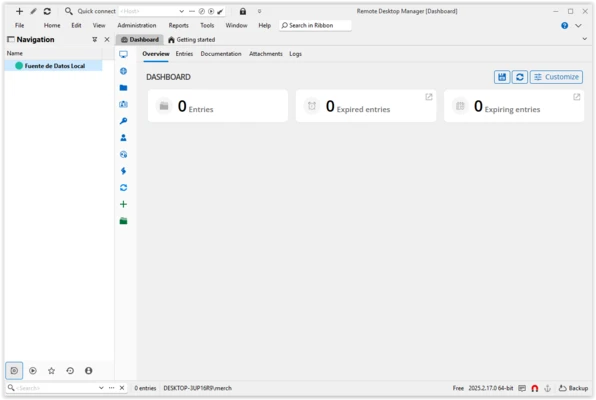
Remote Desktop Manager uses a centralized interface where remote sessions, folders, credentials, and databases can be managed from one location. The folder-based organization makes it easier to manage large numbers of connections, while search and quick-access features help users find sessions efficiently.
Installation and Setup
-
Install Remote Desktop Manager on your Windows computer.
-
Launch the application and create or open a data source.
-
Add your remote connections and select the appropriate connection type.
-
Enter the required server, authentication, and credential information.
-
Organize connections into folders for easier access.
-
Configure security and user permissions if the software is being used by a team.
How to Use
-
Open Remote Desktop Manager and select the desired data source.
-
Add an RDP, SSH, VNC, VPN, or other supported connection.
-
Enter the server address and required login information.
-
Save the connection for future access.
-
Organize frequently used sessions into folders.
-
Double-click a saved connection to start a remote session.
-
Use shared databases, permissions, and auditing features when managing connections across a team.
Pros
-
Supports a wide range of remote connection types
-
Centralized management for multiple remote sessions
-
Integrated password and credential management
-
Shared databases and access controls
-
Supports two-factor authentication
-
Useful for professional IT administration
Cons
-
The large feature set can be overwhelming for beginners
-
Some advanced features require a paid edition
-
Initial configuration can take time for complex environments
Conclusion
Remote Desktop Manager provides a centralized way to organize and manage remote connections, credentials, and related IT resources. Its support for multiple protocols, connection organization, password management, access controls, and auditing makes it suitable for administrators and teams managing numerous remote systems.