

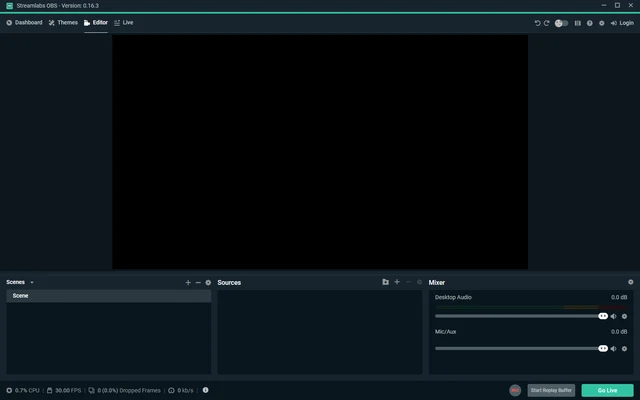
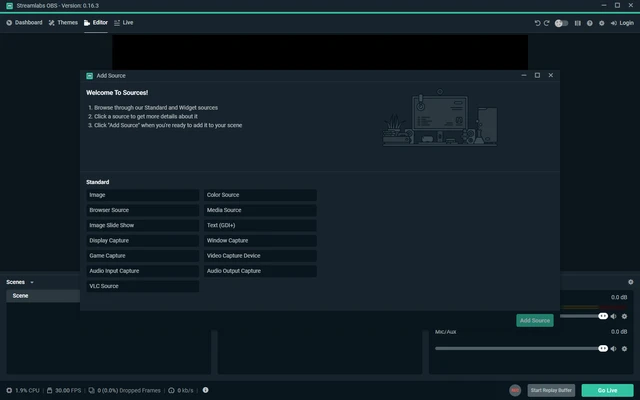
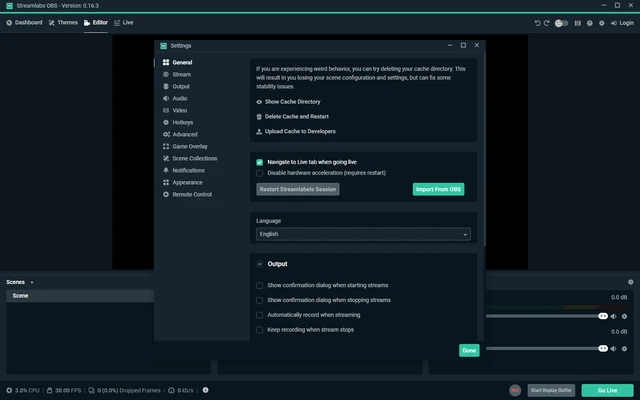
Streamlabs Desktop (formerly Streamlabs OBS) is a free live streaming and recording software built for content creators, gamers, and professional streamers. Based on the OBS Studio framework, it combines streaming, alerts, overlays, widgets, and audience engagement tools into a single application.
Designed for platforms such as Twitch, YouTube, Facebook Live, and Kick, Streamlabs Desktop simplifies the streaming process with an easy setup wizard, integrated dashboards, and customizable themes.
Key Features
Easy Stream Setup
Import settings from OBS Studio and start streaming in just a few clicks with automatic configuration tools.
Custom Overlays & Themes
Access hundreds of professionally designed overlays, alerts, widgets, and stream themes.
Multi-Platform Streaming
Broadcast to multiple streaming platforms simultaneously with Streamlabs Ultra.
Built-In Alerts & Widgets
Add donation alerts, subscriber notifications, chat boxes, goals, polls, and other interactive widgets.
Collab Cam
Invite guests directly into your stream for interviews, podcasts, or collaborative broadcasts.
Integrated Dashboard
Manage alerts, donations, widgets, and stream settings from a centralized dashboard.
Optimized Performance
Supports hardware acceleration and optimized encoder settings for NVIDIA NVENC and x264 encoding.
Cloud Backup
Save scenes, overlays, and settings to the cloud for easy migration between devices.
What's New in 2026
- Improved multistreaming support
- Enhanced video encoding performance
- Better CPU and memory optimization
- Expanded overlay and theme library
- Improved Collab Cam guest management
- Enhanced cloud backup reliability
- Updated dashboard and widget controls
- Stability and performance improvements
Why Choose Streamlabs Desktop?
- Beginner-friendly streaming setup
- Built-in alerts and engagement tools
- Professional-looking overlays and themes
- Integrated donation and tipping support
- OBS-based streaming engine
- Supports major streaming platforms
Pricing
Streamlabs Starter (Free)
- Basic streaming tools
- Alerts and widgets
- Limited overlays and themes
- Dual-stream output support
- Basic cloud storage
- No-fee tipping
Streamlabs Ultra
- Multistreaming to multiple platforms
- Premium overlay library
- Up to 11 Collab Cam guests
- Advanced video editing tools
- Additional cloud storage
- Premium applications and integrations
Pros
- Easy setup for new streamers
- Integrated alerts and widgets
- Attractive overlay library
- OBS-based reliability
- Supports multiple streaming platforms
Cons
- Higher resource usage than OBS Studio
- Many advanced features require Ultra subscription
- Premium plans can be expensive
- Less customizable than vanilla OBS for advanced users
System Requirements
Operating System
- Windows 10
- Windows 11
Hardware
- Intel Core i5 / AMD Ryzen 5 or higher
- 8 GB RAM minimum
- Dedicated GPU recommended
- Broadband internet connection
Conclusion
Streamlabs Desktop is one of the most beginner-friendly streaming applications available for Windows. By combining OBS-powered streaming with built-in overlays, alerts, widgets, and audience engagement tools, it provides an all-in-one solution for creators who want to start streaming quickly without extensive configuration. For professional streamers seeking advanced multistreaming and collaboration features, the Ultra subscription unlocks additional capabilities.