Blue Iris is a professional video surveillance and management software for Windows that can monitor and record up to 64 cameras on a single PC.
It supports webcams, IP cameras, analog cameras, and desktop capture, with features for continuous recording, motion detection, alerts, remote viewing, and video playback. Blue Iris is suitable for home security, offices, businesses, and other surveillance applications.
Key Features
- Supports up to 64 cameras.
- Compatible with IP cameras, webcams, and analog cameras.
- Continuous, scheduled, and motion-triggered recording.
- Supports video and audio recording.
- Motion and object detection features.
- Email and other notification options.
- Remote camera viewing through a web browser.
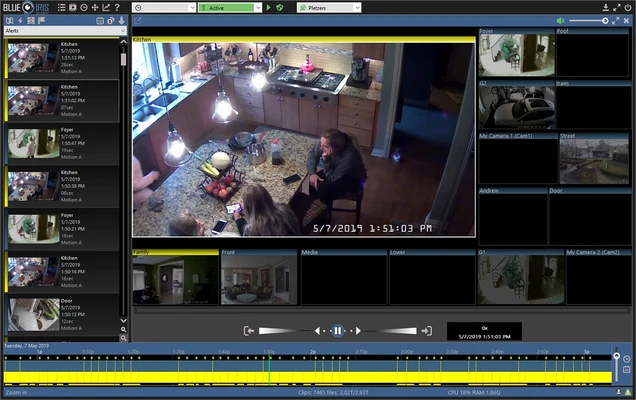
- Playback of recorded videos and alerts.
- Digital zoom and pan controls.
- User accounts and permission management.
- Built-in web server for remote access.
- Supports multiple video formats and storage options.
User Interface
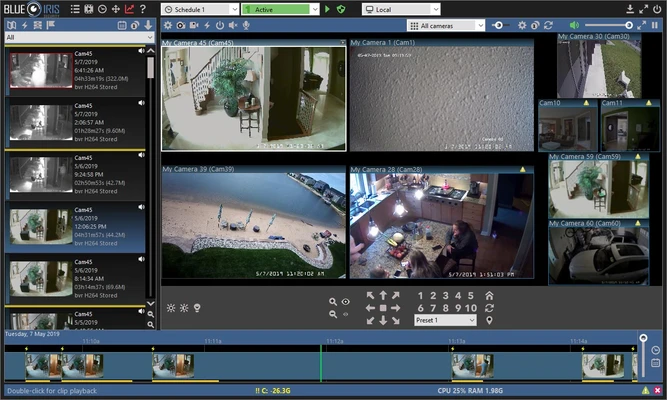
Blue Iris provides a centralized interface for viewing multiple cameras, managing recordings, reviewing alerts, and configuring surveillance settings.
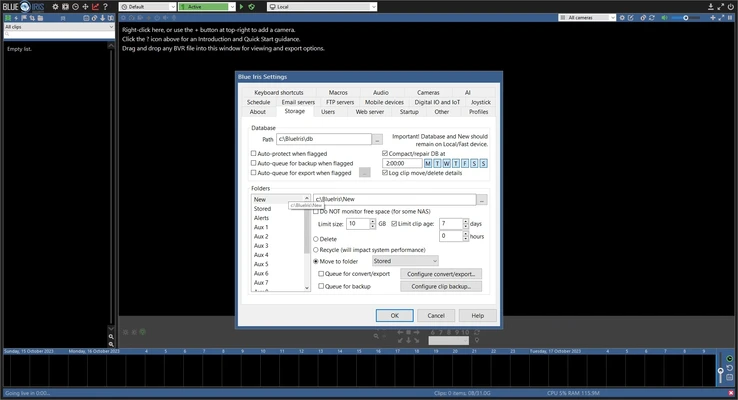
The interface is designed for users who need detailed control over cameras, recording schedules, motion detection, storage, and remote access.
Installation and Setup
- Download and install Blue Iris on a Windows PC.
- Launch the software and activate it with a license key or trial.
- Add cameras manually or use the camera discovery tool.
- Configure recording and motion detection settings.
- Set up alerts and notifications.
- Configure storage and video retention options.
- Create user accounts if remote access is required.
How to Use
- Add your cameras to the software.
- Configure recording schedules and storage locations.
- Enable motion detection for cameras that require it.
- Set up email or other alerts.
- Use the timeline to review recorded footage.
- Access live and recorded video remotely through the web interface.
- Adjust camera and recording settings as needed.
FAQ
How many cameras can Blue Iris support?
Blue Iris can support up to 64 cameras, depending on the system hardware and camera configuration.
Does Blue Iris work with IP cameras?
Yes. It supports a wide range of network IP cameras as well as webcams and other supported video sources.
Can I view my cameras remotely?
Yes. Blue Iris includes a web interface that allows users to access live and recorded video remotely.
Does Blue Iris support motion detection?
Yes. It provides motion detection and alert features that can trigger recording or notifications.
Is Blue Iris free?
Blue Iris is commercial software with a trial period. A license is required for continued use after the trial.
Does Blue Iris require a powerful PC?
For multiple cameras and high-resolution recordings, a relatively powerful CPU, sufficient RAM, and fast storage are recommended.
Pricing
Blue Iris is commercial software with a 15-day trial version. A paid license is required after the trial period.
System Requirements
- Operating System: Windows 10 64-bit or Windows 11
- Processor: Intel Core i7 or equivalent recommended
- RAM: 8 GB or more recommended
- Graphics: NVIDIA GPU recommended for efficient display
- Storage: SSD or 7200 RPM hard drive recommended
- Network: Required for IP cameras and remote access
PROS
- Supports up to 64 cameras
- Wide camera compatibility
- Advanced recording and motion detection
- Remote viewing through a web browser
- Flexible alerts and scheduling
- Extensive configuration options
CONS
- Relatively high system resource usage
- Paid license required
- Can be complicated for beginners
- Performance depends heavily on camera count and resolution
- No built-in cloud storage
Conclusion
Blue Iris is a powerful Windows-based video surveillance solution for users who need detailed control over multiple cameras, recording, motion detection, alerts, and remote access.
It is particularly suitable for home security, offices, and small business surveillance systems. However, running many high-resolution cameras can require substantial CPU, memory, and storage resources.