JRiver Media Center for Windows Download – Ultimate Media Management and Playback Software
JRiver Media Center for Windows is a comprehensive media management and playback software designed for audiophiles, video enthusiasts, and anyone who enjoys organizing, playing, and streaming their media collection. With support for audio, video, images, and streaming services, JRiver Media Center provides an all-in-one solution to manage and enjoy your media files. Whether you're looking for a powerful media player, a complete home theater system, or a way to organize and access your media library across devices, JRiver has you covered.
Transform your media experience with JRiver Media Center!
All-in-One Media Solution
JRiver Media Center is an all-in-one media software that supports a wide range of media formats, including MP3, FLAC, AAC, AVI, MKV, and more. You can manage your entire audio library, watch high-definition videos, view photos, and stream content across your devices seamlessly. It integrates all your media files into one cohesive interface, making it easy to organize, access, and enjoy your media on demand.
High-Quality Audio and Video Playback
With JRiver Media Center, you can enjoy high-fidelity audio and high-definition video playback with superior sound and visuals. The software supports lossless audio formats like FLAC, ensuring that your music sounds as intended by the artist. Whether you're using it for home theater systems, multi-room setups, or personal listening, JRiver provides crystal-clear audio and exceptionally sharp video with minimal latency.
Advanced Library and Media Management
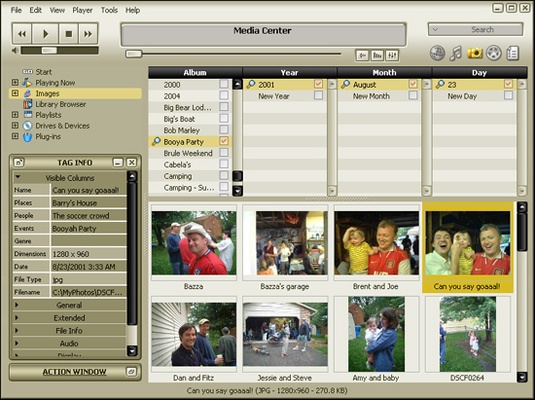
JRiver offers advanced media library management that allows you to organize and tag your files efficiently. With automatic metadata retrieval, JRiver can fetch detailed information such as album art, artist bios, and movie descriptions. You can also create custom playlists, manage your audio and video collections, and organize your media by genre, date, rating, and more. The intuitive interface makes it easy to browse your library, search for specific content, and quickly access your favorite files.
Multi-Device and Streaming Support
JRiver Media Center is designed to work seamlessly with multiple devices. You can stream music, video, and images to devices like smartphones, tablets, smart TVs, and networked audio systems. It supports streaming to DLNA-compatible devices, Chromecast, and AirPlay, so you can enjoy your media on any screen or speaker in your home. Whether you're streaming local content or accessing online streaming services, JRiver ensures smooth, high-quality playback.
Powerful Video and Media Editing Features
For those who need to do more than just watch videos, JRiver Media Center provides advanced video editing features, allowing you to trim, merge, or adjust video clips. It also offers media conversion tools, enabling you to convert video and audio files into different formats for compatibility with various devices. Whether you’re editing your home movies or preparing media for distribution, JRiver has the tools you need to customize and enhance your content.
Customizable User Interface
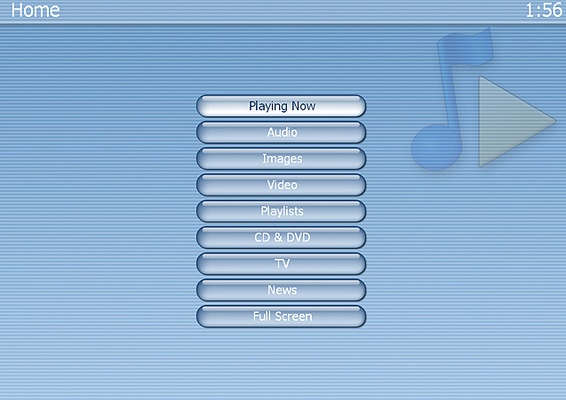
The user interface of JRiver Media Center is highly customizable to fit your preferences. You can adjust themes, layouts, and colors, giving you full control over how your media is presented. JRiver also supports keyboard shortcuts and remote control compatibility, allowing you to operate the software without needing to be at your computer. The software’s flexibility ensures you can set it up to match your exact needs and workflow.
Final Overview
JRiver Media Center for Windows is the ultimate solution for organizing, playing, and streaming all your media. With high-quality audio and video playback, advanced library management, and streaming support for multiple devices, JRiver makes it easy to manage your entire media collection. Whether you’re an audiophile, video enthusiast, or someone looking for a complete home theater experience, JRiver Media Center offers everything you need for seamless media enjoyment. Download JRiver Media Center today and take control of your media world!