Go to Windows platform Display platforms icon
Go to Windows platform Go to Mac platform Go to Android platform
WALTR icon

WALTR

4.3.7
Softorino
5
55.3 MB size

A great alternative to iTunes

WALTR is a Windows program that lets you transfer files from an Apple iPhone or iPod to your computer without using iTunes software. This lightweight interface allows you to transfer files without any complications.

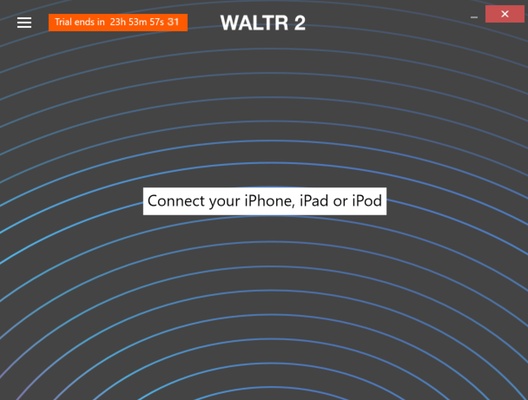
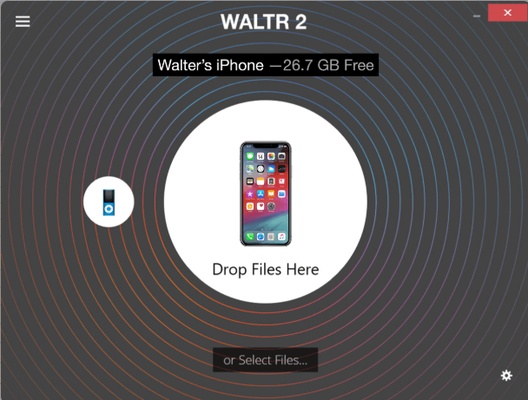
If you want to use WALTR, first you need to connect your Apple device to your computer. Then, the program detects it and you can start transferring files. Besides, it’s worth noting that this tool is compatible with most files including videos, music tracks, books and documents.

WALTR uses ACR technology to recognize any type of content and organize it after completing the file transfer. Thanks to this feature, there’s no need to worry about locating the files that you share afterward. Plus, you can also use a WiFi connection if you don’t want to use cables during the transfer process.

With WALTR, transferring files from an Apple device to your computer without using iTunes is easy. There’s no doubt that you can use this tool to transfer files without any trouble at all.

Information about WALTR

License Free
Op. System Windows
Category Personal
Language English
Author Softorino
permission icon Permissions Not applicable
Date 2026-06-02
Size 55.3 MB
File type EXE

Apps recommended for you

Microsoft OneNote icon
Take customized notes and sync them on all your devices
TaskExplorer icon
DavidXanatos
Desktop Calendar icon
Desktop Calendar for Windows is a simple and customizable calendar app that helps users organize tasks, events, and reminders on their desktop.
HTTP Toolkit icon
Tim Perry
Eagle icon
Visual organization and efficient digital asset management
WizTree icon
Find and sort files that take up the most space on your hard drive
Podman Desktop icon
Manage containers with total convenience
Kindle icon
The best way to read your Kindle books on a computer
Electrum 4.8.3 icon
Electrum - fast and secure Bitcoin wallet
Koodo Reader 2.4.6 icon
The most convenient way to read all your e-books
FocusMe 8.0.7.4 icon
Block distractions and stay focused
TickTick 8.2.1.5 icon
A to-do list for Windows
StayFree 3.7.0.0 icon
Manage your screen time and program and game usage
FocusMe icon
FocusMe is a productivity tool that helps users block distractions and improve focus by restricting apps and websites.
MuseScore icon
MuseScore (Windows) – Create, play, and print sheet music with ease.
TomTom MyDrive Connect icon
Use and update your TomTom GPS from Windows
Weather Watcher icon
Detailed worldwide weather forecasts
EssentialPIM icon
Very complete agenda compatible with Outlook
Xournal++ icon
Take notes in the most efficient way
Evernote icon
Evernote for Windows is a note-taking app that helps users organize ideas, tasks, and projects with features like text, images, and file attachments.
Simplenote icon
A straightforward note-taking tool
Octoparse icon
Scrape the web without needing to write code
MuseScore icon
MuseScore (Windows) – Create, play, and print sheet music with ease.
Nicepage icon
Nicepage