

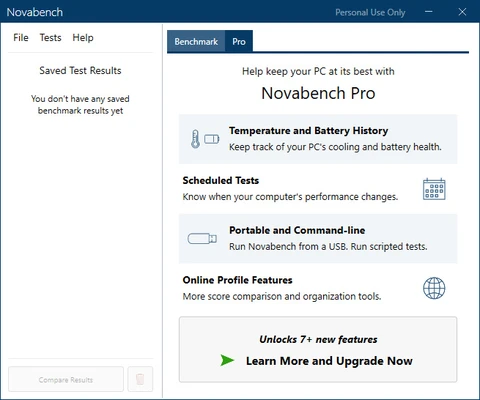

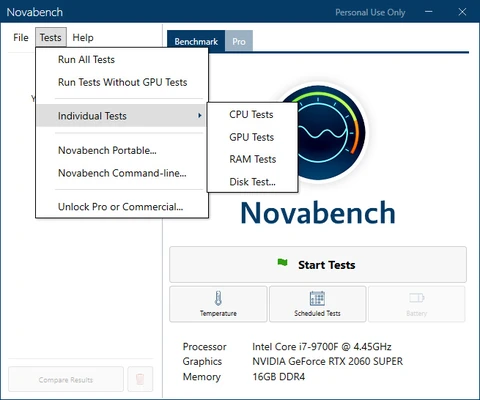
Novabench for Mac is a lightweight benchmarking tool designed to quickly measure and analyze your system’s performance. It evaluates key hardware components including CPU, GPU, RAM, and storage, providing a clear overall performance score.
Trusted by millions of users since 2007, Novabench is widely used for diagnosing system performance and comparing hardware capabilities online.
Overview
Novabench is a fast and easy-to-use system benchmarking utility for macOS and Windows.
It runs a series of optimized tests to evaluate your computer’s core components and delivers results within minutes, making it ideal for quick performance checks and hardware comparisons.
Performance Testing
Novabench performs a full system scan to measure key hardware performance areas:
- CPU performance testing
- GPU graphics benchmarking
- Memory (RAM) speed evaluation
- Disk read/write speed testing
After testing, the tool generates an overall system score along with detailed breakdowns for each component.
Compare Results Online
Users can upload their benchmark results and compare them with other systems online.
This helps identify:
- Hardware bottlenecks
- Performance issues
- Upgrade opportunities
- System efficiency differences
Verified results can also be shared through a Novabench online profile.
Easy Testing Process
Running a benchmark is simple and takes only a few minutes:
- Launch the application
- Start the benchmark test
- Wait for automatic analysis
- View detailed performance results
No complex configuration is required.
System Optimization Insights
Based on benchmark results, users can:
- Identify slow components
- Plan hardware upgrades
- Optimize system performance
- Troubleshoot performance issues
Novabench is commonly used for system tuning and performance diagnostics.
Key Features
- Full system benchmarking (CPU, GPU, RAM, Disk)
- Quick performance testing in minutes
- Online score comparison system
- Detailed hardware breakdown reports
- Simple and user-friendly interface
- Free basic benchmarking tool
- Cross-platform support (macOS & Windows)
Pricing
Free Version (Basic)
- Full benchmark suite
- Basic online comparison
- Personal use only
- Requires result submission
Novabench Plus – $35/year
- Advanced comparison tools
- Offline mode and private profiles
- Bottleneck analysis
- Temperature and power monitoring tools
Novabench Pro – $99/year per user
- Commercial license included
- Command-line support
- Portable version
- Advanced reporting tools
- Full professional feature set
Pros
- Fast and lightweight benchmarking tool
- Easy-to-use interface
- Detailed system performance breakdown
- Online comparison system
- Supports multiple hardware components
Cons
- Limited features in free version
- No advanced real-time hardware monitoring
- Requires internet for result comparison
Conclusion
Novabench for Mac is a practical benchmarking utility for users who want a quick and clear overview of their system performance. With support for CPU, GPU, RAM, and disk testing, it provides essential insights for performance analysis and hardware evaluation.
It is a useful tool for both casual users and enthusiasts who want to monitor and compare system performance easily.